
Telecom Services Near Me: A Business Guide for 2026
You’re probably searching “telecom services near me” because something has already broken down in your current setup. The office internet stalls during video calls. The warehouse loses signal in the far corners. A property team is juggling mobile staff, desk phones, access systems, and vendors that all seem to operate on separate islands.
Most businesses don’t need more telecom jargon. They need a buying process that matches operations on the ground. The right answer depends on how your team works, what downtime costs you, and whether you’ve planned for the last step most companies skip: removing and recycling the old gear left behind after the upgrade.
Decoding Modern Telecom Services for Your Business
The phrase “telecom services near me” sounds simple, but for a business it usually means choosing among several very different service models. Fiber, cable, 5G fixed wireless, VoIP, and managed services all solve different problems. A smart decision starts with matching the service to the job.
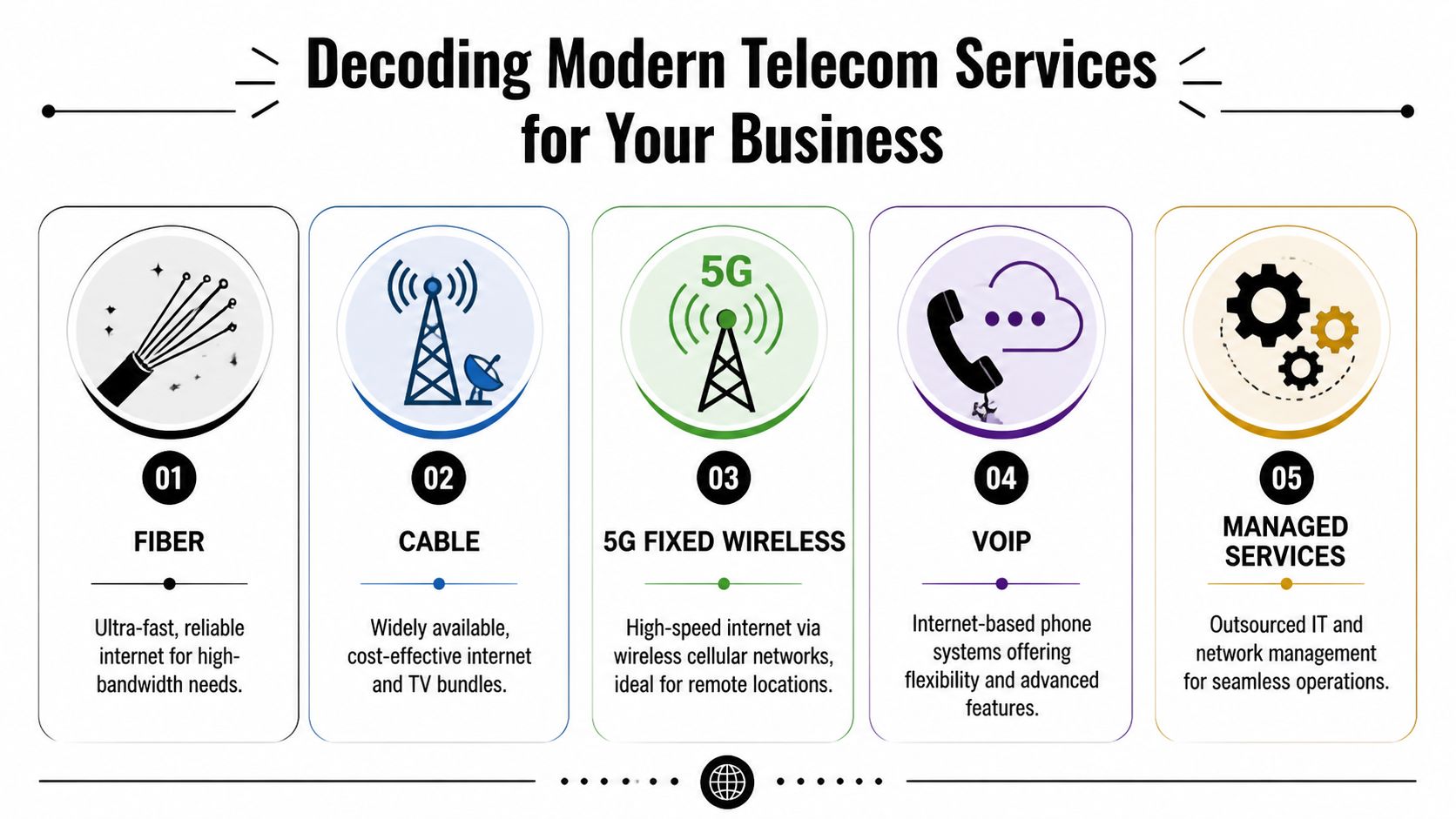
Fiber works best when upload speed matters
Fiber is the strongest fit for businesses that live in cloud platforms. If your team pushes large files, relies on video meetings all day, syncs backups offsite, or runs hosted systems, fiber usually gives the cleanest experience because upload performance isn’t an afterthought.
That matters more than many buyers expect. A small office with ten people can absolutely justify fiber if those ten people all work inside cloud storage, a CRM, VoIP, and shared video calls. In that situation, fiber isn’t overkill. It’s often the simplest way to avoid constant friction.
Cable fits stable office demand and tighter budgets
Cable internet is often the practical middle ground. It’s widely available, usually easier to install than dedicated fiber builds, and often works well for offices that need strong download performance without extreme upload demands.
A retail store with point-of-sale systems, guest Wi-Fi, inventory software, and digital signage may do perfectly well on cable. The trade-off is consistency under heavier shared usage. If your busiest hours overlap with peak local demand, cable can feel less predictable than fiber.
5G fixed wireless helps when wiring is slow or inconvenient
5G fixed wireless can be a strong option for temporary offices, leased spaces, pop-up operations, and teams that need fast deployment. It’s especially useful when a property manager can’t wait on trenching, landlord approvals, or building cabling work.
A fast install is valuable, but speed alone doesn’t make a business connection dependable. Coverage quality inside the building still decides whether the service feels usable day to day.
For a property management team with mobile staff and light office needs, 5G may work well as either a primary line or a backup. For a call-heavy office or a site with always-on cloud systems, I’d treat it more cautiously unless the provider can validate site performance in your exact space.
VoIP and managed services change how work gets supported
VoIP isn’t just “phones over the internet.” It’s a way to unify front desk calls, remote staff, ring groups, voicemail routing, and call reporting without maintaining old on-premise phone hardware. If your team is comparing communication options, this cloud PBX phone system guide gives a useful overview of how hosted phone systems change administration and flexibility.
Managed services sit one level above connectivity. They cover monitoring, support, device management, vendor coordination, and sometimes network changes. This matters for businesses that don’t want an office manager acting as the accidental IT department.
A warehouse, medical office, or multi-site business often gets better results when someone owns the environment after installation, not just the circuit. For more operational reading on business cleanouts and infrastructure transitions, the Fulton Junk Removal blog is a useful local reference point.
How to Accurately Assess Your Company's Needs
Most bad telecom purchases start with a vague brief. “We need faster internet” doesn’t tell a provider enough, and it doesn’t protect you from buying the wrong package. A usable assessment has to connect business activity to network behavior.
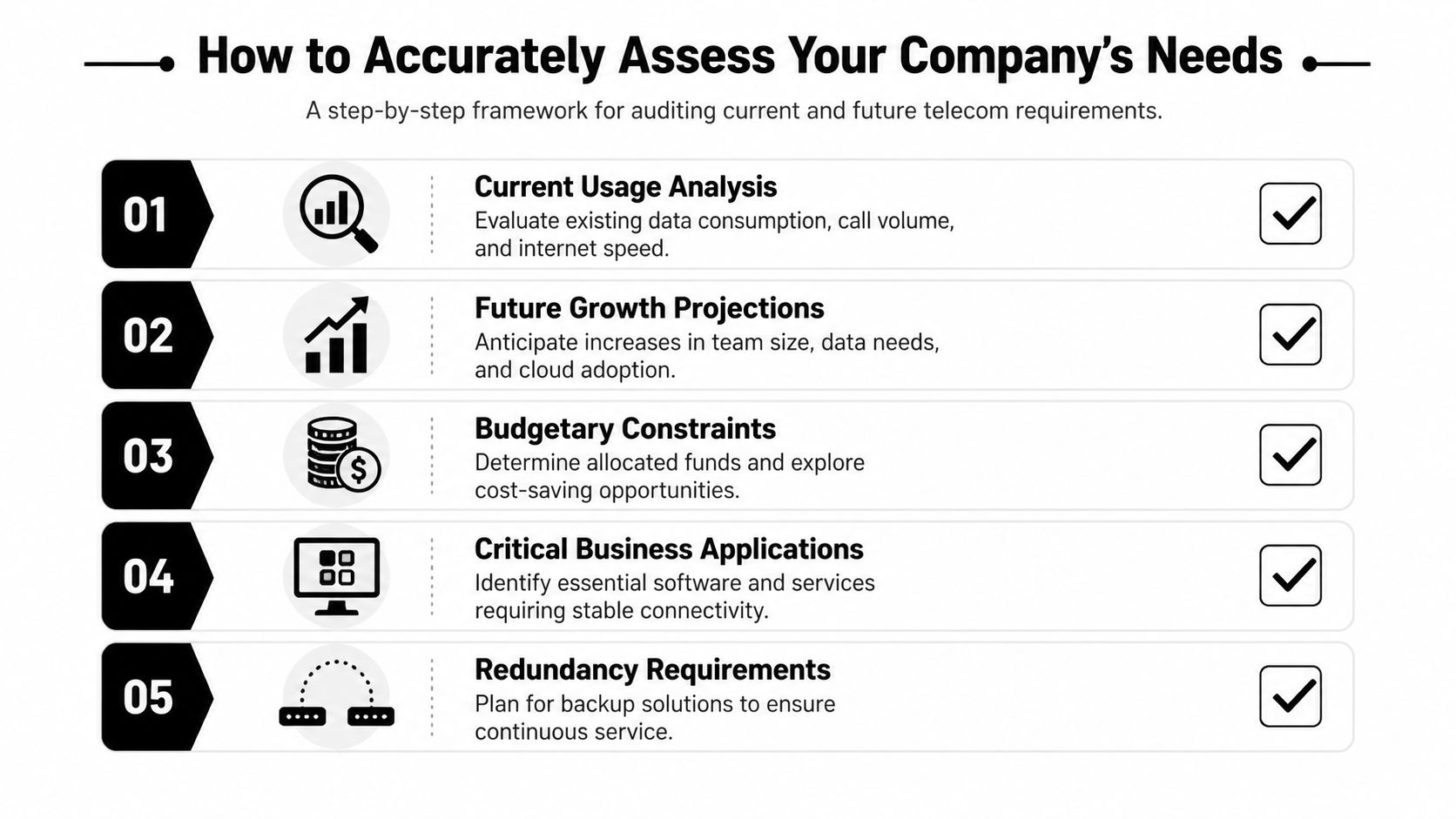
Start with business-critical functions
List the systems that can’t fail without interrupting revenue, operations, or safety. Don’t stop at internet access. Include phones, payment systems, security cameras, door access, cloud backups, tenant systems, dispatch tools, and any platforms your staff touches all day.
A warehouse may care most about scanner coverage, inventory systems, and broad indoor reach. A law office may care more about stable calls, document transfer, and secure remote access. A retail site usually needs dependable point-of-sale performance before anything else.
Audit the human side of demand
Headcount alone doesn’t tell you much. The key question is how people use the network at the same time.
Ask questions like these:
- Who is on-site daily: Count regular staff, rotating contractors, shared workstations, and guest usage.
- What happens concurrently: Note when video calls, uploads, transactions, and cloud syncs overlap.
- Where are dead zones today: Map weak spots in offices, break rooms, loading areas, and back-of-house spaces.
- Which teams are mobile: Property managers, maintenance crews, and field staff create different requirements than desk-based teams.
If a provider only asks how many employees you have, they’re skipping the hard part.
Define your downtime tolerance
Every company says uptime matters. Fewer define what failure looks like. For a billing office, an outage may be inconvenient. For a healthcare, logistics, or payment-heavy environment, even a short interruption can create immediate operational risk.
Practical rule: If a service interruption forces staff to stop serving customers, stop billing, or stop communicating internally, that connection is business-critical and should be treated as such in procurement.
Write down your tolerance in plain language. Can you function on a mobile hotspot for part of a day? Do you need a backup path for phones? Would your team keep operating if the primary connection failed during a busy period? Those answers shape whether you need redundancy, a secondary carrier, or a stronger SLA conversation later.
Look forward, not just at today
A telecom contract can outlast your current floor plan, staffing model, and software stack. That’s why a useful audit includes future growth, not just current pain.
Use a simple planning worksheet:
| Audit area | What to document | Why it matters |
|---|---|---|
| Current workflows | Core apps, calls, transactions, camera loads, guest access | Prevents under-scoping |
| Site conditions | Wiring limits, building materials, rack space, access rules | Affects install feasibility |
| Expansion plans | New hires, new suites, added locations, cloud migration | Protects against short-lived decisions |
| Risk tolerance | Acceptable downtime, support expectations, backup needs | Guides SLA and redundancy choices |
| Compliance needs | Data handling, disposal obligations, reporting requirements | Prevents cleanup problems later |
One more point often gets ignored. Telecom upgrades don’t end at activation. Routers, desk phones, access points, obsolete switches, and cabling often remain in closets long after the project closes. Include decommissioning in your internal checklist now, even if disposal happens later.
A Step-by-Step Guide to Finding Nearby Providers
A local search usually begins with a map result or sponsored listing. That’s fine for a first pass, but it’s a poor way to build a commercial shortlist. Businesses need a tighter process because availability varies by address, building type, and installation constraints.

Use a serviceable-address search first
Start with your exact business address, not just your city. Providers market coverage broadly, but serviceability often changes by block, building, and suite. A street-level search can reveal whether fiber is available, whether a 5G option is viable indoors, and whether installation depends on landlord approval.
Sacramento is a good example of why a structured search matters. In that market, Xfinity covers 98.4% of the city with speeds up to 2 Gbps, AT&T Fiber reaches 37.6% to 50% with symmetric speeds up to 5 Gbps, T-Mobile 5G Home Internet is available to over 56% of households, and the city has over 23 internet options according to Sacramento internet availability data from InMyArea. A market with that much variation can reward careful shopping or punish lazy assumptions.
Build a shortlist by provider type
Once you know what’s physically available, sort options into buckets instead of comparing everything at once.
A practical shortlist often looks like this:
- Primary wired option: Usually fiber first, then cable if fiber isn’t practical.
- Fast-deploy alternative: Useful when the move-in date is close or construction access is limited.
- Backup path: Preferably a different delivery method from the primary service.
- Voice layer: Separate review for hosted phones if your current phone system is aging.
- Support model: Decide whether internal staff can manage the environment or if you need outside help.
This prevents a common mistake. Teams compare a premium wired circuit, a consumer-grade wireless offer, and a phone platform as if they’re equivalent products. They aren’t.
Validate locally before you ask for quotes
Before you invite proposals, talk to people in the same kind of building you occupy. Neighbors in office parks, mixed-use buildings, industrial properties, and managed campuses can tell you what the provider sales rep won’t. They know whether installs drag on, whether support calls get escalated, and whether promised speeds hold up in real operations.
For Atlanta-area businesses that operate across multiple sites, checking Fulton Junk Removal service areas can also help when planning logistics around office moves, cleanouts, or telecom replacements tied to facility transitions.
Ask one local question that sales teams rarely answer directly: “How long did it take from signed order to working service in your building?”
That answer often tells you more than a polished product sheet.
The Ultimate Checklist for Comparing Commercial Telecom Services
Once you’ve narrowed the field, the decision stops being “Who has internet near me?” and becomes “Which provider can support the way we operate?” Price matters, but monthly cost by itself is a weak decision tool. The stronger comparison looks at reliability, support, contract structure, and what happens when something goes wrong.
Read the SLA like an operations document
The most important page in a telecom proposal may be the one buyers skim. Top-tier providers offer SLAs with 99.999% availability, which translates to just over 5 minutes of potential downtime per year. A drop to 99.9% means over 8 hours of downtime, based on telecom KPI guidance from NetSuite. That difference is not abstract if your phones, payment systems, or tenant operations depend on the line.
Ask the provider to explain three things in plain language:
- What counts as downtime
- How outages are measured
- What credit or penalty applies if they miss the target
A provider that avoids specifics on credits, exclusions, or maintenance windows is telling you where the risk sits.
Compare support and install realities
Installation quality can matter as much as the circuit itself. A strong provider coordinates site access, documents demarcation points clearly, identifies power and rack requirements early, and doesn’t treat your facilities team like an afterthought.
Support also needs scrutiny. A business with one site and no internal IT may need vendor-owned escalation. A multi-site operator may prefer a carrier that works cleanly with internal network staff. If you’re reviewing modern voice options during this stage, SnapDial business phone solutions is a useful example of the kind of feature set and deployment model buyers should compare carefully.
Watch the contract edges
The expensive part of a telecom contract often hides outside the headline rate. Look for construction charges, router requirements, term commitments, auto-renewal language, support tiers, and fees tied to early termination or relocation.
Use a worksheet your team can score line by line:
| Criteria | Provider A | Provider B | Notes/Red Flags |
|---|---|---|---|
| Service type and building fit | Fiber, cable, wireless, or mixed | ||
| SLA availability commitment | Check exclusions and remedies | ||
| Installation scope | Clarify timeline, access, inside wiring | ||
| Support model | 24/7 response, escalation path, local help | ||
| Contract flexibility | Renewal terms, move clauses, exit terms | ||
| Equipment ownership | Who owns routers, gateways, phones | ||
| Redundancy options | Diverse path or alternate carrier | ||
| Reporting and documentation | Billing clarity, usage visibility, incident logs | ||
| End-of-life handling | Removal obligations and asset cleanup |
Include sustainability and cleanup in procurement
Many otherwise disciplined teams often go soft here. They negotiate uptime but forget to ask what happens to replaced handsets, failed switches, obsolete access points, or abandoned cabling after turnover.
That omission creates two problems. First, storage rooms fill with retired gear nobody owns. Second, disposal becomes a rushed side task, often handed to the wrong vendor.
For buyers who want to understand local operational standards and service philosophy before assigning facility-related work, the Fulton Junk Removal company overview is a helpful reference.
Good telecom procurement includes the exit path for old equipment, not just the go-live date for the new service.
The Decommissioning Blind Spot Responsibly Handling Old Telecom Gear
A telecom upgrade feels complete when the new connection turns on. It usually isn’t. The old firewall is still in the rack. A box of desk phones sits in storage. A retired switch stack, cabling bundles, battery backups, and wireless hardware are waiting for someone to decide whether they’re assets, waste, or both.
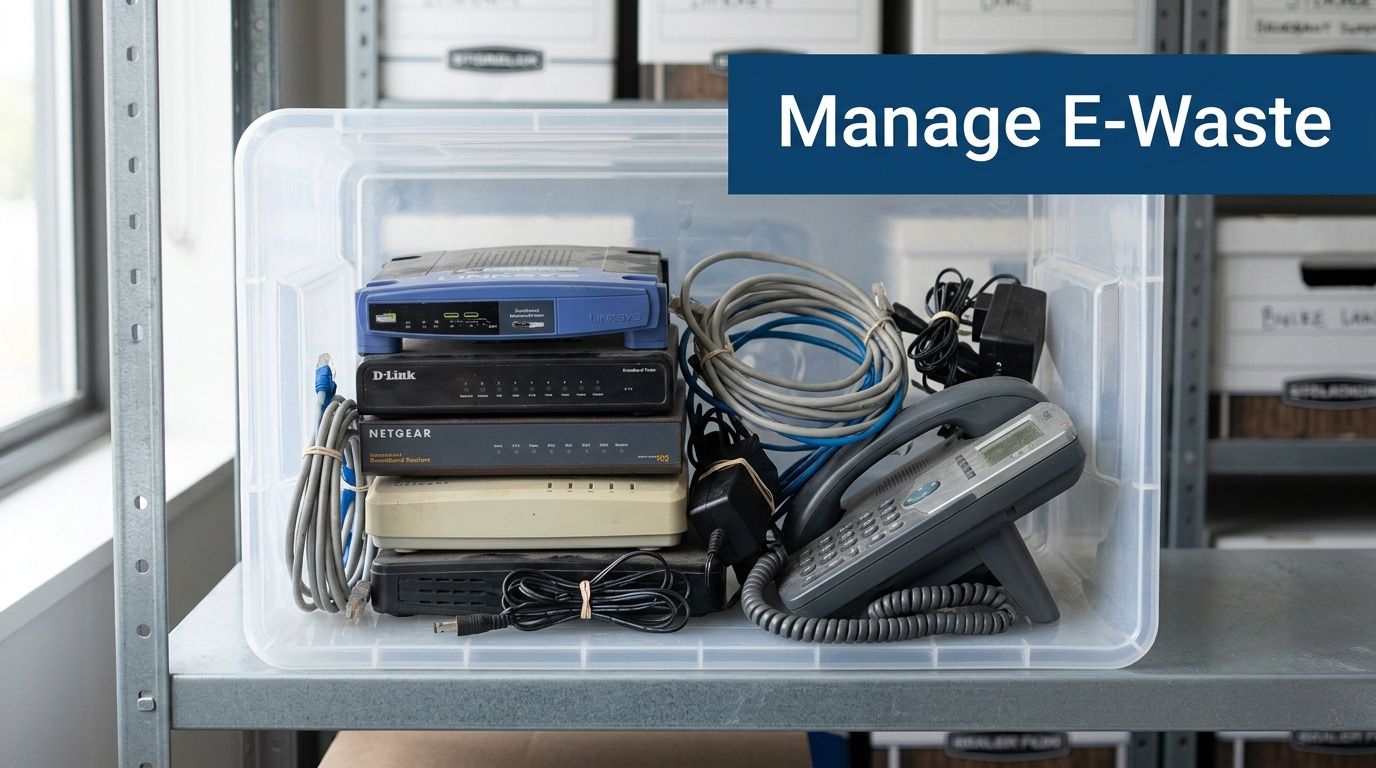
Why this gets missed
Most provider contracts focus on installation and activation, not removal of what came before. Internal teams are busy with cutover, user issues, and vendor invoices. By the time anyone revisits the old equipment, it has turned into a closet problem.
That’s a weak way to close a project. Old telecom hardware can contain recyclable metals and electronics that shouldn’t go out with general trash. It can also create avoidable compliance questions if equipment is stored without a clear disposition plan.
Disposal is now part of infrastructure planning
This isn’t a niche concern. Nationwide infrastructure upgrades are generating large amounts of surplus equipment, and some estimates suggest up to 80% of telecom junk could be diverted from landfills through certified recycling, according to Carroll County broadband provider and disposal context. Standard junk hauling often doesn’t solve that problem in a documented, sustainability-minded way.
A better closeout process includes:
- Asset separation: Keep telecom electronics separate from mixed office debris.
- Pickup coordination: Schedule removal close to cutover so gear doesn’t linger.
- Documentation: Retain diversion or recycling records when sustainability reporting matters.
- Building cleanup: Remove racks, loose cabling, wall-mounted equipment, and accumulated accessories if they’re no longer needed.
What responsible decommissioning looks like
Facilities teams should treat telecom removal the way they treat any other operational turnover task. Assign ownership. Confirm what stays. Confirm what goes. Make sure the disposal path fits your internal policies and reporting needs.
For Atlanta businesses managing office cleanouts, warehouse transitions, or bundled removal and recycling after an infrastructure refresh, the service scope outlined on Fulton Junk Removal services is the kind of combined operational model worth considering.
The cleanest telecom upgrade is the one that leaves the site faster, better connected, and free of obsolete hardware.
Your Next Steps to Seamless Connectivity and Compliance
A good telecom decision isn’t just a provider choice. It’s an end-to-end facility decision. You assess what the business needs, confirm what’s available at the address, compare vendors on service terms that affect operations, and close the loop by removing retired equipment responsibly.
The companies that handle this well don’t chase the biggest speed number. They buy for fit. They ask tougher questions about support, uptime, and contract language. They also decide in advance who owns the cleanup.
Here’s the most practical sequence to follow next:
- Audit your current environment: List critical apps, phone needs, on-site workflows, dead zones, and failure points.
- Check exact address availability: Build a shortlist based on what can really be installed in your space.
- Request detailed proposals: Ask each provider for scope, SLA language, equipment requirements, and support commitments in writing.
- Review the contract edges: Look closely at installation terms, renewal language, move clauses, and responsibility for on-site equipment.
- Plan redundancy where needed: If downtime would interrupt revenue or service delivery, build a backup path into the project.
- Schedule decommissioning early: Don’t wait until the old gear has been sitting in storage for months.
- Document the closeout: Keep records for internal operations, landlord turnover, and sustainability reporting if your organization tracks it.
If you’re in the Atlanta area and need to coordinate the facility side of a telecom upgrade, the easiest next move is to request a site-specific discussion through the Fulton Junk Removal contact page. That gives you a clean path to plan removal, recycling, and site reset alongside the connectivity work itself.
If your telecom upgrade is leaving behind old phones, routers, switches, cabling, or mixed office debris, Fulton Junk Removal can help you finish the project properly. The team handles commercial cleanouts with an eco-conscious approach, and through Beyond Surplus they can pair haul-away service with responsible recycling for electronics and recoverable materials. For offices, warehouses, and property managers, that means less clutter, easier compliance, and a cleaner handoff from old infrastructure to new.
