
Secure Computer Recycling Atlanta Solutions
A lot of Atlanta businesses end up with the same problem. The office refresh is done, the new laptops are deployed, the network closet has been cleaned out, and now an admin, facilities manager, or IT lead is staring at a pile of old desktops, monitors, docks, printers, and loose hard drives with no clear next step.
That pile isn’t just clutter. It ties up usable space, creates data exposure, and puts disposal decisions in the hands of whoever is busiest that week. In practice, that’s where mistakes happen. Devices get mixed into a general cleanout, someone assumes a recycler will “take care of it,” and nobody asks what happened to the drives or where the material ultimately went.
For commercial teams looking into computer recycling atlanta, the right question isn’t just who can haul equipment away. It’s who can remove it, document it, destroy data properly, and route the material into a responsible downstream process without creating extra work for the business.
The Growing Challenge of E-Waste in Atlanta Offices
An overflowing storage room usually starts with good intentions. Teams keep old devices “just in case,” hold onto retired monitors for future hires, or delay disposal until a larger move, renovation, or office consolidation. Months later, the room is full, nobody wants to touch it, and the business is carrying hidden risk.
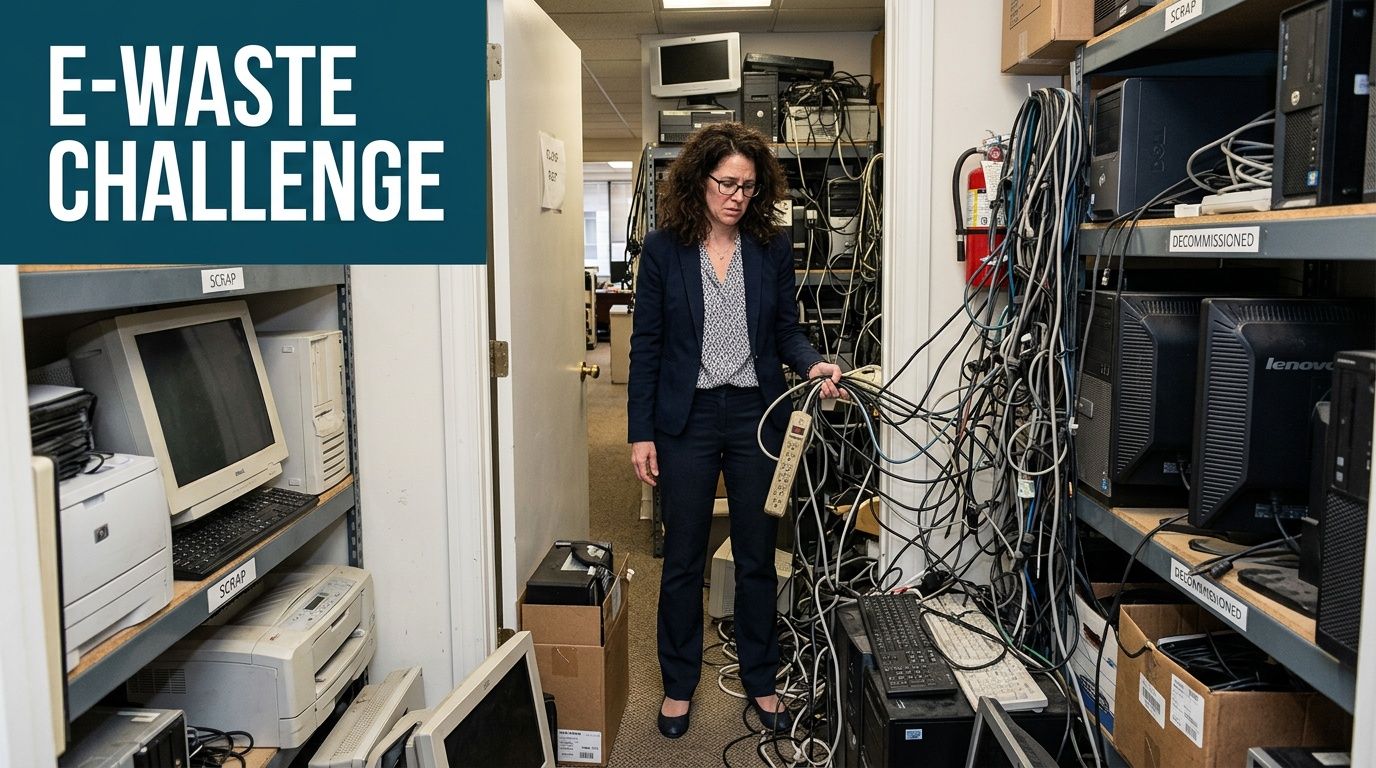
That risk sits at the intersection of operations, security, and sustainability. A retired laptop still has a drive. A copier may still store scanned documents. A stack of obsolete PCs in a vacant suite still takes up square footage you’re paying for. For Atlanta offices, warehouses, and managed properties, e-waste is rarely an isolated IT issue. It becomes a facilities issue fast.
Why this problem keeps growing
The scale often exceeds expectations. The United States generates over 3.5 million tons of e-waste annually, and it’s described as the fastest-growing segment of municipal solid waste in ReWorx Recycling’s Atlanta e-waste overview. In a business-dense market like Atlanta, that volume translates into a steady stream of office equipment reaching end of life.
The practical effect is simple:
- Storage gets consumed: Back rooms, IT cages, and vacant offices turn into holding areas for obsolete equipment.
- Disposal gets delayed: The more mixed the pile becomes, the harder it is to assign ownership and move it out.
- Risk increases: Devices that seem “dead” can still contain company, employee, tenant, or customer information.
A disciplined asset process prevents that buildup in the first place. If your team is tightening workflows around procurement, retirement, and chain of custody, these IT Asset Management best practices are useful because they reinforce a point recycling teams see every day. Disposal problems usually begin upstream with weak tracking and unclear handoff rules.
Practical rule: If equipment has been sitting in a closet long enough that nobody can confidently identify its owner, treat it as both a logistics problem and a compliance problem.
Why dumpster disposal isn’t a real option
For electronics, “just throw it away” isn’t a business process. It’s a shortcut that can create downstream trouble. Computers and related devices contain materials that need controlled handling, and mixed office cleanouts often combine recyclables, reusable assets, and items that should never be sent out with ordinary trash.
Atlanta companies dealing with turnover, closures, or refresh cycles usually need a service model that removes equipment from the site and routes it through a documented recycling path. For local pickups and broader cleanout coordination, businesses often start by checking Atlanta service coverage so the removal side and recycling side stay connected instead of becoming separate projects.
What Actually Happens During Computer Recycling
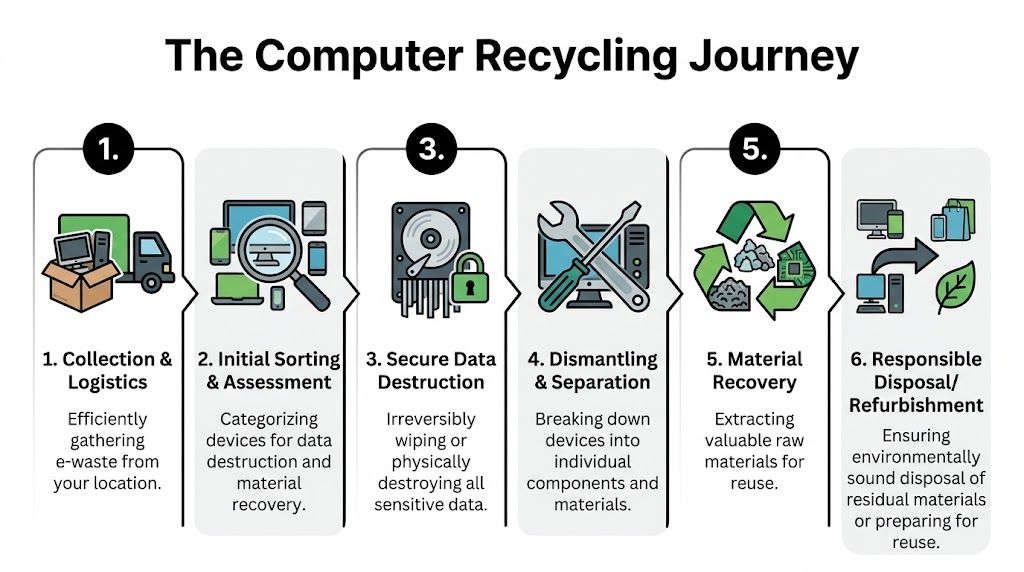
Recycling is often pictured as crushing, shredding, and loading material into bins. That’s only a small part of it. Proper computer recycling works more like a deconstruction line than a trash route. The goal isn’t to destroy everything indiscriminately. The goal is to identify what can be reused, what must be sanitized, what needs dismantling, and what materials can be recovered cleanly.
The first stage is controlled intake
Before anything is dismantled, equipment needs to be received and sorted correctly. That means separating obvious data-bearing assets from non-data peripherals, grouping devices by type, and flagging items that may still have resale, reuse, or parts value.
In a commercial setting, this early stage matters because mixed pickups are common. A single load might include laptops, desktop towers, thin clients, switches, UPS units, monitors, cables, phones, and office debris. If that material isn’t sorted right away, secure handling becomes harder and value recovery drops.
Here’s what a sound intake process usually includes:
Pickup and transport
Equipment leaves the office, warehouse, or property under documented handling procedures rather than being tossed into an undifferentiated junk stream.Visual assessment
Teams identify damaged units, intact units, branded assets, and anything likely to contain storage media.Segregation by pathway
Some items move toward data destruction, some toward refurbishment evaluation, and others toward raw material recovery.
Data-bearing devices are handled before material recovery
A computer recycler shouldn’t jump straight to dismantling. Storage media come first. Hard drives, solid-state drives, and embedded memory in certain equipment need to be removed or processed under a clear destruction method before the rest of the device enters the recycling line.
That sequence is one of the biggest differences between professional IT disposition and generic junk hauling. If you hand over a pallet of retired office gear, you need to know the process treats data destruction as the first operational priority, not a vague promise made at pickup.
The right recycler doesn’t ask you to trust the word “secure.” They show you what happens to storage media before the rest of the device is processed.
Then the hardware gets broken down by material stream
After secure data handling, the unit is dismantled into components. That may include housings, boards, wiring, fans, power supplies, heat sinks, plastics, ferrous metals, non-ferrous metals, and screen material. Genuine recycling takes place at this point.
The process generally looks like this:
- Manual dismantling: Staff remove batteries, drives, boards, and key components that require separate downstream handling.
- Commodity separation: Steel, aluminum, copper-bearing material, plastics, and board-grade material are sorted into their own channels.
- Refurbishment screening: Usable units or components may be evaluated for reuse if they meet condition and policy requirements.
- Residual management: Non-recoverable fractions are directed to appropriate downstream partners rather than mixed into landfill loads by default.
For a business manager, the takeaway is that computer recycling is part logistics operation, part security protocol, and part materials recovery system. It’s not a single event. It’s a chain of decisions that starts at pickup and continues until each asset has a final documented outcome.
If your project includes electronics alongside furniture, fixtures, packaging, or general office contents, a broader commercial cleanout service scope can simplify coordination. That’s especially helpful during relocations, suite turnovers, and decommissions where e-waste is only one part of the job.
Navigating Atlanta and Georgia E-Waste Regulations
Business managers don’t need to memorize regulatory language, but they do need to understand the practical consequence. Electronics disposal is regulated because many devices contain materials that can’t be handled like ordinary office trash. Once a company decides to retire computers, monitors, servers, or other IT hardware, disposal becomes a risk-management issue.

Why regulation exists in the first place
The legal framework didn’t appear out of nowhere. It grew in response to the scale of the waste stream and the hazards involved. The urgency goes back decades. In 2007, the EPA reported that over 63 million computers were discarded annually in the U.S., and the National Safety Council estimated that 75% of all personal computers ever sold were already surplus, according to Atlanta Computer Recycling’s summary of the issue.
Those numbers explain why regulated handling matters. A large volume of obsolete electronics, combined with hazardous components, creates a disposal problem that can’t be left to ad hoc office cleanup habits.
What this means for an Atlanta business
For most companies, compliance comes down to a few operational questions:
- Where did the equipment go
- Who handled it
- Was data-bearing equipment processed securely
- Can the company show a documented chain from pickup to final disposition
If the answer to those questions is fuzzy, the company is exposed. Maybe not immediately, but enough to create problems during audits, landlord transitions, internal reviews, or incident investigations.
“Certified recycling” matters because it signals that the recycler follows structured procedures instead of informal disposal practices. For a facilities director or property manager, that usually means less guesswork and fewer unsupported assumptions. It also makes sustainability reporting more credible because the disposal story is backed by records rather than verbal assurances.
The common compliance mistakes
Most compliance failures don’t come from bad intent. They come from convenience.
A few examples show up repeatedly:
- General hauler pickup without electronics controls: The team clears the office quickly, but nobody can verify where IT assets ended up.
- Staff self-hauling retired devices: Equipment leaves the site in personal vehicles with no formal documentation.
- Storage drift: Old assets remain on-site indefinitely because no one wants to own the disposal decision.
Compliance lens: If your process would be hard to explain to legal, audit, or a major client after the fact, it probably needs improvement before the pickup happens.
The practical answer is to treat e-waste removal like any other controlled business process. Define custody, choose a vetted downstream path, and keep records that stand on their own.
Guaranteeing Secure Data Destruction Before Recycling
Data destruction is the part of the job that businesses should scrutinize most. Recycling matters. Diversion matters. Material recovery matters. But if drives leave your custody without a defensible destruction process, the project has already failed.
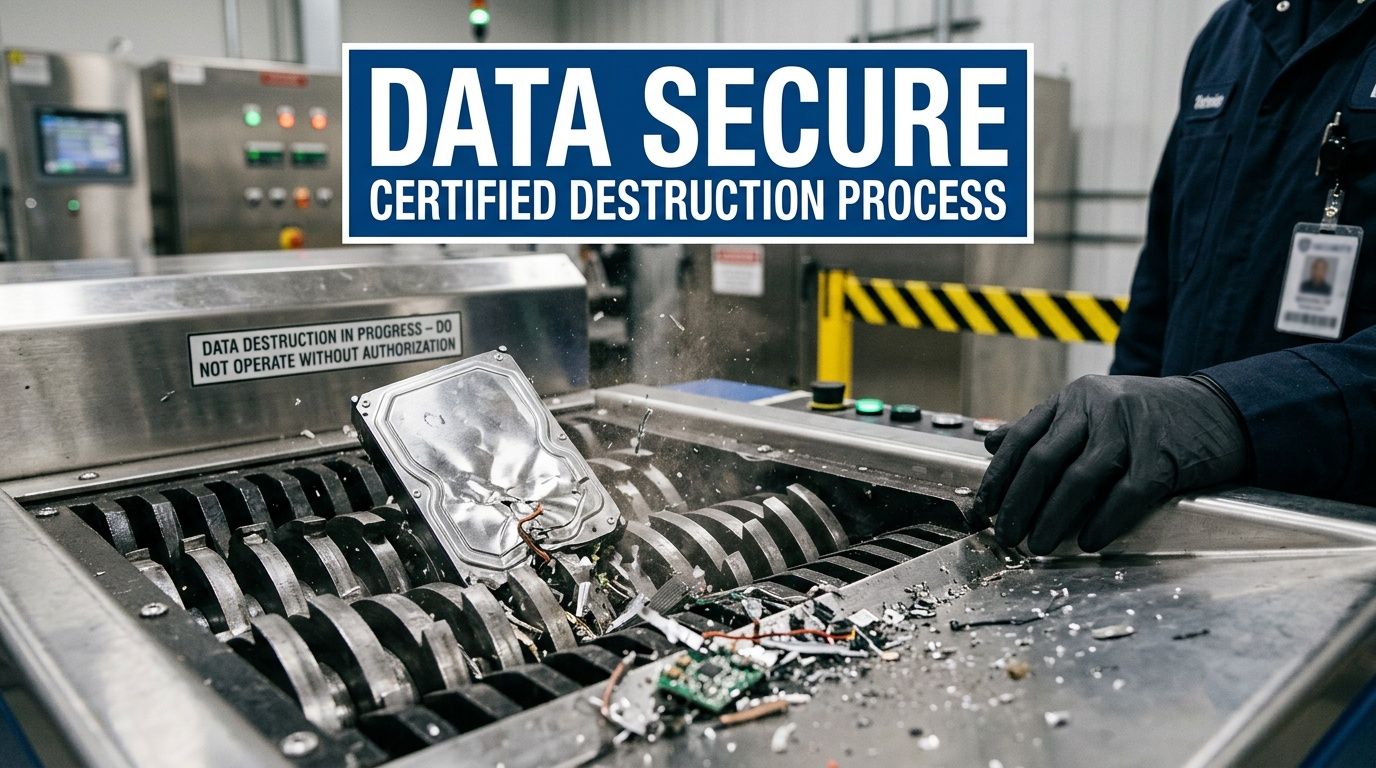
A common mistake is assuming that deleting files, reformatting a drive, or resetting a device is enough. It usually isn’t. Those steps may remove easy user access, but they don’t automatically create the kind of final, auditable outcome a business needs. Professional recycling treats data-bearing media as a separate controlled stream with specific destruction methods and documentation.
What “secure data destruction” should mean in practice
Many decision-makers hear technical phrases from recyclers and assume the details are covered. That’s where risk creeps in. As noted by Atlanta Computer Recycling’s guidance on electronics recycling questions, many business operators don’t understand what certifications such as DoD 5220.22-M guarantee, which creates a compliance gap when they choose an unvetted provider.
The plain-English version is this. A recycler should be able to tell you:
- whether the device will be software wiped or physically destroyed
- when that happens in the chain of custody
- how exceptions are handled if a drive is damaged or inaccessible
- what proof you receive afterward
If the answer is only “don’t worry, we destroy everything,” keep asking.
Wiping and shredding serve different purposes
Software wiping is appropriate when a drive is functional and the chosen process aligns with your internal policy. The purpose is to overwrite existing data so it can’t be recovered through ordinary means. This can preserve hardware for reuse or refurbishment, which may support circularity goals when policy allows it.
Physical destruction is the more direct route. Drives are shredded or otherwise destroyed so the media itself is no longer readable. That’s often the cleaner choice for high-sensitivity environments, mixed asset conditions, or projects where speed and certainty matter more than preserving hardware.
A practical way to look at it:
| Method | When it fits | Main benefit | Main trade-off |
|---|---|---|---|
| Software wiping | Functional drives with approved reuse pathways | Preserves device or drive for potential reuse | Requires working media and stricter process validation |
| Physical destruction | Damaged drives, high-risk data, mixed commercial loads | Clear finality and easy internal communication | Eliminates reuse of the storage media |
Questions every non-technical manager should ask
Many pickups are won or lost here. You don’t need to be an IT engineer to ask sharp questions.
Use this short audit list before releasing devices:
- Ask about chain of custody: Who touches the equipment from pickup through destruction?
- Ask when media is separated: Are hard drives removed early or left inside mixed loads?
- Ask what documentation you receive: A destruction process without records is hard to defend later.
- Ask about exception handling: If a device won’t power on, what happens next?
- Ask about embedded storage: Copiers, printers, and some network devices may also retain data.
For businesses that regularly manage cleanouts, relocations, or equipment retirement, broader operational articles in the Fulton Junk Removal blog resource center can help teams build repeatable internal procedures instead of solving the same disposal problem from scratch every quarter.
Deleting files is a user action. Data destruction is a controlled business process.
Comparing Your Disposal Options Donation Recycling or Landfill
When a business retires computers, there are usually three paths people discuss first. Donate them, recycle them, or throw them away with the rest of the cleanout. Those options aren’t equal, and they don’t carry the same operational or compliance implications.
Donation sounds attractive because it feels socially useful. Sometimes it is. But older business equipment often needs testing, repair, wiping, imaging, and support before it can go back into service. That’s where the gap appears between good intention and real outcome.
According to eWaste Atlanta’s discussion of computer donation trade-offs, there’s no transparent data on how many donated computers are refurbished versus later recycled or landfilled when repair isn’t economical. For a company trying to make a sustainability-driven decision, that uncertainty matters.
Computer Disposal Options for Atlanta Businesses
| Method | Data Security | Environmental Impact | Compliance Guarantee | Best For |
|---|---|---|---|---|
| Donation | Varies widely. Only works if data destruction happens first and the receiving organization has a clear intake process | Can extend device life when equipment is modern, functional, and actually reusable | Limited unless the process is documented and managed carefully | Newer, working devices with low internal risk and a defined recipient |
| Certified recycling | Strong when the provider uses documented wiping or physical destruction procedures | Supports material recovery and keeps electronics out of general waste streams | Higher, because the process is built around controlled handling and records | Most commercial IT refreshes, office cleanouts, and mixed asset loads |
| Landfill or general trash | Poor. Devices can leave without any verified media handling | Weak. It treats recoverable and hazardous material like ordinary waste | Poor. Hard to defend from a policy or environmental standpoint | Essentially never appropriate for business electronics |
Donation works in narrower situations than most teams expect
Businesses often overestimate how donation works in practice. If the equipment is old, damaged, locked, missing parts, or difficult to support, donation may only postpone the recycling decision. It can also create extra data risk if the business focuses on charitable intent and underestimates the importance of verified wiping or destruction.
Donation tends to make more sense when all of the following are true:
- The devices are still serviceable
- Asset ownership is clear
- Data has already been addressed under business policy
- The receiving organization has a real pathway to redeploy the equipment
If any of those are missing, donation may become a feel-good story with a messy backend.
Why landfill shouldn’t be part of the conversation
Landfill is usually the result of mixing electronics into a broader junk load without separating them. That’s less a strategic choice and more a process failure. It loses any chance of value recovery, creates environmental concerns, and leaves weak documentation.
Why certified recycling is usually the commercial default
For most office closures, warehouse cleanouts, property turnovers, and refresh projects, certified recycling is the most practical route because it handles the actual conditions businesses face. Equipment is often mixed, aging, incomplete, dusty, locked, or no longer worth redeploying internally. What companies need at that point is secure handling, clean removal, documented outcomes, and a disposal path that doesn’t depend on optimistic assumptions.
That doesn’t mean every asset must be shredded and scrapped. It means the recycling pathway has enough structure to sort reusable equipment from end-of-life material while still protecting the business if the ideal reuse story doesn’t hold up.
The Fulton Junk Removal and Beyond Surplus Advantage
Most e-waste problems in commercial buildings aren’t purely recycling problems. They’re mixed cleanout problems. The business has obsolete computers, but it also has furniture, shelving, packaging, broken peripherals, abandoned tenant contents, and general debris. If those streams get split between multiple vendors with different timelines and paperwork standards, the project gets harder than it needs to be.
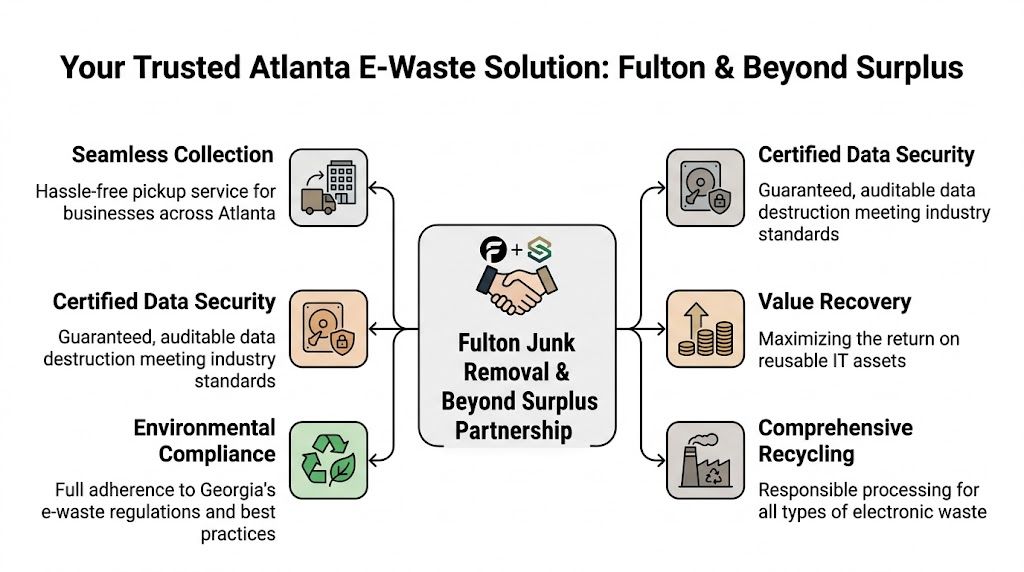
That’s why an integrated model is useful. Fulton Junk Removal handles on-site removal logistics, and Beyond Surplus processes electronics through a recycling-focused downstream channel. For businesses, that means the team clearing the office isn’t treating retired IT gear like ordinary junk. It also reduces the handoff friction that often causes chain-of-custody confusion.
If you want to understand how that broader service model is organized, the Fulton Junk Removal company overview gives the basic context around commercial cleanouts, pickups, and responsible disposal.
What an integrated approach changes on the ground
The practical benefit isn’t marketing language. It’s fewer disconnected steps.
Instead of hiring one vendor to clear a suite, another to collect e-waste, and then trying to reconcile what happened to which assets, the business can manage one coordinated project. That matters most when deadlines are tight, such as lease-end moves, renovations, office consolidations, or post-tenant cleanouts.
The integrated approach typically helps in these areas:
- Pickup coordination: Electronics and general non-hazardous junk can be removed in the same project window.
- Data-aware handling: IT assets are identified as controlled materials, not loaded out as anonymous debris.
- Diversion visibility: Sustainability and facilities teams can request records that support internal reporting.
- Operational simplicity: Property managers and office administrators spend less time managing separate vendors.
Why reporting matters as much as hauling
Commercial clients usually care about speed first. Then they care about proof. The proof is what separates responsible removal from simple disposal.
Useful reporting may include asset counts, categories of material diverted, or documentation tied to recycling and destruction workflows. For an operations manager, those records support vendor oversight. For an EHS or sustainability lead, they support environmental reporting. For a property manager, they help close out work cleanly after a tenant move or building project.
Field reality: The removal itself is the visible part of the job. The paperwork is what protects the customer after the truck leaves.
Where this model fits best
This setup tends to work well for:
- Office decommissions with mixed furniture, electronics, and file-room leftovers
- Warehouse and industrial office cleanouts where obsolete IT is mixed with metal and general surplus
- Property turnovers that require quick space recovery and documented disposal
- Corporate refresh cycles where old workstations and peripherals need secure downstream processing
For Atlanta businesses searching for computer recycling atlanta, the main value in a combined logistics-and-recycling model is that it reflects real-world jobs. Equipment rarely sits neatly on pallets waiting for a recycler. It’s usually embedded in a broader cleanup, and the process works better when removal and responsible electronics handling are planned together.
Planning Your Commercial Computer Pickup in Atlanta
Once a business decides to clear retired equipment, speed matters. Delays create storage problems, and rushed pickups create mistakes. The best pickups are simple because the company handles a little preparation before the truck arrives and the vendor clarifies the chain of custody early.
What to prepare before scheduling
You don’t need a perfect spreadsheet for every office cleanout, but you should know the rough scope. A pickup team needs to understand whether they’re collecting a few workstations, a room full of monitors, or a mixed decommission involving electronics and general contents.
A solid prep list looks like this:
- Identify the asset types: Laptops, desktops, monitors, printers, servers, networking gear, and loose drives should be called out separately if possible.
- Flag sensitive items: Anything likely to contain data should be identified before removal day.
- Note site conditions: Freight elevator access, loading dock rules, stairs, after-hours entry, and COI requirements all affect scheduling.
- Separate keep items from go items: During office moves, this avoids accidental removal of active equipment.
For larger closures or furniture-heavy projects, this overview of professional office decommissioning services is a useful reference because it shows how much planning is often tied to access, sequencing, and building rules rather than just hauling volume.
What happens during the request and pickup process
Most commercial pickups move more smoothly when the conversation starts with the site, not just the items. A provider needs enough detail to scope labor, vehicle needs, and any recycling or data-handling requirements.
The process usually works like this:
Initial inquiry
Share the location, approximate volume, equipment types, and timing needs.Quote or site review
The provider determines labor, access requirements, and whether special handling is needed for electronics.Pickup day execution
Teams remove material from the designated areas, separate controlled electronics, and load according to the project plan.Post-service documentation
If the job includes recycling and data-related handling, the customer should receive the relevant records afterward.
What businesses often forget
The missed details are usually small but costly. Access windows get overlooked. Server rooms aren't made accessible. Equipment in storage closets turns out to be mixed with tenant records or active network gear. That’s why a short pre-pickup walkthrough, even by phone with photos, can save a lot of confusion.
If you’re coordinating a commercial removal and want to get the process moving, use the Fulton Junk Removal contact page to request a quote with the site details upfront. That usually leads to a cleaner scope and a faster pickup plan.
Frequently Asked Questions About Computer Recycling
Can businesses recycle more than just computers
Yes. Commercial recycling pickups usually include related electronics such as monitors, printers, networking equipment, servers, phones, cables, and peripherals. The exact acceptance list depends on the provider and the project scope, but most business jobs involve a mixed electronics load rather than desktop towers alone.
Can residential computers be handled too
Often, yes. But the process may differ from a commercial pickup. Business jobs usually involve larger volumes, stricter chain-of-custody expectations, and documentation needs tied to data handling or internal reporting. Residential customers should confirm pickup availability, accepted items, and whether any preparation is required before scheduling.
Do printers and copiers need data destruction too
Sometimes they do, and businesses shouldn’t ignore that. Many teams focus on laptop and desktop drives, then forget that printers, multifunction devices, and certain office machines may store documents or configuration data. If the device has internal memory or storage, ask how that media is handled before release.
Don’t assume “non-computer” means “no data.” Office equipment often stores more than users realize.
Is there a minimum amount required for pickup
That depends on the service model, route density, and whether the job includes general junk removal along with electronics. Some providers are set up for palletized IT loads. Others can fold smaller electronics quantities into a broader office cleanout. It’s better to describe the full job instead of asking only about the number of computers.
Should staff wipe devices before pickup
If your internal IT policy requires a preliminary wipe, follow it. But don’t treat that as a substitute for formal downstream destruction or documented wiping. Staff-level resets are useful housekeeping. They aren’t a replacement for a controlled disposal process.
If your Atlanta office, warehouse, or managed property has retired computers mixed into a larger cleanout, Fulton Junk Removal can coordinate removal logistics with responsible downstream recycling through Beyond Surplus, helping your team clear space, manage data-sensitive equipment carefully, and keep disposal documentation organized.
