
Sustainable IT Equipment Disposal Atlanta: Eco-Safe
Old laptops in a locked closet feel harmless until someone asks what is on them, who signed off on disposal, and whether you can prove it.
That moment usually arrives during an office move, a warehouse cleanout, a hardware refresh, or after a merger when duplicate monitors, phones, printers, access points, and retired servers start piling up. The equipment is no longer useful, but it is still very much your responsibility.
In Atlanta, that responsibility has grown heavier. More businesses are cycling through hardware faster, and disposal decisions now sit at the intersection of data security, environmental handling, and audit readiness. Sustainable IT equipment disposal is not just about getting junk off the floor. It is about controlling risk after the equipment leaves your building.
Your Guide to Sustainable IT Equipment Disposal in Atlanta
A common starting point is a back room that turned into a holding area for “stuff IT will deal with later.” It starts with a few retired desktops. Then a stack of monitors. Then a copier from the old lease. Then a shelf of phones nobody wants to touch because no one is certain what data is still on them.
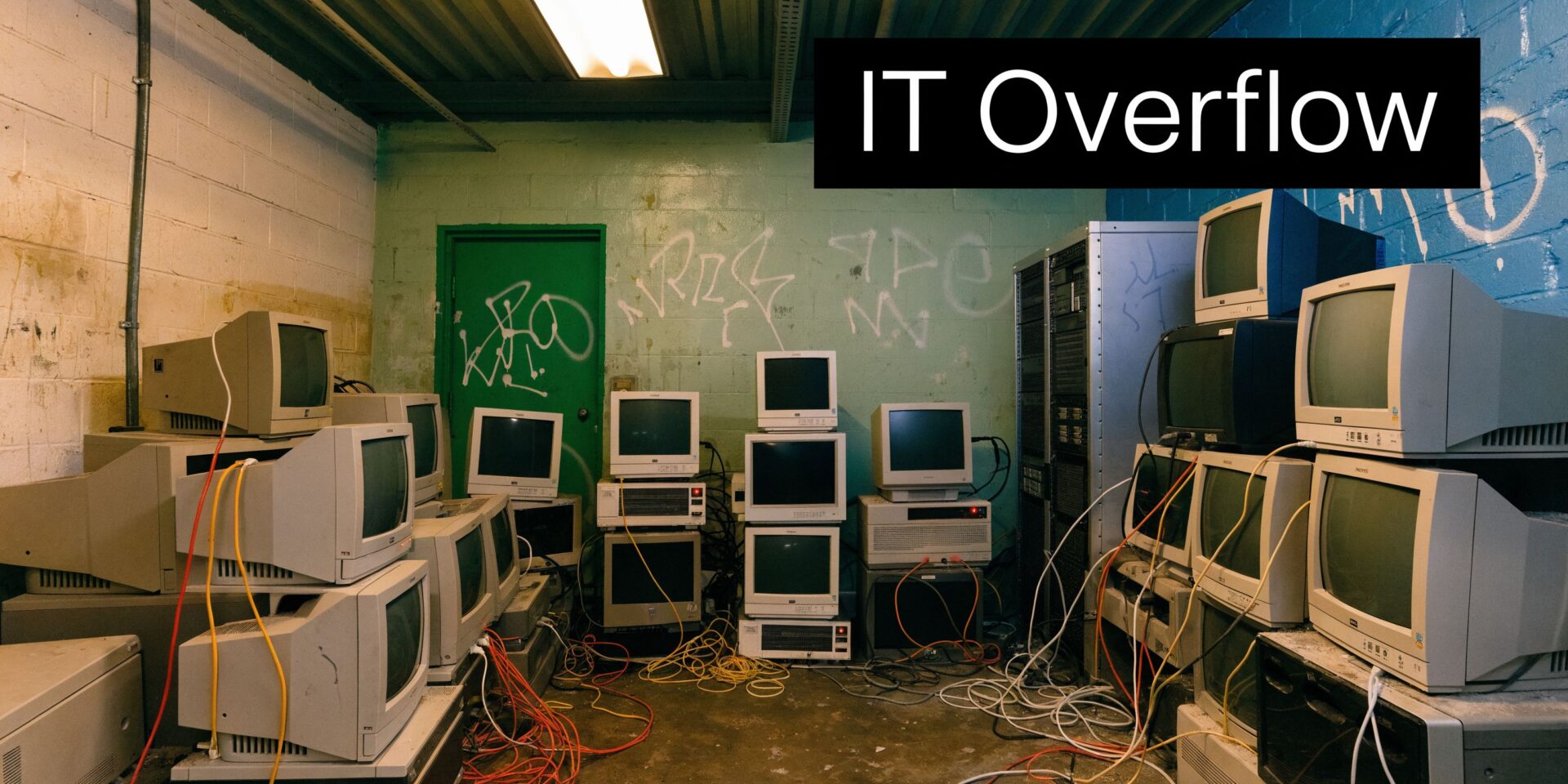
That backlog looks like a space problem. In practice, it is a governance problem.
Globally, e-waste is the fastest growing solid waste stream, with significant amounts generated annually. Producing a single desktop computer also requires substantial amounts of chemicals, water, and fossil fuels, which is why disposal decisions matter long after a device stops being useful, according to GCI Technology Advisors on sustainable e-waste management.
Why Atlanta businesses feel this faster
Atlanta has a heavy mix of offices, healthcare operations, logistics sites, data-intensive businesses, and multi-location property portfolios. That creates a steady flow of retired equipment, not just in IT departments but across facilities, operations, and admin teams.
If you manage a site, the issue is rarely “how do I get rid of this.” The better question is “how do I clear this out without creating a security issue, a landfill issue, or a reporting problem later.”
That is where Sustainable IT Equipment Disposal Atlanta becomes a business process rather than a cleanup errand.
Disposal is now tied to repair, reuse, and proof
Not every retired asset should be shredded on day one. Some gear can be repaired, refurbished, or remarketed. That broader mindset aligns with the Right to Repair movement, which has pushed more organizations to think about asset life extension before replacement and before scrap.
For Atlanta companies managing moves or recurring cleanouts, one practical route is scheduling local pickup through a service area such as https://fultonjunkremoval.com/service-areas/atlanta/ and making sure electronics go into a documented downstream process instead of a mixed junk load.
Practical rule: If the item ever stored company data, connected to your network, or sat in a regulated workflow, treat disposal as a controlled asset event, not a trash event.
The companies that handle this well separate three goals from the start:
- Security first: Know which devices may still hold data.
- Environmental handling: Keep electronics out of standard landfill streams.
- Documentation: Require records that stand up after pickup, not just promises at pickup.
The Hidden Risks of Improper Electronics Disposal
The biggest mistake I see is assuming all haul-away services are functionally the same. They are not.
A team may only want the room cleared by Friday. That urgency creates bad decisions. Mixed loads get tossed together, office electronics leave with general debris, and nobody asks where the drives, batteries, or internal storage components end up.
Landfill disposal solves the visible problem and creates a more significant one
Atlanta’s electronics recycling market has moved toward zero-landfill policies with leading providers aiming for 100% diversion of IT assets from landfills under ITAD and EPA-aligned practices, as described by Atlanta eWaste Solutions. That shift matters because old electronics are not normal waste.
When electronics are dumped with general junk, hazardous materials can end up in the wrong stream. Even when a hauler means well, lack of process usually shows up in the details. Batteries stay attached. Drives stay in devices. Peripherals get treated like scrap plastic. That is not sustainable disposal. It is untracked disposal.
Data lives in more places than most managers expect
Businesses usually think about laptops and servers first. Good. But data also lingers in devices people overlook:
- Printers and copiers with internal storage
- External drives forgotten in desk drawers
- Network gear retired during upgrades
- Mobile phones and tablets from shared staff pools
- Desktop towers from old workstations in storage
That is why “we factory reset everything” is not a risk strategy. It is a hope strategy.
If your internal team ever needs to recover files before disposition, use an actual specialist. Resources like professional data recovery services are useful when a device may still contain business-critical information and you need a last review before destruction.
Cheap disposal often costs more later
An improper disposal decision can trigger several downstream headaches at once:
| Risk area | What goes wrong | What it affects |
|---|---|---|
| Data security | Storage media leaves without verified destruction | Breach exposure, legal review, customer trust |
| Environmental handling | Electronics enter landfill or mixed debris streams | Sustainability reporting, internal policy conflicts |
| Compliance records | No destruction certificate or diversion paperwork | Audit gaps, procurement review, insurer questions |
| Operational control | No chain of custody after pickup | Unclear accountability if something surfaces later |
The market already reflects this concern. If you look at current operational guidance and vendor commentary, the most useful advice is rarely about “free pickup.” It is about controlling the chain after pickup. Practical updates on that side of the business often show up in industry notes such as https://fultonjunkremoval.com/blog/, where cleanout and recycling logistics intersect.
Key takeaway: The lowest-friction disposal option is often the highest-liability option, because it removes the equipment before it removes your responsibility.
A cleared room is not proof of secure disposal. It is only proof that the equipment is gone from your site.
Understanding E-Waste Rules in Georgia
Georgia does not give businesses a simple excuse to be casual about retired electronics. If anything, the lack of a single clear statewide business rulebook means your internal standards and your vendor standards matter more.
That is the part many facilities and office managers learn late. They assume compliance means “someone picked it up.” In practice, compliance means the disposal method, the documentation, and the downstream handling can all be explained after the fact.
What certifications tell you
For commercial IT disposal, certifications are less about marketing and more about whether an outside standard is shaping the process.
You will usually hear R2, RIOS, e-Stewards, and NIST 800-88 in this space. The practical meaning is straightforward:
- R2 and related audited recycling standards signal that environmental handling and downstream controls are formalized.
- NIST 800-88 matters for how storage media is sanitized.
- Chain-of-custody documentation matters for proving when responsibility transferred and what happened next.
If a vendor cannot explain these in plain language, that is a warning sign.
Data destruction should be specific, not vague
For data security, certified ITAD uses NIST 800-88 compliant methods including software wiping for HDDs with multiple passes, cryptographic erasure for SSDs, and physical shredding to very small particles, with no recoverable data under DoD 5220.22-M standards. The same source states that 60% of data breaches come from stolen hardware, according to Atlanta Computer Recycling’s ITAD overview.
Those details matter because “we wipe drives” can mean almost anything unless the method, device type, and result are documented.
A sensible disposal review asks questions like these:
- What standard is used for HDDs versus SSDs
- When is wiping accepted and when is shredding required
- Who records serial numbers before processing
- What certificate is issued after destruction
- How long can records be retrieved later
What a Georgia manager should require
When I advise teams, I tell them to stop thinking in terms of “recycling vendor” and start thinking in terms of risk transfer with proof.
That means your disposal partner should be able to provide:
- Asset tracking: Device counts, categories, and where practical, serial-based inventory
- Secure handling: Controlled pickup, segregation of data-bearing devices, documented transfer
- Destruction records: Certificates tied to the actual service event
- Environmental records: Evidence of diversion and proper downstream processing
If your company is bundling electronics with a larger cleanout, the service scope matters too. Commercial teams often start by confirming whether a provider handles both removal and specialty streams through a page like https://fultonjunkremoval.com/our-services/ and then testing how much of that process is documented versus implied.
Tip: Ask for sample paperwork before the job starts. A vendor that takes documentation seriously will show you the reporting format, not just mention that reports exist.
Georgia businesses do not need a perfect legal map to make good disposal decisions. They need audited standards, clear methods, and records they can retrieve later.
Donation Recycling or Certified Disposal What to Choose
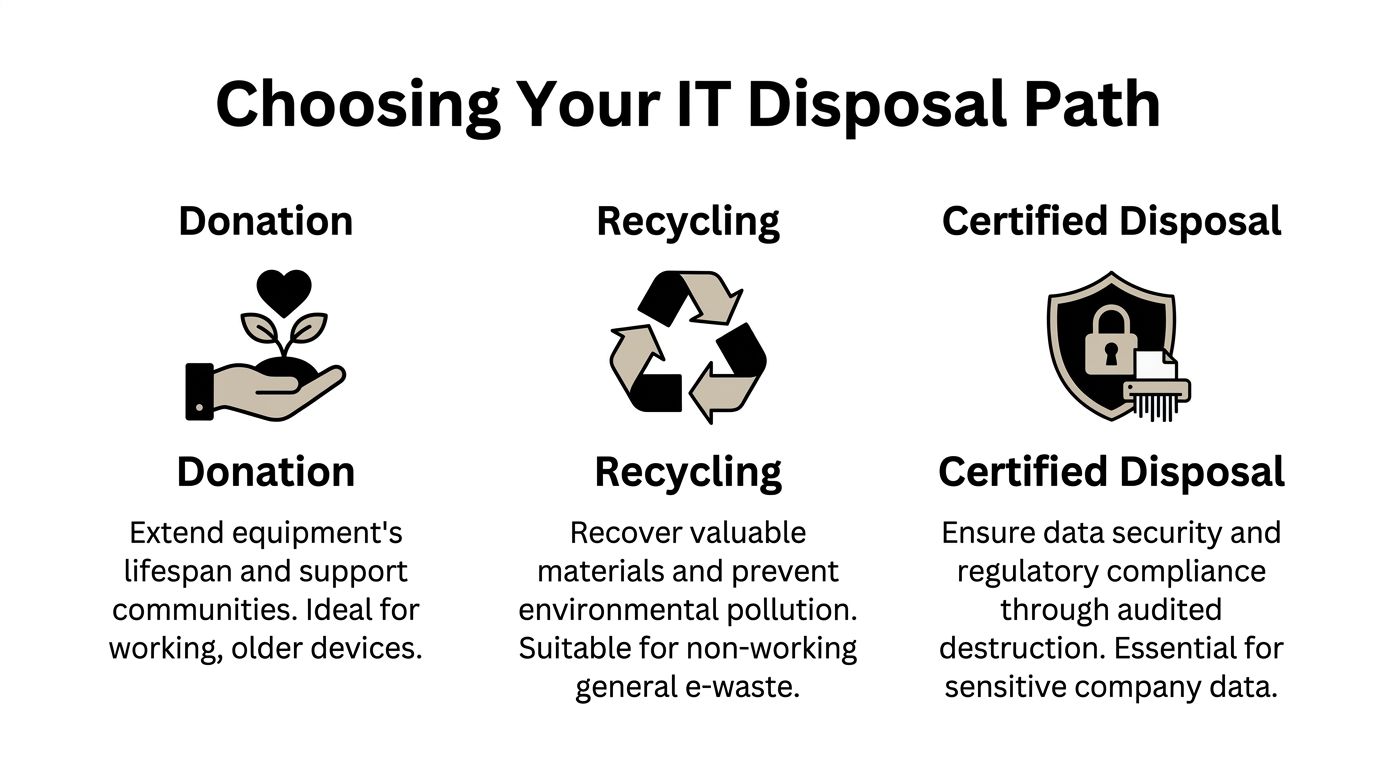
Most organizations have three realistic paths for old equipment. They can donate it, send it to a basic recycler, or use certified ITAD. The right answer depends less on sentiment and more on the condition of the device, the presence of data, and whether the company will ever need to prove what happened.
Start with the business question
Donation feels attractive because it appears sustainable and community-minded. Sometimes it is. If the equipment still works, has practical remaining life, and can be securely sanitized, donation can extend usefulness.
Basic recycling is better suited to broken, obsolete, or low-value equipment that is no longer viable for reuse. The problem is that “basic recycling” covers a wide range of operator quality. Some recyclers are disciplined. Some are another version of bulk removal with a greener label.
Certified disposal is what businesses should default to when equipment belonged to the company and may have held sensitive information.
IT Equipment Disposal Options Compared
| Method | Data Security | Compliance & Documentation | Environmental Impact | Best For |
|---|---|---|---|---|
| Donation | Depends on proper sanitization before transfer | Often limited unless managed through a formal program | Extends product life when the device is usable | Working equipment with low-risk data history |
| Basic recycling | Varies widely by operator and process | Often inconsistent | Better than landfill if properly handled | Non-working e-waste with no serious data concerns |
| Certified ITAD | Built around controlled destruction and tracking | Strongest option for records and audit support | Supports reuse, recovery, and controlled downstream handling | Company-owned assets, regulated data, office refreshes, cleanouts |
Donation works only when the prep work is serious
Donation fails when teams confuse “turns on” with “safe to release.” A working laptop can still be the wrong donation candidate if no one has verified the drive, user history, encryption status, or internal storage.
Good donation candidates usually share these traits:
- Functional hardware: The device still serves a realistic user need.
- Low residual risk: It was not part of a regulated or sensitive workflow.
- Documented sanitization: The organization can show what was done before release.
Basic recycling is not enough for many businesses
The issue with basic recycling is not that recycling is bad. It is that the word “recycling” often hides the missing controls.
If the vendor cannot explain chain of custody, data-bearing device segregation, and what reports you receive after service, the process may be acceptable for commodity scrap but not for retired business technology.
Certified ITAD is usually the default for company assets
For offices, warehouses, property management portfolios, and multi-user business environments, certified ITAD is the safest standard choice because it addresses the full set of risks in one workflow.
That is where a bundled model can help. A company handling a broader cleanout may choose one operational handoff through https://fultonjunkremoval.com/contact-us/ while routing electronics and related recyclable streams into Beyond Surplus for documented processing. That arrangement is practical when the site needs both physical removal and responsible electronics handling rather than two separate vendors working around each other.
Rule of thumb: If you would hesitate to place the device on a public sidewalk, do not send it into an undocumented disposal stream.
The decision is simpler than it looks. Donate only when reuse is appropriate and sanitization is controlled. Recycle only when the recycler can explain the process. Use certified disposal whenever the business needs security, compliance support, and records that still matter after the truck leaves.
Your Step-by-Step Process for Secure IT Asset Disposal
A secure IT disposal project works best when it follows a predictable sequence. Problems usually appear when teams skip inventory, mix electronics with general junk, or wait until pickup day to decide what should be wiped, shredded, recycled, or held back.
Step 1 begins before pickup
Start with a simple internal review. Identify what you have, where it sits, and which items may hold data.
That list usually includes desktops, laptops, servers, phones, tablets, network gear, printers, copiers, drives, docking stations, cables, batteries, and accessories. It does not need to be elegant. It needs to be accurate enough to support handling decisions.
A basic review should sort assets into three groups:
- Potential reuse or remarketing
- Data-bearing devices needing controlled destruction
- Non-data e-waste and accessories
Step 2 separates logistics from security
Removal teams should know which pallets, carts, shelves, or rooms contain ordinary recyclable hardware and which contain devices that need tighter custody.
Many office moves go wrong at this stage. Staff label everything “old IT” and assume the downstream processor will sort it out later. Good operators can sort, but your risk drops when the site already separates sensitive material before loading.
Step 3 controls what happens at processing
Certified recycling protocols require batteries and drives to be detached before pre-processing. Disassembly can yield significant proportions of ferrous metals, plastics, and glass/copper for closed-loop recycling. The same source notes that R2-certified facilities process 500-1000 tons per month and recover 99.5% of non-hazardous fractions, according to Beyond Surplus guidance on handling IT equipment disposal.
Those details are useful because they show the difference between actual processing and simple bulk disposal.
Step 4 preserves the chain of custody
For a manager, chain of custody is not abstract. It answers four practical questions:
- Who touched the assets
- When they moved
- Where they went
- What happened after arrival
If any of those answers are fuzzy, the process is weak.
Practical tip: Ask whether your provider records pickup details in a way that can be matched to the final destruction and recycling documents. If the paperwork cannot be connected, the chain is incomplete.
Step 5 ends with records, not just removal
A mature process closes the loop with documentation, internal signoff, and storage of final records where procurement, compliance, IT, or EHS can retrieve them later.
That is why teams often review the provider’s operating approach before service, especially if the cleanout includes mixed materials. Background on service model and handling philosophy is often easier to assess through a company page such as https://fultonjunkremoval.com/about-fulton-junk-removal/ before scheduling a project.
A secure process is not complicated, but it is disciplined. Inventory first. Segregate by risk. Move under control. Process by standard. Retain the records.
The Final Step Proving Compliance with Diversion Reports
The most overlooked part of disposal is what happens after the equipment is gone.
Pickup is not the finish line. If you cannot prove destruction and material handling later, then from a risk standpoint the job is still open.
The documents that matter most
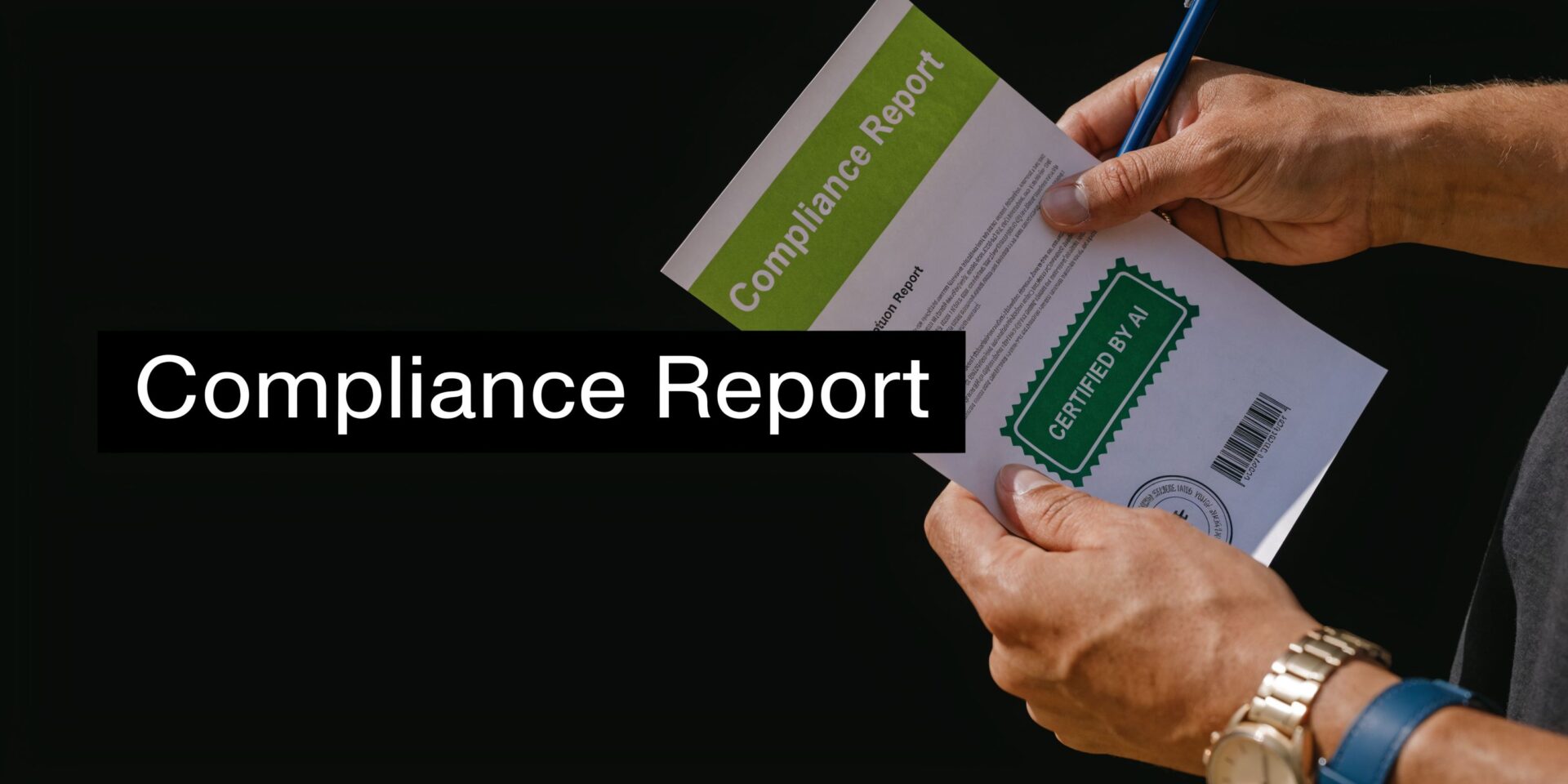
Two outputs carry the most practical value:
- Certificate of destruction, which ties data-bearing assets to a documented destruction process
- Diversion report, which shows what material stayed out of landfill streams and how it was handled
These are not ceremonial attachments to an invoice. They are the documents your legal, compliance, procurement, and sustainability teams may need months later.
Why post-disposal proof matters
A lot of Atlanta IT disposal content talks about asset recovery and sustainability in broad terms, but it rarely gives decision-makers a clear framework for financial or reporting review. As noted by Beyond Surplus, existing local content often mentions asset recovery without concrete data that helps IT directors quantify value recovery or compare pricing models.
That gap matters because disposal is often approved by one team and scrutinized by another. Facilities may coordinate the move. IT may own the devices. Procurement may review the vendor. Sustainability may want diversion data. Legal may care only when something goes wrong.
A disposal file with real documentation helps all of them.
What to look for in final reporting
Strong post-disposal paperwork should answer questions such as:
| Document | What it should confirm | Why it matters |
|---|---|---|
| Certificate of destruction | Which assets or categories were destroyed and under what method | Supports data security claims and audit follow-up |
| Diversion report | What materials were diverted from landfill and how they were routed | Supports sustainability reporting and internal policy review |
| Service record | Pickup date, site information, and transfer details | Connects the event to internal asset and vendor records |
Key takeaway: Verifiable disposal reduces residual liability because it replaces “the vendor said it was handled” with records your company can store, retrieve, and defend.
The strategic benefit is simple. Good disposal documentation lets one operational event serve multiple business purposes. It closes a security task, supports environmental reporting, and gives management proof that the company did not just remove clutter. It handled a controlled asset disposition properly.
Atlanta IT Disposal FAQs
Do I need certified disposal for every old office device
No. But if a device stored company data, connected to business systems, or came from a regulated workflow, certified disposal is the safer default. Low-risk accessories without storage may not need the same treatment as laptops, servers, phones, printers, or drives.
Can working equipment be donated instead
Yes, if the hardware is still usable and the organization has completed proper data sanitization first. Donation should be a deliberate release process, not a shortcut to avoid disposal work.
What should my team do before pickup
Prepare a clear separation between data-bearing devices, reusable assets, and general e-waste. Remove anything that is not intended for disposition. Internally, decide who signs off on the inventory and who receives the final documentation.
Do printers and copiers really need special attention
Yes. They are often overlooked, and that is exactly why they create trouble. Business imaging devices may hold scans, user data, address books, or workflow settings, so they should be reviewed like other data-bearing assets.
What kinds of equipment are usually included in a commercial IT disposal project
Common categories include desktops, laptops, servers, monitors, phones, tablets, networking hardware, printers, copiers, cables, batteries, UPS units, racks, and related peripherals. The exact list varies by site and by whether the project is a refresh, move, decommissioning, or full cleanout.
How should I compare vendors if pricing is not transparent
Compare the process, not just the quote. Ask how assets are inventoried, whether data-bearing devices are segregated, what destruction method is used by device type, whether chain of custody is documented, and what final records are included. If the pricing model is simple but the post-disposal proof is weak, the cheaper option may expose the business to more risk.
Is bundled junk removal and electronics recycling useful
Yes, especially during office moves, warehouse cleanouts, and property transitions. A bundled approach reduces coordination problems when furniture, scrap, and electronics all need to leave on the same schedule. It only works well when the electronics stream still receives controlled handling and separate documentation.
How long should we keep disposal records
Follow your internal retention policy and any compliance requirements tied to your industry. In practice, records are most useful when they are stored somewhere procurement, IT, compliance, and facilities can all retrieve them without starting from scratch.
If your team is clearing offices, warehouses, storage rooms, or mixed commercial spaces in Atlanta, Fulton Junk Removal can handle the haul-away side while electronics and recyclable materials are processed through the Beyond Surplus ecosystem for responsible downstream handling. For managers trying to reduce landfill disposal, keep projects moving, and retain documentation for sustainability and compliance files, that integrated model is often easier to manage than splitting the work across unrelated vendors.
