
Computer Recycling Atlanta GA: Secure E-Waste Disposal
An office move tends to expose every disposal problem at once. The conference room fills with retired laptops, dead monitors, loose hard drives, docking stations nobody wants to touch, and a few mystery boxes from the last refresh cycle.
For Atlanta businesses, that pile isn’t just junk. It’s a mix of data risk, environmental liability, and operational drag. If you send it out with a standard haul-away crew that treats electronics like general debris, you may clear the room, but you haven’t solved the actual problem.
Commercial computer recycling works best when removal, documentation, and downstream processing stay connected. That’s the difference between a cleanout that merely looks finished and one that stands up to an audit.
Why Atlanta Businesses Need a Smart Computer Recycling Strategy
Most companies don't plan for old computers until they have too many of them. It happens during office consolidations, tenant turnovers, lease-end cleanouts, server room updates, and warehouse reorganizations.
At that point, speed matters. So does control.
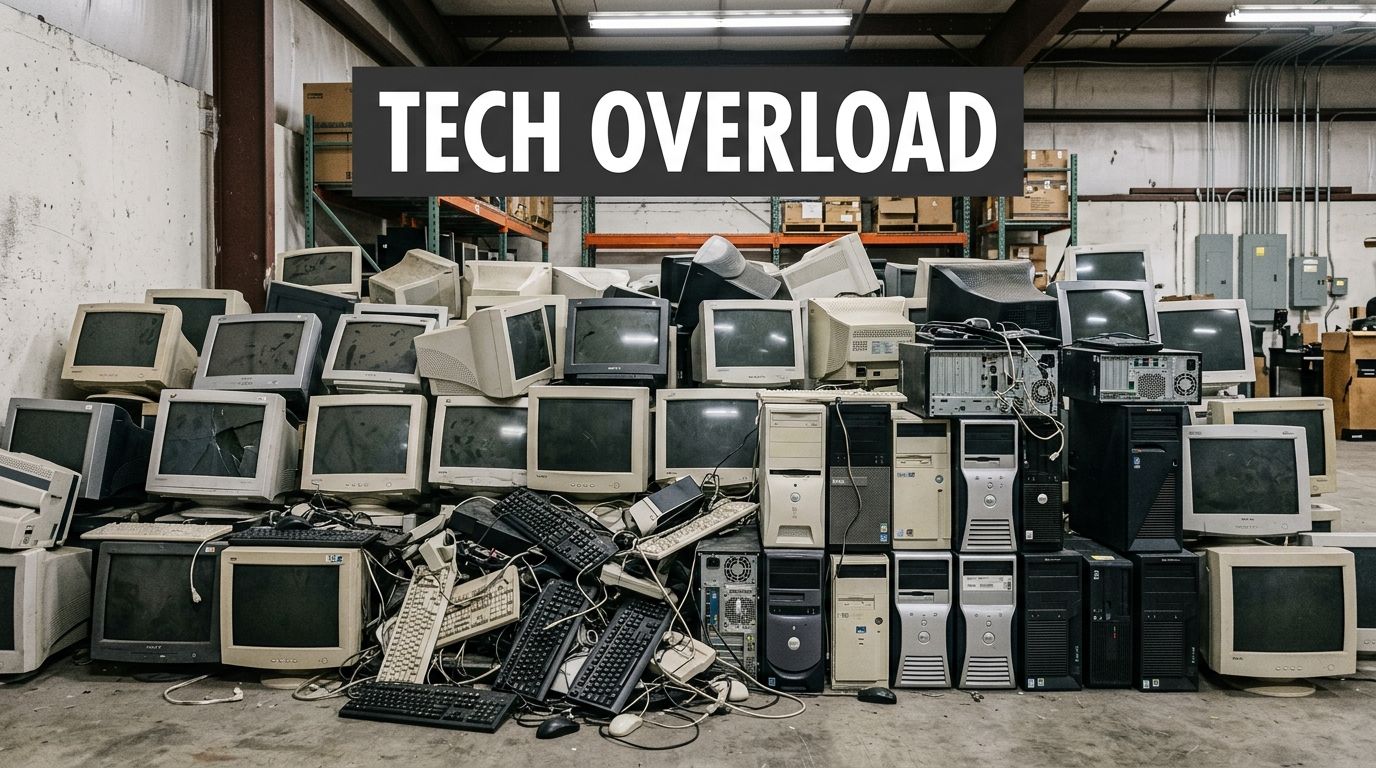
The real issue isn't just clutter
Old desktops and laptops hold more than metal and plastic. They often contain customer files, employee records, financial data, saved credentials, and internal documents that should never leave a facility without a documented process.
The environmental side is just as serious. In 2007, the EPA reported that over 63 million computers were discarded annually in the United States. By the 2020s, U.S. e-waste had grown to over 3.5 million tons annually, and in Atlanta, certified recyclers divert hundreds of millions of pounds of e-waste from landfills each year. The same EPA-backed data notes that recycling one million laptops saves energy equal to powering 3,500 U.S. homes for a year (Atlanta computer recycling data).
Those numbers explain why computer recycling atlanta ga searches usually start as a logistics problem and quickly become a compliance discussion.
What fails in practice
A lot of disposal plans break down in predictable ways:
- General haul-away without electronics controls means devices leave the site with no clear downstream record.
- Internal stacking and storage turns a short-term problem into a long-term one. Equipment sits in closets for months because nobody owns the process.
- Split vendors create gaps. One company removes office junk, another handles electronics, and no one owns the chain of custody from pickup through final reporting.
Practical rule: If a vendor can't explain what happens to a computer after pickup, you don't yet have a recycling plan. You have a transportation plan.
That distinction matters for property managers, facilities teams, and IT leaders who need more than a cleared floor.
Why integrated service works better
For commercial clients, the cleanest model is a bundled one. One team removes the material from the site, and the electronics stream goes directly into a documented recycling process instead of being mixed into general debris handling.
That integrated approach is especially useful during larger cleanouts. Offices and warehouses rarely have only computers to remove. They have shelving, cubicles, broken furniture, packaging waste, and miscellaneous surplus alongside the electronics. A combined removal and recycling workflow reduces handoffs and keeps the project moving.
If you're evaluating providers, it's worth reviewing how a company frames disposal, recycling, and reporting in one workflow, not as separate add-ons. The background on Fulton Junk Removal shows that model clearly.
Securing Your Data Before Recycling Your Computers
Before any computer leaves your building, treat it like an active risk asset. That's true even if the device hasn't been powered on in years.
Improper handling still creates exposure. The EPA-backed guidance cited for Atlanta notes that 20-30% of U.S. e-waste still risks data breaches due to improper handling, and it also warns that some free services may skip audits and chain-of-custody documentation. The same source states that Georgia's 2025 e-waste amendment will mandate that SMBs report disposals of over 500 lbs annually, which makes documentation more important for routine cleanouts as well as major refreshes (Atlanta SMB e-waste guidance).
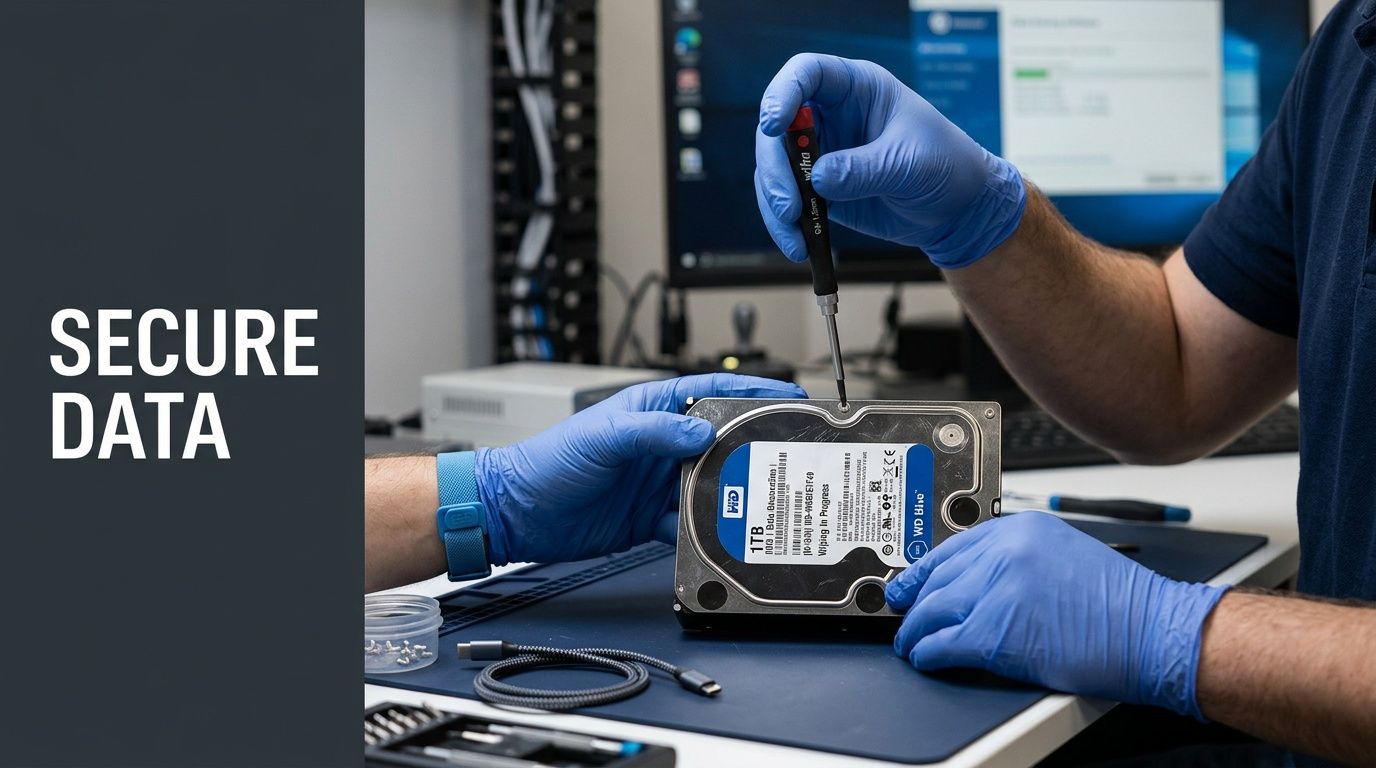
Start with an asset list
Don't begin with the loading dock. Begin with inventory.
At minimum, your list should identify device type, serial number if available, department, user status, and whether the device may contain regulated or confidential data. Include loose drives, backup devices, and forgotten equipment in storage rooms.
A workable pre-pickup checklist usually looks like this:
- Identify the assets. Separate laptops, desktops, servers, monitors, network gear, and standalone drives.
- Flag sensitive equipment. Mark anything used by finance, HR, legal, healthcare, or executive staff.
- Decide reuse or destruction. Some assets can be wiped and remarketed. Others should go straight to physical destruction.
- Assign release authority. One person should approve what leaves the premises.
Without that list, devices tend to disappear into bulk pallets. That's where mistakes happen.
Back up what matters, then cut access
Teams often focus on wiping and forget retention. Make sure needed files, emails, and system images are preserved before disposal starts.
Then shut down access paths:
- Disable user accounts tied to retired devices
- Sign out of device management tools where needed
- Remove saved credentials and browser data
- Collect chargers, docks, and accessories if they affect resale or redeployment
This doesn't replace professional data destruction. It reduces confusion and prevents business disruption when retired equipment still has active dependencies.
Choose the right destruction method
Not every device needs the same treatment.
Software wiping fits equipment that may be refurbished or reused, provided the process meets your internal policy and the downstream recycler can document it. The brief for this market references methods such as DoD 5220.22-M wiping in local service descriptions, which many buyers recognize as a practical benchmark in legacy conversations.
Physical destruction makes more sense when the drive is damaged, encryption status is unknown, custody has been inconsistent, or the data category is especially sensitive. Shredding is the cleaner call for many loose hard drives and failed devices.
If the value of the data exceeds the value of the hardware, destroy the media and document it.
That one rule solves a lot of indecision.
Ask for proof, not assurances
A vendor saying “we wipe everything” isn't enough. Ask what records you receive, how devices are tracked, and when the documentation is issued.
For many organizations, especially smaller operations without a dedicated compliance team, disposal either becomes defensible or stays informal at this stage. If you're building an internal policy, it also helps to review broader strategies for a zero e-waste world so your recycling decisions align with procurement and sustainability goals instead of being treated as a one-off cleanup.
For additional operational guidance on preparing for pickups and cleanouts, the planning resources on the Fulton Junk Removal blog are a useful starting point.
Your Computer Recycling Options in Atlanta GA
Atlanta gives businesses several ways to get rid of old computers. The right option depends on volume, data sensitivity, internal staffing, and whether you need paperwork after the truck leaves.
For households or a single laptop, a public drop-off can be enough. For an office closing two floors or a property manager clearing a tenant space, that same option usually becomes inefficient fast.
The main paths businesses consider
Some companies start with local drop-off programs. These are simple when the load is small and the devices don't require business-grade tracking.
Others look at manufacturer take-back programs. Those can work when the equipment mix is narrow and the organization has time to sort, package, and route devices according to each program's requirements.
Then there are professional pickup and recycling services designed for bulk commercial loads, mixed cleanouts, and projects where logistics and documentation matter as much as recycling itself.
Comparing Atlanta Computer Disposal Options
| Method | Best For | Data Security | Compliance Docs | Convenience |
|---|---|---|---|---|
| Local drop-off site | Small personal loads, occasional single-device disposal | Varies. Businesses should verify process before relying on it | Often limited for commercial needs | Low for offices with bulk equipment |
| Manufacturer take-back | Standardized equipment from one brand, patient timelines | Can be suitable, but process control may be less direct for on-site teams | Varies by program | Moderate, but requires sorting and coordination |
| General junk hauler | Non-electronic bulk debris | Weak fit for computers unless electronics controls are clearly documented | Often limited or not electronics-specific | High for removal, low for compliant e-waste handling |
| Scheduled commercial pickup with recycling partner | Offices, warehouses, property managers, mixed asset loads | Stronger when inventory, chain of custody, and destruction records are built in | Better fit for audit trails and diversion reporting | High, especially for site-wide cleanouts |
Where trade-offs show up
The common mistake is choosing by pickup speed alone. That works for old cubicles. It doesn't work for devices that may still hold data or for organizations that need records for procurement, privacy, or sustainability reviews.
A few practical distinctions matter:
- Drop-off programs reduce hauling cost, but your staff handles sorting, loading, and transportation.
- Take-back programs can support circular reuse, but they may not match the pace of a move-out schedule.
- General junk removal clears space quickly, but electronics handling has to be explicitly built into the scope or you'll still need a second vendor.
- Bundled junk removal plus certified electronics recycling is usually the cleaner choice for mixed commercial cleanouts because it reduces handoffs.
One local option in that last category is Fulton Junk Removal, which handles site pickup while electronics move through the Beyond Surplus recycling stream for organizations that want one coordinated workflow rather than separate vendors for hauling and e-waste processing. If you're checking local coverage and service fit, review the Atlanta service area details at https://fultonjunkremoval.com/service-areas/atlanta/.
Fast removal is useful. Documented removal is what protects the business after the project is over.
What works best by customer type
A property manager clearing abandoned electronics from multiple suites needs a different solution than a law office retiring twelve laptops.
For property managers, pickup coordination and mixed-load handling usually matter most.
For IT teams, data handling and serialized accountability come first.
For operations and procurement, the deciding factor is often whether the disposal method creates usable records for internal reporting without forcing staff to manage multiple vendors.
That's why computer recycling atlanta ga isn't really one service category. It's a decision about chain of custody, labor, and documentation wrapped inside a hauling problem.
The Certified E-Waste Recycling Process Step-by-Step
A proper IT asset disposition process should feel controlled from the first call to the final report. If any stage feels vague, the client usually ends up doing the risk management work themselves.
The verified process framework for Atlanta commercial recycling identifies five core elements: Inventory and Audit, Secure Data Destruction using NIST 800-88 compliant methods, Logistics with chain-of-custody, Dismantling to recover 95%+ of valuable materials, and Compliance Reporting. The same source notes that certified partners achieve 97% compliance versus 62% for non-certified, and that integrated scheduling can reduce operational downtime by 50% (Atlanta ITAD process overview).
This visual captures the customer journey in a way teams can map directly to their internal handoff points.
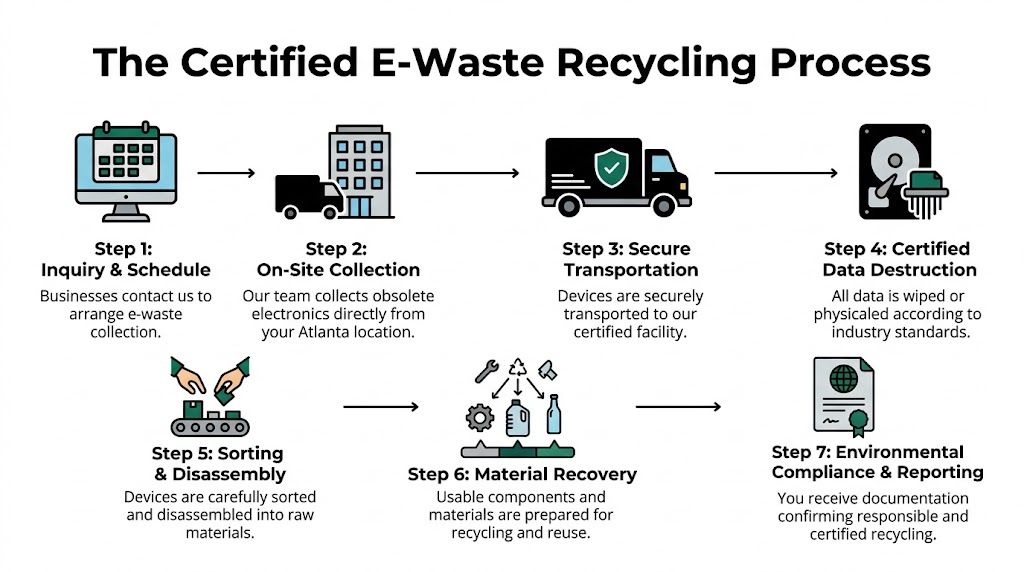
What happens before pickup
The strongest projects start with scope control. The client identifies what is being removed, what needs data destruction, and what should be kept separate from general junk or scrap.
That early sorting matters because commercial loads are rarely clean. A single pickup may include reusable laptops, obsolete towers, damaged printers, loose drives, and non-electronic material from an office teardown.
A disciplined pre-pickup sequence usually includes:
- Asset review for computers and related electronics
- Pickup scheduling around business hours, move deadlines, or building access windows
- Separation of streams so electronics don't get mixed with general waste
- Custody planning for high-risk items such as hard drives and servers
What happens during transport
Transport is where many informal disposal plans become hard to defend. Once devices leave the premises, you need a clear record of what moved, who handled it, and where it went.
Chain-of-custody procedures solve that by tying the pickup event to the receiving facility and the final processing outcome. For IT managers and facilities directors, this is often the difference between “we sent it out” and “we can prove how it was handled.”
A recycler's process should be visible before the truck arrives, not explained afterward.
That visibility also helps building managers coordinate dock access, elevator reservations, and tenant communication on busy properties.
What happens at the facility
Once electronics reach the processing facility, the load gets sorted by device type, condition, and disposition path. Some equipment may be suitable for wiping and reuse. Other items move directly to dismantling and commodity recovery.
This is the part many clients never see, but it's where certified recycling earns its value.
The practical flow looks like this:
Receipt and verification
The incoming load is checked against pickup records so the recycler can reconcile what arrived.Data destruction handling
Devices scheduled for wiping or physical destruction are routed according to the agreed method and internal policy.Manual sorting and disassembly
Equipment is separated into major categories. Batteries, boards, metals, plastics, and glass don't belong in one undifferentiated stream.Material recovery
The verified Atlanta ITAD guidance notes that dismantling can recover 95%+ of valuable materials when done through a professional process.Final reporting
The customer receives the documentation tied to the project scope.
For clients coordinating large cleanouts, it also helps when the same service umbrella can handle non-electronic material from the site. The available service categories are outlined at https://fultonjunkremoval.com/our-services/.
What clients should expect at the end
The project isn't finished when the room is empty. It's finished when the records are in hand.
At minimum, clients should know:
- What was collected
- How data-bearing devices were handled
- Which materials were recycled or diverted
- What documentation supports the outcome
That final step is where certified e-waste recycling stops being a disposal task and becomes part of operational governance.
Meeting Compliance and ESG Goals with Diversion Reports
A lot of recycling vendors talk about sustainability. Fewer deliver paperwork that a facilities director, procurement lead, or compliance manager can use.
For commercial computer recycling, the documents matter almost as much as the pickup.
What the paper trail should include
Two records usually carry the most weight.
A Certificate of Destruction confirms that designated data-bearing devices were wiped or physically destroyed according to the agreed process.
A diversion report shows that material moved through recycling and recovery channels rather than straight to landfill disposal. For companies with internal sustainability targets, this turns a hauling event into reportable operational activity.
These records help teams answer practical questions from leadership and auditors:
- What left the site
- How sensitive devices were handled
- Whether the disposal path supports internal environmental policies
- Which vendor controlled the chain of custody
Why this matters beyond recycling
Computer disposal now touches privacy, records management, procurement, and ESG reporting. That means the audience for a recycling file isn't just the person who scheduled the pickup.
Legal teams may need proof that retired devices were destroyed correctly. Procurement may need documentation for asset retirement. Sustainability staff may need diversion data for annual reporting. Operations may need a consistent process across multiple properties.
For teams reviewing the broader overlap between disposal practices and policy obligations, this primer on regulatory compliance in cybersecurity is useful context for why documentation and process controls matter so much once technology assets leave an organization.
What to ask before you schedule
If a vendor can't answer these questions clearly, keep looking.
- What destruction records do you issue for data-bearing devices?
- Do you provide diversion reporting suitable for business records?
- How do you separate electronics from general junk streams?
- Who owns communication if building management, IT, and procurement all need copies?
Good recycling documentation does two jobs at once. It proves what happened, and it saves your staff from rebuilding the story later.
If your team needs to coordinate a project scope, documentation requirements, or a mixed-load commercial cleanout, the easiest next step is to outline the asset types and reporting needs in advance through https://fultonjunkremoval.com/contact-us/.
Frequently Asked Questions About Computer Recycling
Can you recycle computers during an office cleanout with other junk on site
Yes. That’s often the most practical setup for businesses and property managers. Computers, monitors, and related electronics can be separated from furniture, fixtures, packaging, and general debris so each stream goes to the right downstream process. The key is to identify electronics before loading starts, especially anything with storage media.
What electronics should a business set aside with computers
Set aside anything that stores data or was part of your IT environment. That usually includes laptops, desktops, servers, hard drives, docking stations, networking hardware, and some multifunction office devices. If you're unsure whether an item belongs in the electronics stream, separate it first and verify before pickup. Mixing questionable devices into general junk is what creates avoidable risk.
Is free drop-off enough for a business
Sometimes, but usually only for very small volumes with low sensitivity and no reporting requirements. Once a business has multiple devices, shared offices, regulated information, move deadlines, or internal sustainability reporting, free drop-off becomes harder to manage. Staff still have to inventory the load, transport it, and confirm what documentation, if any, comes back. For commercial use, convenience alone shouldn't decide the method.
If you need a single workflow for hauling, sorting, and responsible electronics handling, Fulton Junk Removal can help businesses and property managers coordinate cleanouts that keep computer disposal separate from general junk and align the project with recycling and documentation requirements.
