
Atlanta Computer Recycling: A Commercial Guide for 2026
Old computers rarely leave all at once. They pile up in a locked closet, under warehouse shelving, beside a server rack, or in the corner of a vacant suite after a move. A few laptops still power on. Some towers are missing cords. A stack of monitors has asset tags from two refresh cycles ago.
For Atlanta businesses, that backlog is never just clutter. It’s a mix of data exposure, labor time, space loss, and disposal risk. The companies that handle it well usually follow one rule: treat computer recycling like an operations project, not an afterthought.
Why Smart Computer Recycling Matters for Atlanta Businesses
An office manager usually spots the problem first. The storage room fills up. The facilities team needs space back. IT wants old devices out of circulation, but nobody wants to guess what can be reused, what must be destroyed, and what can legally or responsibly leave the building.
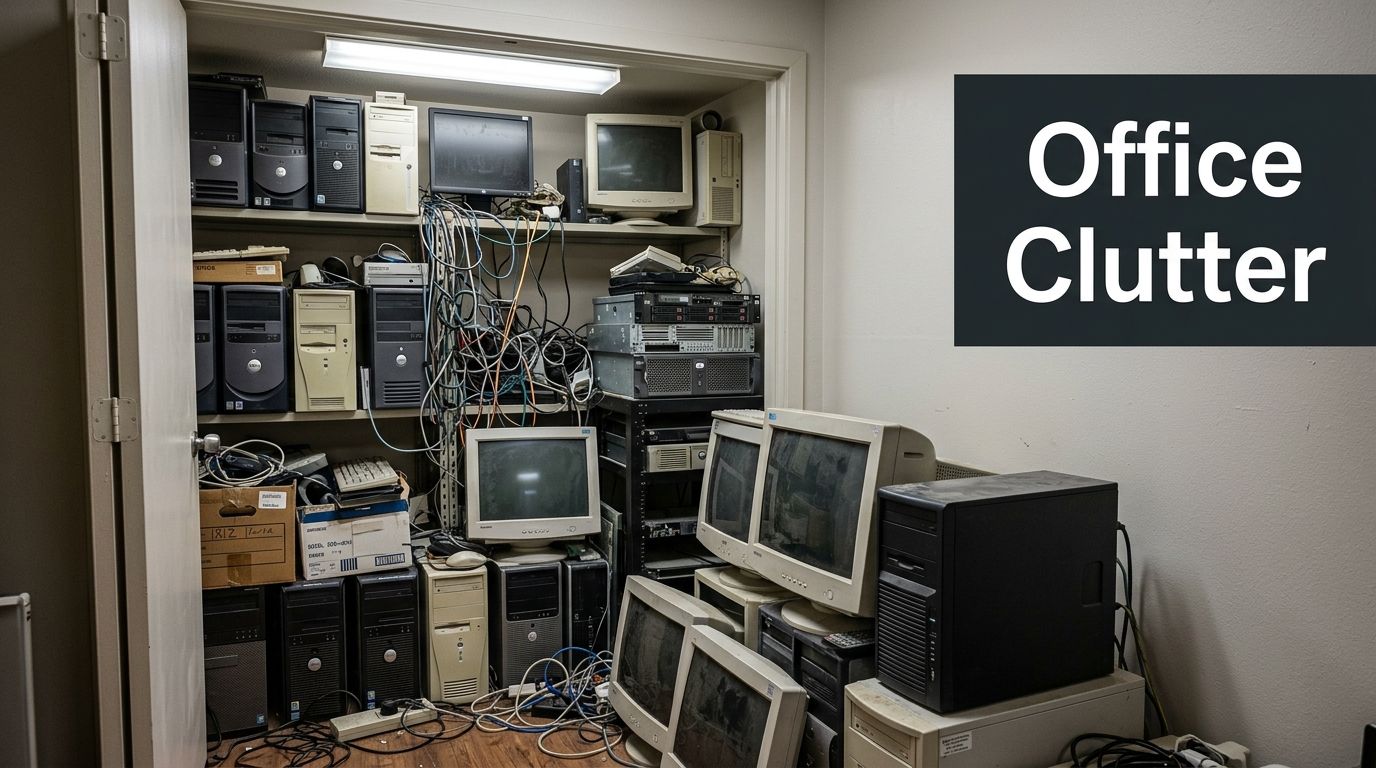
That’s where atlanta computer recycling becomes a business decision, not a housekeeping task. In 2007, the U.S. Environmental Protection Agency reported that over 63 million computers were discarded annually nationwide, a scale that helped define the urgency of professional IT asset disposition work in markets like Atlanta, as noted by Atlanta Computer Recycling.
The real risk isn’t the pile itself
The visible mess is only part of the problem. The bigger issue is what those devices still contain and how they’ll be handled once they leave your site.
A retired desktop may still hold customer files, payroll records, saved browser credentials, or internal network information. A pallet of mixed electronics may also include damaged batteries or accessories that need careful handling. Teams sorting old phones and tablets should understand the risks of thermal runaway in devices like cell phones, especially when batteries are swollen, punctured, or stored loosely with other scrap.
Businesses usually get into trouble when they treat old electronics like ordinary junk. They’re not ordinary, and the downstream liability isn’t either.
What works and what doesn’t
Some disposal approaches create more problems than they solve.
What doesn’t work
- General haul-away with no downstream detail leaves you guessing where devices went.
- DIY drop-offs often break chain of custody and pull staff away from core work.
- Waiting for the “perfect” time turns a small cleanup into a larger operational drag.
What works
- A combined cleanout and recycling plan clears the space and handles electronics correctly.
- Documented handling gives IT, facilities, and compliance teams something they can file.
- Sorting for reuse, recycling, and destruction protects value where possible and reduces landfill reliance.
Traditional junk hauling often ends at removal. A more useful commercial model combines haul-away with certified electronics processing, so old workstations, cables, servers, shelving-adjacent tech, and mixed office debris can move through one coordinated job.
Businesses that want a broader view of cleanup planning can use the practical articles collected at https://fultonjunkremoval.com/blog/ as a starting point for site prep, removal logistics, and responsible disposal decisions.
Before the Pickup Assessing Devices and Wiping Data
The most expensive mistake in computer disposal usually happens before anything is loaded. It starts when someone says, “These are old, just get them out of here.”
Age doesn’t remove data. Broken screens don’t remove data. A machine that won’t boot may still have a drive full of recoverable information.
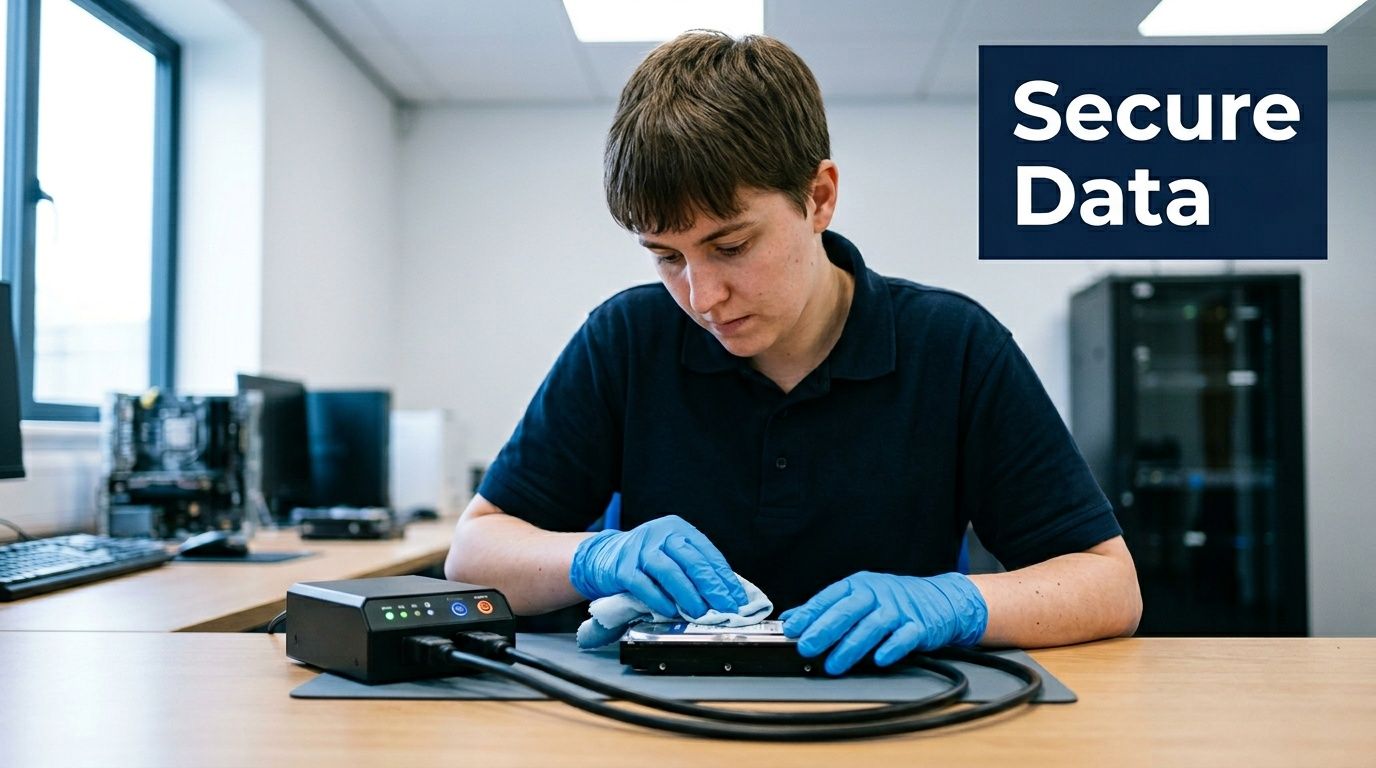
Start with a simple device triage
Before pickup day, sort equipment into operational groups. Don’t overcomplicate it. Your goal is to decide what needs testing, what needs data destruction, and what is clearly end-of-life.
A practical field sort looks like this:
Likely reusable equipment
Devices that still power on, have intact housings, and aren’t too far behind your current standard may be candidates for remarketing or donation after proper sanitization.Recycling candidates
Equipment with limited resale value, missing components, or outdated specs usually belongs in the recycling stream.Scrap or physical destruction candidates
Damaged drives, failed storage media, and heavily compromised devices often need physical destruction or controlled dismantling.
Build a workable inventory
IT teams don’t need a perfect spreadsheet to begin. They do need enough information to maintain control.
Track:
- Device type such as laptop, desktop, server, switch, monitor, or printer
- Asset identifier like a tag, serial number, or internal location note
- Data-bearing status so staff knows which items contain storage media
- Condition note such as working, untested, damaged, or incomplete
- Final path intended for remarketing, donation, recycling, or destruction
This inventory becomes the backbone of your chain of custody.
Practical rule: If you can’t identify whether a device stores data, handle it as though it does.
Why file deletion and factory reset aren’t enough
A lot of businesses still assume a factory reset solves the problem. For personal use, people may accept that risk. For commercial equipment, they shouldn’t.
Deleting files changes what the operating system sees. It doesn’t reliably eliminate the underlying data in a way that satisfies a serious compliance review. Factory reset procedures also vary by device and don’t replace a documented destruction process.
That’s why the secure route matters. As Beyond Surplus explains, secure data destruction is a critical component of responsible electronics recycling, requiring complete erasure of sensitive information before devices enter the recycling stream. Industry best practice requires partnering with certified recyclers who maintain chain-of-custody documentation throughout the entire process.
Match the destruction method to the device and risk
Not every item needs the same treatment. Good operations teams choose the method based on the media type, the business context, and the level of verification required.
Common methods include:
- Certified wiping
Useful when a device may be reused or remarketed. The verified data for this topic references methods such as DoD 5220.22-M 3-pass wiping in professional recycling workflows. - Physical shredding
Appropriate when the priority is irreversible destruction of drives or storage media. - Secure component separation
Important for mixed loads where some materials can be recycled only after sensitive parts are isolated.
The key point is documentation. If a vendor can’t show how each device moved from pickup through destruction or processing, you’re relying on trust alone.
Assign responsibility before the truck arrives
Commercial cleanouts run smoother when each department knows its role.
IT owns device identification, media risk, and internal release approval.
Facilities owns access, staging, loading paths, and timing.
Operations or procurement owns vendor coordination and record retention.
Compliance or legal reviews the required documentation standard.
If your team needs a parallel reminder of why this matters beyond disposal logistics, Why Data Protection Must Be A Priority is a useful general read on the operational cost of weak data handling.
For businesses combining electronics recycling with broader office or warehouse clearing, service options are outlined at https://fultonjunkremoval.com/our-services/.
Donation Recycling or Disposal What to Choose
Once you know what you have and which items carry data risk, the next decision is straightforward: donate, recycle, or dispose. The right answer depends on condition, usefulness, and whether the equipment still has a responsible second life.
Donation works when the device still serves someone
Functional computers can do more than leave your building. They can support schools, nonprofits, or training programs after proper sanitization and processing. As All Green Recycling notes, recycling programs can transform e-waste into community assets; for instance, a pallet of decommissioned office laptops can equip under-resourced schools, nonprofits, or coding bootcamps, directly tackling Atlanta's digital divide and enhancing education and employment access.
Donation makes sense when the devices are usable, complete, and worth the time required to prepare them correctly. If they need heavy repair, missing-part replacement, or uncertain testing, donation often stops being practical.
Recycling is the default for most commercial refreshes
Most bulk office cleanouts land here. Older desktops, damaged laptops, dead peripherals, and obsolete networking gear usually have more value as recovered material than as intact machines.
A capable recycler doesn’t treat that load like trash. Devices are broken down into recoverable streams such as metals, plastics, and other components, then moved back into manufacturing channels where possible. That’s the circular part many businesses want but don’t always get from a standard hauler.
Disposal should be the last resort
Landfill disposal is the weakest outcome for computer equipment. It throws away recoverable material and increases environmental risk. If a vendor can’t explain what gets reused, what gets recycled, and what has no recovery path, that’s a warning sign.
Good disposition decisions are made device by device, not by throwing the whole load into one category.
Computer Disposal Options Compared
| Method | Best For | Data Security Risk | Environmental Impact | Potential ROI |
|---|---|---|---|---|
| Donation | Functional equipment that can still support real use after proper sanitization | Moderate if data destruction is poorly documented, low if handled correctly | Strong, because usable equipment stays in service | Possible tax benefit or community value |
| Recycling | Outdated, damaged, incomplete, or low-demand devices | Low when data-bearing items are processed with documented destruction | Strong, because materials can be recovered and diverted from landfill | Possible value recovery on some assets |
| Disposal | Items with no practical reuse or recycling path | Varies, depending on whether data media was separated first | Weakest option | Usually none |
Companies that want to understand the local operating model behind integrated hauling and recycling can review https://fultonjunkremoval.com/about-fulton-junk-removal/ for background on how cleanouts and downstream processing fit together.
Scheduling Your Atlanta Commercial Computer Recycling Pickup
The operational headache usually isn’t deciding that the equipment has to go. It’s coordinating the job without disrupting staff, losing track of devices, or creating a second project out of the first one.
That’s why a bundled pickup model is useful. Offices and warehouses rarely need only electronics removed. They often have mixed loads such as old workstations, boxed peripherals, damaged chairs, empty cubicle parts, and general turnover debris. Handling those streams in one appointment is easier on the site team.
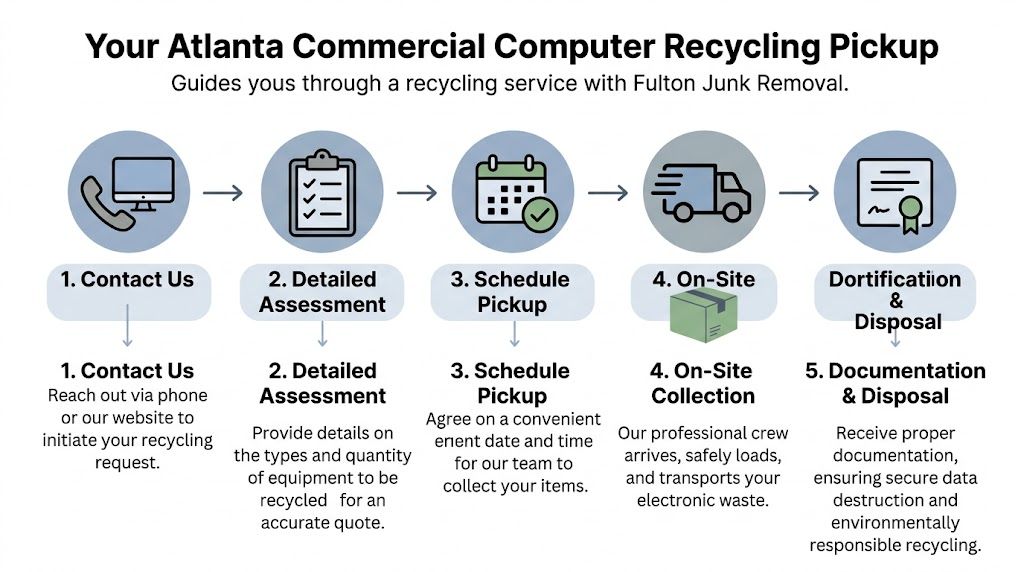
What a smooth scheduling process looks like
A well-run commercial pickup usually follows a short chain of decisions rather than a long sales process.
Contact and scope
The first useful conversation covers four basics:
- What equipment is on site
- Whether items contain data
- What else needs to be removed
- How access works at the property
This is also the stage where hidden-fee problems should get resolved. For small-to-medium businesses, computer recycling can involve $0.30 to $0.75 per pound or $50 to $200 flat charges for smaller pickups, while integrated services can offer clearer volume-based pricing upfront, according to Green Atlanta.
Scheduling around operations
The best pickup window is the one that doesn’t interfere with the business day. In practice, that may mean early access, a loading dock slot, a property manager handoff, or a post-move sweep once internal teams have tagged what stays and what goes.
For offices, I’ve seen two approaches work best:
- Staged removal when the company is still operating in the space
- Single clear-out after a relocation, renovation, or downsizing event
On-site collection
On pickup day, the crew should follow the plan, not improvise one in your hallway. That means they know the staging area, the device categories, the elevator or dock constraints, and whether any items require special handling.
One option in Atlanta is Fulton Junk Removal, which can bundle junk removal with electronics pickup so mixed commercial cleanouts move through one coordinated service rather than separate vendors.
If a team shows up asking basic questions that should’ve been settled before arrival, the job will take longer and your chain of custody gets weaker.
Why integrated service solves real bottlenecks
Standalone recyclers can work well when your load is clean, pre-sorted, and limited to electronics. Traditional junk haulers can work when nothing carries data and downstream reporting doesn’t matter.
Many commercial jobs sit in the middle. They involve:
- Electronics plus general junk
- A facilities deadline
- Some level of documentation requirement
- A team that can’t spare half a day supervising multiple vendors
That’s where an integrated model reduces friction. One scheduling contact. One pickup event. One operational plan.
What should happen after the truck leaves
This part matters more than many clients expect. Removal isn’t the endpoint. Once the load is off site, the process should continue through secure transport, receiving, data destruction where required, and appropriate downstream handling.
You should also know what records are coming back to you and when. If that’s vague during scheduling, it will probably stay vague afterward.
Businesses ready to line up a job can start the request process at https://fultonjunkremoval.com/contact-us/.
Navigating Fees Certifications and Diversion Reports
Most confusion in atlanta computer recycling comes down to three things: what you’re paying for, what the certifications mean, and what paperwork you’ll receive after the job.
Why pricing varies more than clients expect
Electronics recycling isn’t priced like scrap metal pickup. The economics change based on labor, transport, security handling, and whether the load includes items with weak recovery value.
Transportation is a major factor. BCG notes that the financial viability of electronics recycling hinges on transportation costs, and consolidating electronics shipments reduces per-unit logistics costs, with collections becoming most economically viable at approximately 500 to 1,000 pounds of aggregated e-waste.
That explains why small pickups often cost more per unit than a larger, consolidated load. It also explains why multi-site property managers and office operators usually save effort by aggregating equipment before scheduling.
Certifications matter because promises aren’t enough
A vendor saying “we recycle everything” doesn’t tell you much. Certifications and audited processes tell you more.
Look for evidence of:
- Chain of custody controls so devices stay accounted for from pickup through processing
- Data destruction verification rather than informal claims that drives were wiped
- Environmental management discipline tied to documented handling practices
- Worker safety and operating consistency in the processing environment
The verified data for this topic references certifications such as R2, ISO 14001, and ISO 45001 among top providers. The practical takeaway is simple: if documentation and auditability matter to your business, choose a recycler that can prove its process.
The documents that actually help your business
The two most useful records after a commercial electronics job are usually:
| Document | What it confirms | Why your team needs it |
|---|---|---|
| Certificate of Data Destruction | That data-bearing devices were processed through a defined destruction or sanitization method | Supports internal controls, audit readiness, and legal review |
| Diversion Report | That material was directed away from landfill and into reuse or recycling streams where applicable | Supports sustainability reporting, client requirements, and internal ESG tracking |
These records matter most when several departments touch the same project. IT wants proof of handling. Facilities wants closure. Sustainability wants diversion information. Procurement wants a clean vendor file.
Ask for the sample documentation before the pickup, not after. If the record format is weak, the process behind it is often weak too.
A few cost-control moves that actually help
Some businesses can reduce friction without cutting corners.
Aggregate before pickup
Group devices from closets, suites, and storage areas into one staged load when possible.
Separate obvious non-electronics
Mixed debris slows counting and handling if the electronics portion needs tracking.
Flag data-bearing assets early
That prevents last-minute sorting and avoids mistakes on site.
Align cleanout timing with other property work
If a move-out, renovation, or warehouse reset is already scheduled, combine efforts where it makes sense.
Atlanta-area coverage and service coordination details are available at https://fultonjunkremoval.com/service-areas/atlanta/.
Moving Forward with Responsible E-Waste Management
Responsible computer recycling isn’t a side task anymore. It sits at the intersection of data protection, property operations, and sustainability.
When businesses delay action, old equipment starts controlling the workflow. It consumes storage space, complicates moves, slows turnover projects, and leaves unanswered questions about what’s still sitting on those drives. When they manage it proactively, the opposite happens. Space opens up. Risk drops. The records exist. The job closes cleanly.
The strongest approach is usually the least complicated one from the client’s side. Inventory the devices. Separate what may still have value. Route data-bearing equipment through a documented destruction process. Bundle the electronics work with the broader cleanout if the site has mixed material. Keep the paperwork.
That integrated model is especially useful in Atlanta, where businesses often need fast removal without giving up on compliance or landfill diversion. A pure junk hauler may clear the room but miss the reporting. A standalone recycler may process the electronics but leave the rest of the cleanout unresolved. Operations teams usually want one coordinated plan that handles both.
If your office, warehouse, retail site, or managed property has aging computers stacked in storage, now is the right time to formalize your e-waste process. The best results come from treating the project like any other operational handoff: clear scope, secure handling, documented completion.
Atlanta Computer Recycling FAQs
Can businesses recycle more than just desktops and laptops?
Yes. Commercial loads often include servers, monitors, docks, peripherals, networking gear, phones, cables, and related electronics. The exact acceptance list depends on the recycling partner and the condition of the items.
Should we wipe devices ourselves before pickup?
You can inventory and isolate devices internally, but businesses shouldn’t assume a basic reset is enough. If the equipment holds company or customer information, use a process that includes verified data destruction and chain-of-custody documentation.
What if our load is small?
Small loads can still be handled, but pricing often changes when volume is low. The most efficient option is usually to combine devices from multiple rooms, departments, or locations so the pickup is easier to schedule and document.
Can working computers be donated instead of recycled?
Sometimes, yes. Functional equipment may be suitable for reuse after proper sanitization. Devices that are too old, incomplete, or unreliable usually belong in the recycling stream instead.
Do property managers need different handling than office tenants?
Usually, yes. Property managers often deal with vacancy timelines, access coordination, abandoned property, and mixed debris. That makes bundled hauling and electronics processing more practical than a narrow recycling-only appointment.
What paperwork should we ask for?
Ask in advance what documentation you’ll receive after the job. For commercial projects, the most useful records are typically the certificate covering data destruction and the diversion reporting that shows how materials were handled downstream.
If you need to clear outdated computers, office electronics, and general clutter from a commercial space, Fulton Junk Removal can help you coordinate the haul-away and responsible downstream handling in one project. Request a free estimate to plan the pickup, reduce site disruption, and get clear documentation for your records.
