
Same Day IT Equipment Disposal Atlanta: Secure Solutions
Monday morning, the old office is half packed, the new equipment is arriving, and a corner conference room is suddenly full of retired laptops, monitors, access points, printers, and a few rack servers nobody wants to touch until someone confirms how they will be tracked. Facilities wants the space cleared. IT wants proof of custody. Compliance wants documentation. Everyone wants it gone today.
That is why Same Day IT Equipment Disposal Atlanta matters. In a live office, warehouse, clinic, or mixed-use property, outdated equipment is not just clutter. It blocks moves, slows refresh projects, creates data exposure, and turns a simple upgrade into a chain of avoidable delays.
The Urgent Need for Same Day IT Equipment Disposal in Atlanta
Atlanta teams rarely have the luxury of a long cleanup window. Office consolidations, lease turnovers, hardware refreshes, and server room decommissions usually happen on tight schedules, often while staff are still working around the project.
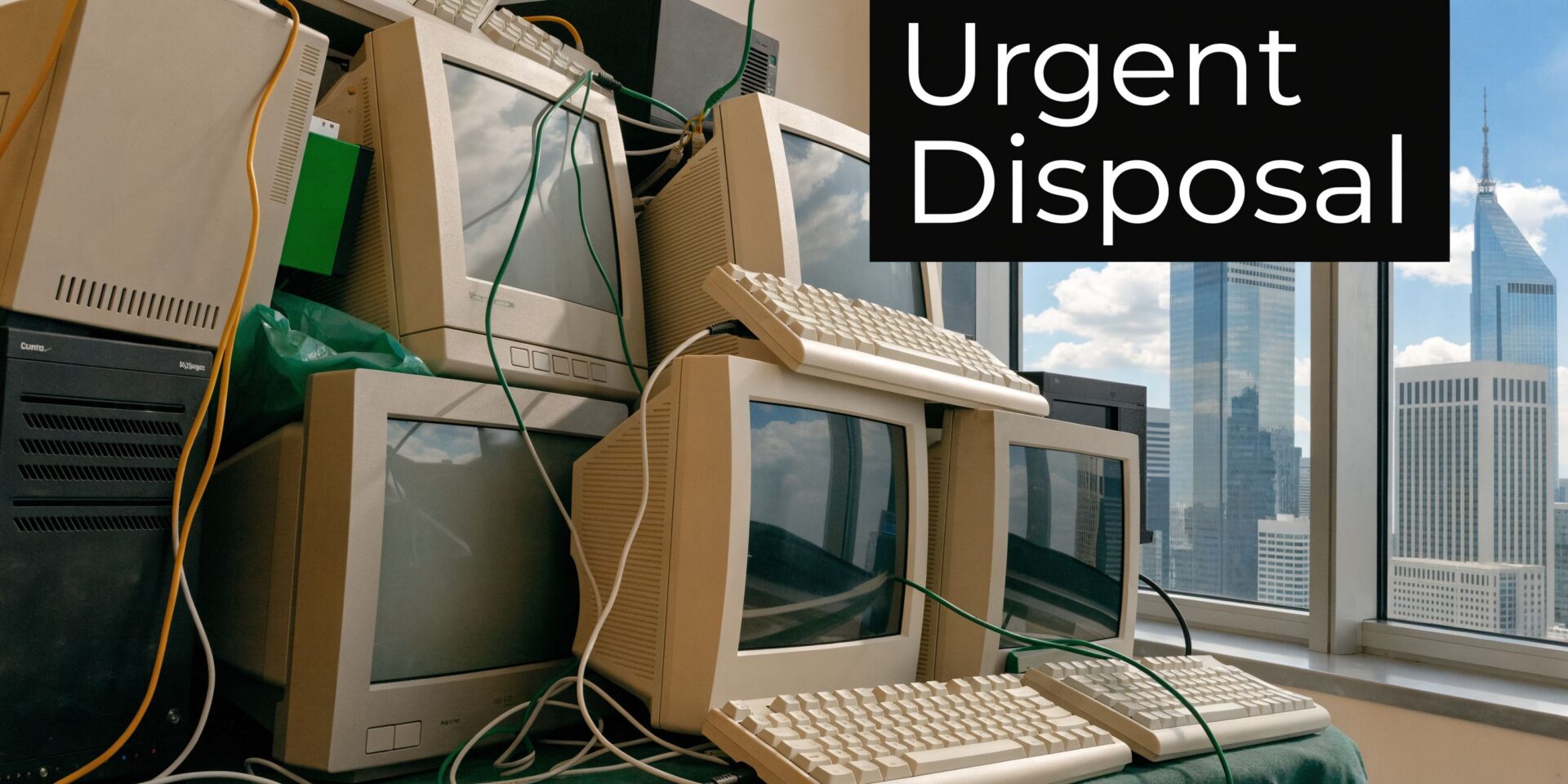
In Atlanta’s business environment, speed is not a convenience. It is part of continuity. As noted by STS Electronic Recycling’s Atlanta electronics recycling overview, same-day IT equipment disposal has become essential for minimizing downtime, especially in a metro area that includes major employers like Delta Air Lines and The Home Depot, while globally, a significant portion of electronics is not properly recycled.
What turns delay into risk
A pile of retired hardware creates several problems at once:
- Operational friction. Hallways, staging rooms, and storage areas get tied up when old devices sit in place waiting for a standard pickup window.
- Security exposure. Even powered-down devices can still contain drives, credentials, labels, and asset data that should not be left unattended.
- Project drift. Moves and upgrades slip when the disposal step gets treated as an afterthought.
- Sustainability setbacks. If removal and certified recycling are handled by different vendors with different timelines, reporting becomes harder.
I see this most often when a team books a hauler first and asks disposal questions later. The equipment leaves the site, but the paperwork arrives late, the asset list is incomplete, and someone ends up rebuilding the audit trail manually.
Why an integrated model works better
The smoother path is one coordinated workflow. One team handles the physical pull-out from offices, storage rooms, dock areas, or warehouse space. A connected certified recycling partner handles downstream processing, data destruction documentation, and diversion reporting.
That integrated approach solves two jobs at once: clear the space and close the compliance loop.
For Atlanta properties with mixed loads, this matters. Many projects include not only IT assets but also obsolete shelving, non-electronic office debris, damaged furniture, packaging, and general junk from a refresh or relocation. If those streams are split across vendors, scheduling gets messy fast. If they are coordinated together, the site gets reset in one move. Businesses planning service across the metro can also review the local coverage area at https://fultonjunkremoval.com/service-areas/atlanta/.
When a same-day disposal project fails, it usually fails before pickup. The issue is not the truck. It is unclear inventory, poor staging, or no agreed chain of custody.
What Qualifies for Same Day Disposal and How to Prepare
Most commercial same-day pickups can handle a wide range of retired tech, as long as the equipment is decommissioned, accessible, and identified clearly enough for transfer.
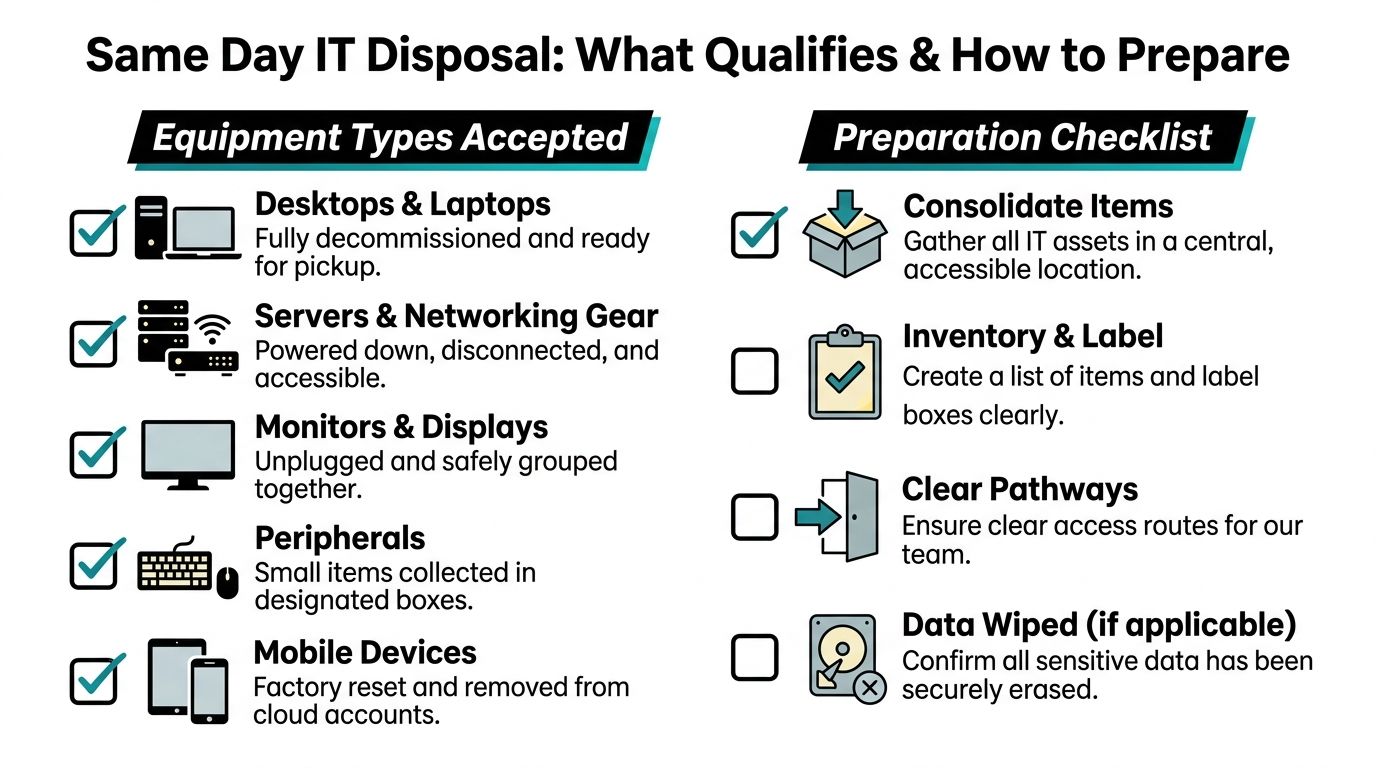
Equipment that usually qualifies
In practical terms, teams most often schedule same-day removal for:
- End-user devices such as desktops, laptops, thin clients, and docking stations
- Server and network gear including switches, rack hardware, firewalls, and related components
- Display equipment like monitors and conference room screens
- Peripheral loads including keyboards, mice, scanners, printers, cables, and small accessories
- Mobile hardware such as tablets and phones that have already been removed from active use
The best pickups happen when everything is powered down, disconnected, and gathered in a manageable area. Loose equipment spread across several rooms can still be removed, but it adds time, confusion, and more chances for inventory mismatches.
What preparation looks like
Do not overcomplicate the prep. You do not need a perfect spreadsheet with every internal note ever attached to the asset. You need a usable pickup list and a site setup that allows the crew to move fast without guessing.
A reliable prep routine looks like this:
- Group by device type. Put laptops together, monitors together, networking gear together.
- Label boxes or pallets clearly. Short labels such as “Monitors 1 of 4” or “Keyboards and mice” help at handoff.
- Separate assets requiring special review. If a device still needs manager approval, keep it out of the pickup line.
- Note serial-sensitive equipment. If your internal controls require serial matching, identify those items before the crew arrives.
- Make paths usable. Crews lose time when freight elevators, glass corridors, and dock lanes are blocked.
The single most useful preparation step is simple: consolidate equipment into one secure staging area before the truck arrives.
A simple inventory beats a rushed one
The biggest mistake I see is a last-minute verbal count. “About 20 laptops and some monitors” is not enough when the pickup also needs to support reporting.
Use a short working inventory with:
| Field | Why it matters |
|---|---|
| Device type | Speeds sorting and loading |
| Approximate quantity | Helps size labor and truck space |
| Location | Prevents hunting across floors |
| Data status | Flags what needs destruction handling |
| Internal owner or department | Helps resolve questions fast |
If your project includes mixed cleanout items beyond electronics, it helps to review service fit in advance at https://fultonjunkremoval.com/our-services/.
Preparation is not busywork. It is what turns same-day disposal from a scramble into a controlled handoff.
Data Destruction Certifications and Chain of Custody
A fast pickup is useful. A fast pickup without defensible documentation is a liability.

The disposal decision is not really about removal. It is about what happens to the data-bearing device after it leaves your floor, who documents that process, and whether your team can prove the chain later.
According to eWasteATL’s compliance guidance, failing to follow regulations such as RCRA can result in fines up to $50,000 per violation, and global data breach costs averaged $4.88 million in 2025. For any Atlanta business handling customer records, employee data, financial systems, or regulated information, certified destruction is the standard that matters.
Wiping versus physical destruction
Not every device should be handled the same way.
Software wiping fits situations where equipment may be remarketed, redeployed, or donated after approved erasure. This path can support circular asset recovery, but only if the process is documented and tied to the asset record.
Physical destruction is the better fit when the drive is damaged, the chain of custody is sensitive, or policy requires irreversible destruction. That usually means shredding or another approved destruction method for the data-bearing media.
What does not work is relying on assumptions. “We reset the laptops” is not a compliance position. “We got rid of the old drives” is not an audit trail.
The certifications that matter
Buyers hear certification names often, but the practical value is straightforward:
- R2v3 matters because it sets expectations for responsible electronics handling and downstream accountability.
- NAID AAA matters because it signals an established standard for secure data destruction processes.
- Certificates of Destruction matters because they create a formal record that a defined destruction event occurred.
- Chain-of-custody records matters because they show when your team transferred control and to whom.
If your internal process is still developing, it helps to align disposal with a broader IT Asset Management approach so retirement, redeployment, destruction, and reporting all use the same logic.
What good documentation looks like
For a same-day project, the paperwork should be usable by legal, compliance, IT, and facilities without translation.
Look for documentation that answers these questions:
- What was transferred
- Who released it
- When custody changed
- How the data-bearing assets were handled
- What certificate or report closes the file
If a vendor can remove your equipment today but cannot explain the destruction record you will receive later, you are not buying a secure service. You are buying a fast truck.
Teams evaluating providers can also review company background and operating model at https://fultonjunkremoval.com/about-fulton-junk-removal/.
How to Schedule and What to Expect for Same Day Service
Same-day service works best when the request is specific. The faster you can describe the job, the faster a disposal team can confirm availability, scope the labor, and assign the right vehicle.
For active projects, that speed matters. As noted in Atlanta Computer Recycling’s pickup guidance, urgent same-day or next-day disposal can cut project-related downtime by as much as 70% compared with standard pickup windows.
What to have ready before you call
A good booking request answers operational questions up front.
Prepare these details:
- Asset summary. A practical count of what is leaving the site.
- Pickup address and on-site location. Dock, suite, floor, room, or warehouse bay.
- Access constraints. Freight elevator rules, loading dock hours, security desk requirements.
- Service priority. Same-day, next-day, or flexible same-week pickup.
- Mixed-load details. Whether the job includes office junk, packaging, or non-electronic items along with IT assets.
You do not need a formal procurement packet for an initial quote. Clear photos, a simple inventory, and access notes usually move the process much faster than a long email thread.
What a well-run same-day booking feels like
From the client side, the process should be predictable:
| Stage | What you should expect |
|---|---|
| Initial inquiry | Questions about volume, equipment type, and access |
| Quote review | Clear scope and what is included in removal |
| Scheduling | A realistic arrival window, not vague promises |
| Pre-arrival confirmation | Contact before the crew reaches site |
| Pickup and sign-off | Inventory check and custody transfer |
| Post-service follow-up | Reporting or destruction documentation as applicable |
The common failure point is underdescribing the site. A pickup that sounds simple can get delayed if the building requires COI approval, elevator reservation, or a narrow dock schedule and none of that was disclosed.
Bundling makes difficult projects simpler
Some Atlanta projects are not pure IT disposal jobs. They are turnover jobs. That means obsolete devices plus broken shelving, file cabinets, cubicle debris, and general office junk.
Bundling those streams into one coordinated visit usually works better than bringing in separate crews with separate scopes. It reduces site traffic, shortens the disruption window, and gives the facilities lead one point of coordination instead of several. For direct scheduling, the fastest route is usually the contact form at https://fultonjunkremoval.com/contact-us/.
Your On-Site Logistics Checklist for a Smooth Pickup
The day-of plan matters as much as the quote. Good onsite execution keeps the transfer fast, traceable, and low-drama.
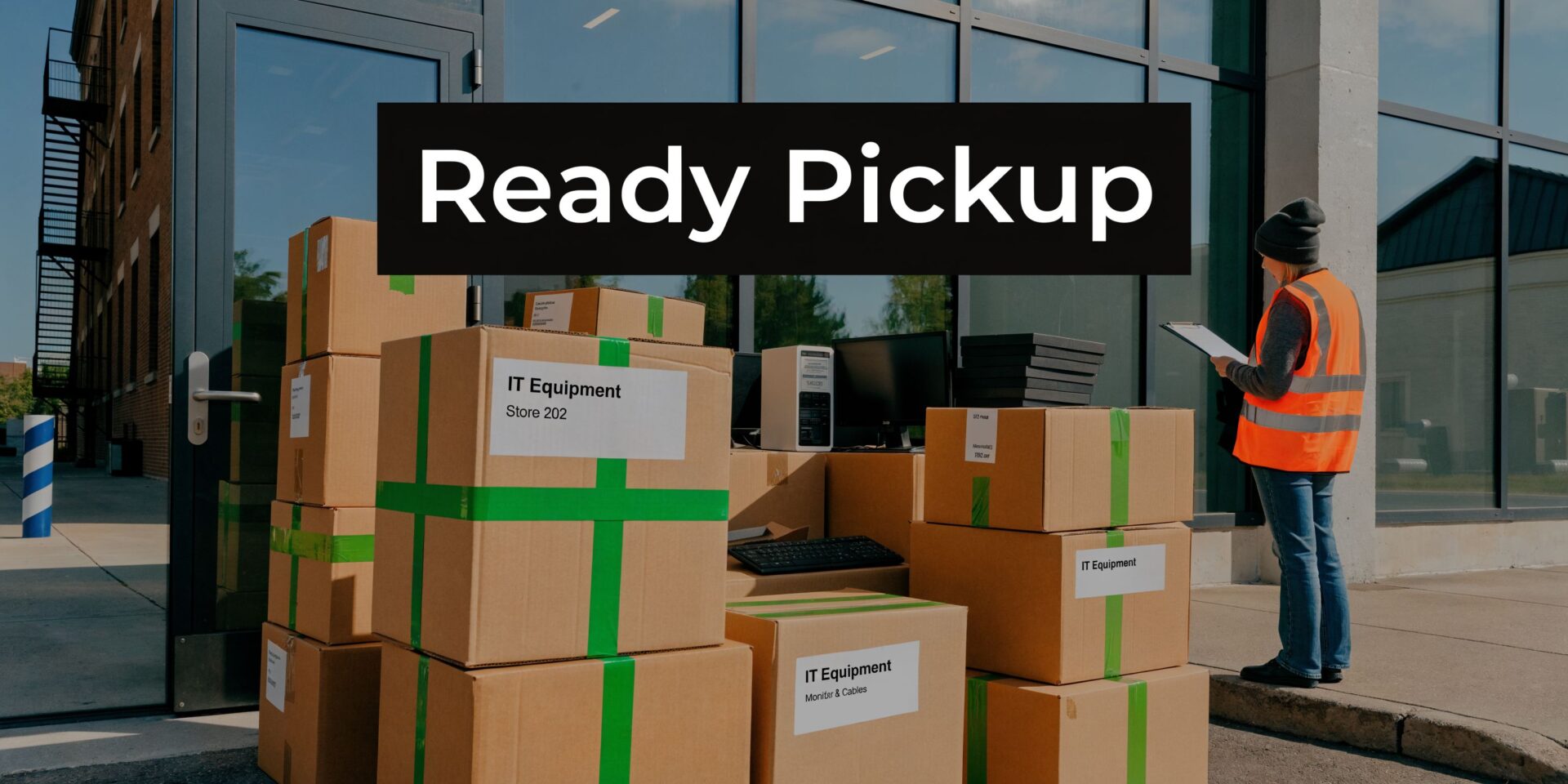
A professional ITAD process outlined by Atlanta Computer Recycling centers on a three-stage chain-of-custody framework: secure the assets in a staging area, confirm site access logistics, and assign a point of contact to verify inventory and sign off on the transfer.
The three checks that prevent chaos
Use this checklist before the crew arrives:
- Staging area ready. Place all approved pickup items in one secure, clearly defined location near the planned route out.
- Access confirmed. Verify dock instructions, parking, badges, elevator booking, and any building time restrictions.
- Point person assigned. One staff member should meet the crew, answer questions, verify what leaves, and sign the transfer.
That sounds basic. It is also where most avoidable mistakes happen. Too many projects assign three people partial responsibility, and none of them owns the final handoff.
Special note for multi-room and infrastructure removals
A single storage room pickup is straightforward. A multi-floor office with closets, workstations, and network hardware spread across departments is not.
If your project includes telecom cabinets, network racks, or a building comms room, review a structured comms room decommissioning process before pickup day. The principles translate well: isolate active from retired equipment, label clearly, control access, and document the final removal path.
Treat pickup day like a controlled release, not a cleanup. Once equipment starts moving, every unclear item becomes a question that slows the job.
A short handoff script for your team
Facilities and IT leads can send this to onsite staff:
- Confirm the staging area contains only approved items.
- Meet the crew at building entry or dock.
- Walk the route once before loading starts.
- Check the inventory against the work order.
- Sign the custody transfer only after the listed items match what is leaving.
If you need more planning references for related cleanouts and operational prep, the company blog at https://fultonjunkremoval.com/blog/ is a useful starting point.
Why Atlanta Businesses Choose Fulton Junk Removal
Atlanta businesses do not need another vendor that only solves half the problem. They need removal that clears space fast, plus a recycling path that supports compliance, reporting, and responsible downstream handling.
That is where the Fulton Junk Removal and Beyond Surplus model stands out. One side handles the haul-away side of the project, including the physical work of removing obsolete equipment and related site clutter. The connected recycling side handles electronics processing in a way that supports security and sustainability requirements.
What that changes for the client
For an IT manager, it means fewer moving parts. For a facilities director, it means the dock schedule, labor, and site reset can be handled in one coordinated project. For a property manager, it means office junk, electronics, and recyclable material do not need three different pickup plans.
The practical advantages are easy to see:
- One call can cover clutter and compliance
- Mixed loads are easier to coordinate
- Documentation is easier to collect
- Landfill-first disposal is not the default path
This is especially useful for offices, warehouses, and commercial properties where the project is bigger than a pallet of old computers. A refresh often creates a blended stream of equipment, packaging, scrap, and unwanted furniture. Handling that through separate vendors usually adds delay and admin work.
The integrated approach is simpler. It fits the way real decommissioning projects happen on site.
Common Questions About IT Equipment Disposal in Atlanta
Is there a minimum amount of equipment for pickup
That depends on the provider and the route schedule. For commercial clients, the better question is whether the load justifies same-day dispatch. A small batch may still make sense if the equipment is data-sensitive or blocking a move.
Can one crew remove office junk and IT equipment together
Yes, and that is often the cleanest option for office transitions. When old tech is mixed with shelving, chairs, packaging, or general back-office debris, one coordinated removal is easier to manage than multiple service windows.
What happens to equipment that still has reuse value
Usable assets should be evaluated for resale, redeployment, or donation when policy allows. That approach supports a circular workflow and can make sustainability reporting stronger than a simple discard-only process.
Why not just use the city’s free e-waste events
For households, those events can be useful. For active commercial projects, they are usually not a fit. As reported by Muvr’s Atlanta electronics removal page, Atlanta’s municipal e-waste events often involve 2-week waits and strict volume caps such as 5 items, while private same-day services saw a 30% rise in uptake because businesses cannot absorb the delay.
Do I need to wipe data before pickup
Follow your internal policy. In many organizations, devices are either wiped before release or transferred under documented custody for certified destruction. What matters is that the chosen path is intentional, documented, and aligned with compliance requirements.
If you need a fast, secure, and practical way to remove retired tech without creating more work for your team, Fulton Junk Removal can help coordinate the haul-away side with Beyond Surplus handling responsible electronics recycling. That gives Atlanta offices, warehouses, and property managers one integrated solution for clearing space, protecting data, and keeping disposal documentation organized.
