
Electronics Recycling for Atlanta Medical Offices
A lot of Atlanta medical offices have the same problem hiding in a back room. Old desktops under a counter, retired check-in tablets in a cabinet, monitors stacked near records storage, and a multifunction printer nobody wants to touch because nobody is fully sure what's still stored on it.
That mess isn't just clutter. In a healthcare setting, it's a compliance issue, a data security issue, and an environmental handling issue at the same time. Electronics recycling for Atlanta medical offices has to account for protected health information, chain of custody, and documented downstream processing. If any one of those pieces is missing, the disposal job is incomplete.
The practical fix is a controlled process. The office needs to know what it has, what contains data, what can be reused, what must be destroyed, and which recycling partner can document every handoff. When the physical cleanout and the certified recycling workflow are coordinated together, the project gets easier for the office manager and more defensible for the practice.
Why Standard E-Waste Disposal Fails Medical Offices
A generic junk pickup works fine for broken shelving and worn waiting-room chairs. It does not work for retired office electronics in a medical practice.
Devices in a clinic or physician office often do more than people realize. A desktop at the front desk may have handled intake. A copier may have retained scanned records. A router, VoIP phone, badge reader, or exam-room tablet may have stored credentials, logs, or transmitted patient information. Once those items leave the office without proper inventory and secure handling, the risk shifts from inconvenience to exposure.
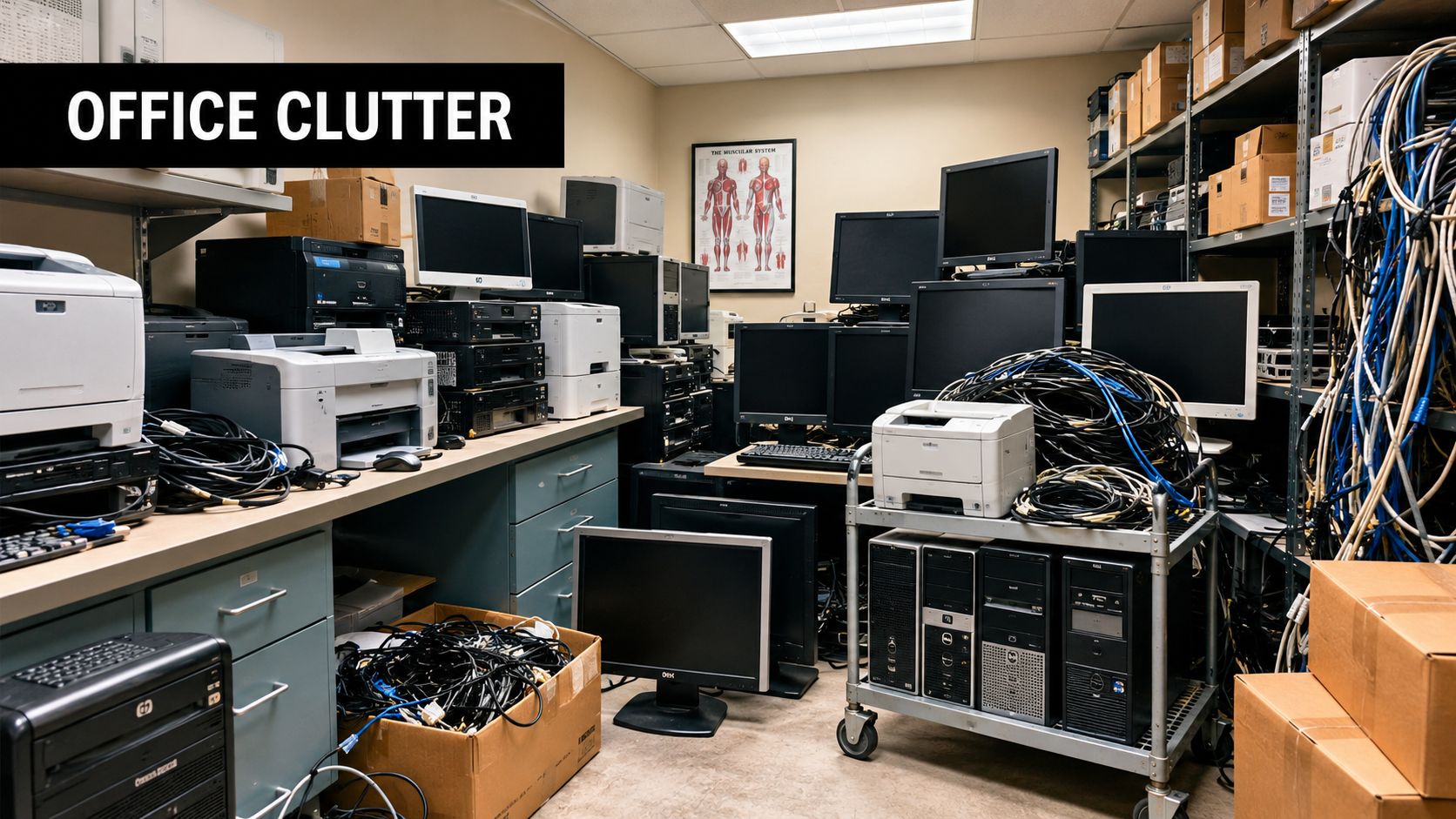
Trash removal is not a compliance workflow
Medical offices can't treat electronics like ordinary office debris. In the United States, consumers and businesses discarded approximately 2.37 million tons of televisions, computers, and cell phones in 2018, according to CDC archived materials on electronics disposal. That scale matters because even a small practice contributes to a much larger regulated waste stream, and many electronics contain materials such as lead that require controlled handling rather than landfill disposal.
The weak point in most failed disposal projects isn't effort. It's assumptions. Staff assume the IT closet only holds “old equipment.” A hauler assumes everything in the pile is non-sensitive. The office assumes deletion happened at some point in the past. None of those assumptions create proof.
Practical rule: If a vendor can remove electronics but can't explain chain of custody, secure data destruction, and downstream recycling documentation, that vendor is moving clutter, not managing risk.
That's where standard junk hauling falls short. Most haulers are built for speed and volume. Medical offices need speed too, but only inside a documented process.
What medical offices actually need
A compliant disposal project has two jobs. First, the physical cleanout has to happen without disrupting patients and staff. Second, every data-bearing device has to move through a controlled recycling path.
That's why integrated service matters. One crew can handle the office cleanout, while the electronics stream goes into certified processing instead of mixed disposal. For Atlanta practices trying to avoid piecing together multiple vendors, that model is far more workable than ad hoc pickups and drop-offs. More operational guidance like this also fits with the kind of commercial cleanout planning discussed on the Fulton Junk Removal blog.
Building an Inventory for Compliant E-Waste Disposal
The most useful document in an electronics disposal project isn't the pickup receipt. It's the inventory you build before anything leaves the office.
Without that list, you can't reliably separate reusable equipment from scrap, and you can't tie final destruction records back to specific devices. A proper inventory also exposes the devices that staff tend to overlook until the last minute.
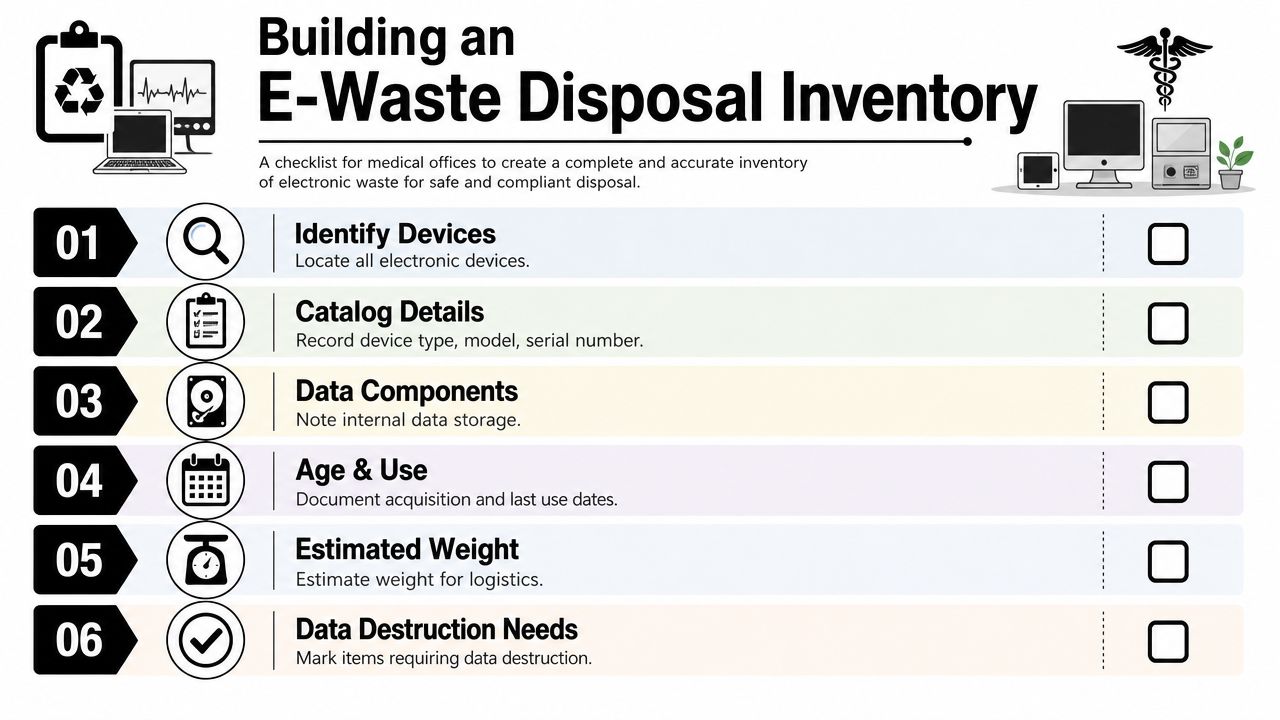
What to capture for each asset
At minimum, the office should record enough detail to identify the item, assess its risk, and route it correctly. A practical working inventory usually includes:
- Device type: Desktop, laptop, monitor, printer, tablet, server, switch, router, phone, scanner, badge reader, or peripheral.
- Manufacturer and model: This helps confirm what the device is and whether it may contain internal storage.
- Serial number or asset tag: This is what makes your destruction and disposition records defensible later.
- Location in the office: Front desk, billing, lab, exam room, break room, or storage closet.
- Data-bearing status: Note whether the device has a hard drive, SSD, flash memory, or other onboard storage.
- Condition: Functional, partially functional, damaged, or clearly end-of-life.
- Disposition path: Reuse, resale, certified recycling, or destruction.
A strong inventory does more than support pickup logistics. It supports sorting. As noted by an Atlanta-area recycling resource, a proper inventory helps offices separate assets into reuse, resale, and certified recycling streams, which is important because some functional items such as monitors or network gear may still be suitable for remarketing while data-bearing equipment should be routed for destruction through a secure process, as described in this Atlanta electronics recycling guide.
The devices people forget
Most offices remember laptops and desktop towers. They forget the devices at the edge of the network or the machines nobody has opened in years.
Commonly missed items include:
- Multifunction printers and copiers: Many retain scanned documents or job history internally.
- Patient check-in tablets: Often retired quickly, but still tied to intake workflows.
- Network hardware: Routers, firewalls, switches, and wireless access points may store credentials and configuration data.
- VoIP phones: Some hold call logs, directories, or user settings.
- Docking stations and thin-client accessories: Not always data-bearing, but worth logging so they don't disappear from the chain of custody.
- External drives and backup media: These need separate handling, not casual boxing.
A messy storage room is manageable. An undocumented storage room is where disposal projects go sideways.
For offices that also need furniture, shelving, and non-electronic debris cleared at the same time, combining inventory planning with broader commercial cleanout services usually keeps the project from dragging out across multiple vendors and pickup dates.
Ensuring HIPAA Compliance with Data Destruction
The most common mistake in medical-office recycling is treating data destruction like a side task. It isn't. It's the core control that determines whether the recycling process is merely convenient or defensible.
Many public recycling pages focus on where to bring electronics. That misses the harder problem. For medical offices, the main issue is managing a workflow that includes secure erasure or physical destruction, reconciling those steps back to the asset inventory, and obtaining proof for every device that may have stored or transmitted protected health information, as reflected in Georgia Tech guidance on electronics handling and institutional equipment distinctions in this Atlanta-area recycling guidance.
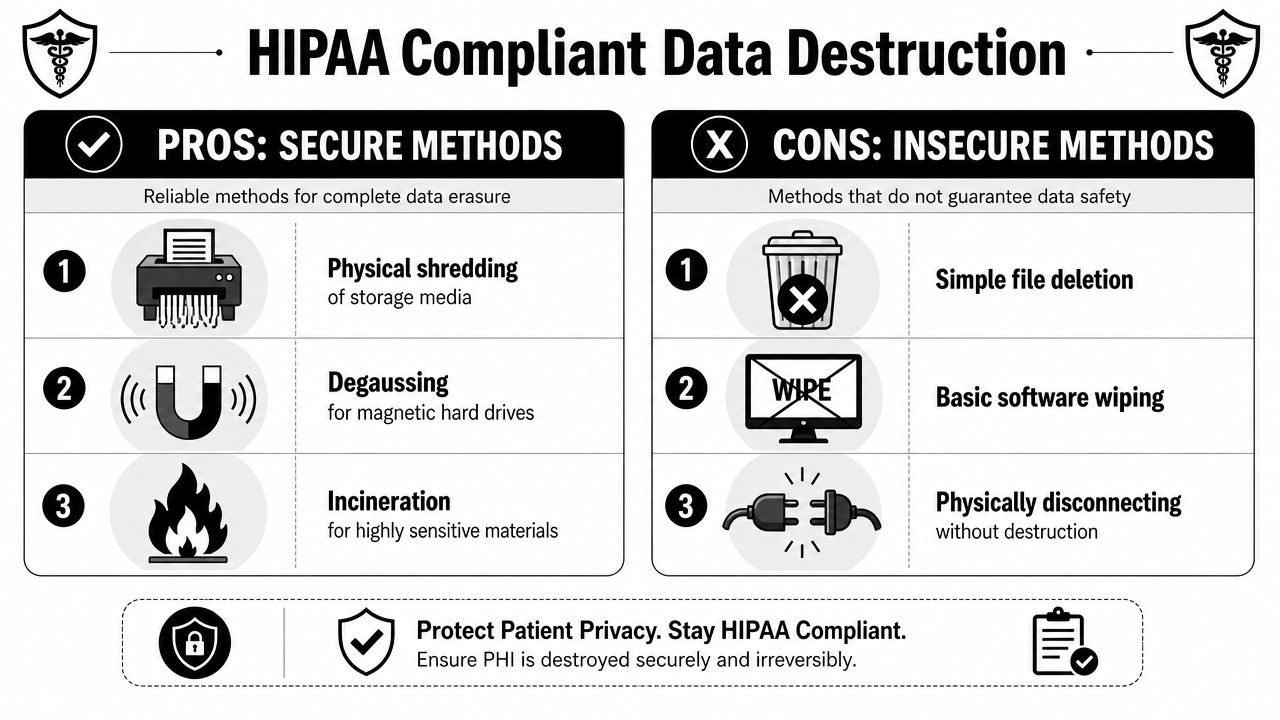
Wiping versus physical destruction
Medical offices usually face a practical choice. Preserve value through secure erasure and reuse, or eliminate all residual risk through physical destruction.
Software-based erasure has a place when the device is functional and approved for reuse or resale. It can be an appropriate route for certain assets if the recycler documents the method, ties it to the asset record, and maintains chain of custody throughout the process.
Physical destruction is different. It removes the ambiguity. If a hard drive, SSD, or other storage media contains or may have contained patient-related information, shredding or comparable media destruction is often the simpler route from a proof standpoint. It's harder to dispute later because the media no longer exists in usable form.
What doesn't count as secure disposal
Medical offices still run into bad habits that feel safe but aren't.
- Deleting files: That only removes easy access, not the underlying recoverability question.
- Factory resetting without documentation: Better than nothing, but not enough by itself for a compliance-sensitive environment.
- Sending a mixed box to a recycler without prior segregation: This is how data-bearing and non-data-bearing assets get blended together.
- Letting staff “take old devices home” for later drop-off: Convenience destroys chain of custody.
Audit mindset: If you had to explain where a retired front-desk PC went, who handled it, how its storage was destroyed, and where that proof is stored, would your records answer every part of that question?
That audit mindset matters beyond disposal. Medical offices reviewing broader risk transfer should also think about incident response and tailored cyber protection from Ephraim Group as part of the same conversation, because device retirement, data exposure, and insurance readiness often intersect after an internal cleanup or office move.
The document that closes the loop
For data-bearing media, the most useful record is the destruction document tied back to the inventory.
A Certificate of Destruction isn't paperwork for its own sake. It's the office's evidence that a specific device or storage component was handled through a defined process instead of disappearing into a generic recycling pile.
That's why compliance-minded offices ask about the recycler's procedures before pickup day, not after. If you want to understand how a company approaches those controls operationally, the background on Fulton Junk Removal and its commercial process is relevant because disposal discipline starts with how a provider structures removal, segregation, and handoff.
How to Choose a Compliant Atlanta Recycling Partner
Most vendor mistakes happen before the truck arrives. They happen during selection.
A medical office doesn't need a vendor that merely “takes electronics.” It needs a partner that can follow a defensible sequence: inventory, secure data destruction, documented chain of custody, and certified downstream recycling. Atlanta healthcare disposal guidance consistently points to certifications such as R2 or e-Stewards, along with the ability to provide a Certificate of Destruction for shredded media upon request, as outlined in this Atlanta medical equipment disposal guide.
Non-negotiable questions to ask
Ask direct questions. If the answers are vague, move on.
- What certifications do you maintain? R2 and e-Stewards are the first credentials many compliance teams look for.
- How do you document chain of custody? Pickup logs, serialized inventories, and transfer records should be standard.
- Can you destroy storage media and provide formal destruction records? If the answer is “we can probably do that,” that's not enough.
- How do you separate reusable assets from destruction assets? Reuse is valuable, but only if the sorting happens inside a controlled workflow.
- Where do materials go after pickup? You want a clear downstream path, not a hand-wave.
- Can you work around clinical operations? A good vendor knows that access, timing, and patient flow matter.
Vendor vetting checklist
| Criteria | Standard Junk Hauler | Certified Partner (Fulton/Beyond Surplus) |
|---|---|---|
| Handles office cleanout | Usually yes | Yes |
| Electronics inventory support | Often limited | Built into the compliance workflow |
| Data-bearing asset segregation | Often inconsistent | Structured before transport |
| Chain-of-custody documentation | Not typically a core service | Expected as part of processing |
| Data destruction options | May outsource or not offer | Included through certified electronics handling |
| Certificate of Destruction | Often unavailable | Available on request for shredded media |
| Certified downstream recycling | Not always transparent | Expected from compliance-focused recycling operations |
| Fit for medical office risk | Weak | Stronger, because the workflow is designed around controlled disposition |
The point of that comparison isn't to criticize general haulers. It's to show that they solve a different problem.
What works and what doesn't
What works is simple. One provider handles the physical removal. The electronics stream moves into a documented ITAD-style process. The office gets clear records at the end.
What doesn't work is splitting the job into disconnected pieces with no accountable owner. One company removes furniture. Another “recycles computers.” Internal staff carry a few tablets to a drop-off event later. That setup creates gaps no one can reconstruct later.
For Atlanta offices trying to vet local options, start with providers that already serve the metro area and understand commercial pickup needs. The local service footprint on the Atlanta service area page is useful only because location matters when you need scheduled pickup, predictable access, and short handoff windows.
Streamlining Pickup and Logistics in Metro Atlanta
On pickup day, the best projects feel uneventful. That's a good sign. It means the planning was done before anyone rolled a cart into the hallway.
A medical office usually needs more than electronics removed. There may be obsolete desks in an admin suite, boxed peripherals in storage, broken shelving in a back room, and general junk left over from a relocation or remodel. The most efficient setup is one coordinated visit where the cleanout team handles the physical removal and the electronics are separated immediately for secure processing.
What a smooth pickup looks like
The office confirms the scope ahead of time. Pickup windows are scheduled around patient traffic, loading access, and building rules. Data-bearing items are already identified on the inventory, so staff aren't making disposal decisions in real time while a truck is waiting downstairs.
Once onsite, the crew doesn't treat all material the same way. General office junk, furniture, and non-sensitive debris follow one path. Electronics follow another. Devices with storage are kept inside the controlled stream so the office maintains continuity from room-level collection to downstream processing.
Atlanta-area business recyclers have built services around this reality. Providers in the market report complimentary pickup for qualifying businesses within 50 miles of Atlanta and some advertise no minimum requirements, which matters for medical offices replacing equipment in small batches instead of during a full headquarters shutdown, as noted in this Atlanta electronics recycling overview.
Why logistics matter more than people expect
A compliant project can still fail operationally if the pickup process is sloppy. Lost labels, mixed carts, unplanned hallway staging, and undocumented handoffs create preventable problems.
That's why route discipline and handoff discipline matter together. Teams that manage recurring pickups or multi-site refreshes may find it useful to review a broader complete delivery management guide because many of the same logistics principles apply here, especially around scheduling, status visibility, and controlled transfers between locations and teams.
If your office only replaces a few devices at a time, you still need the same process controls as a large decommissioning. Small volume doesn't reduce data risk.
This is also where a bundled service model makes practical sense. Fulton Junk Removal can handle the physical office cleanout while the electronics stream is directed into Beyond Surplus for certified recycling and data destruction processing. For office managers, that reduces vendor coordination without stripping out the compliance steps.
If you're trying to line up timing with building access, IT staff availability, or a suite turnover, it's easier to start with a direct scheduling conversation through the pickup request page than to improvise the project one pile at a time.
Finalizing Your Recycling Project with Proper Documentation
A recycling project is not finished when the truck pulls away. It's finished when the records are accurate, complete, and stored somewhere the practice can retrieve them later.
This is the step offices skip when they're tired of the project and eager to move on. That's exactly why it matters. If the office can't match what left the building to what was destroyed, recycled, or remarketed, then the disposal trail is incomplete.
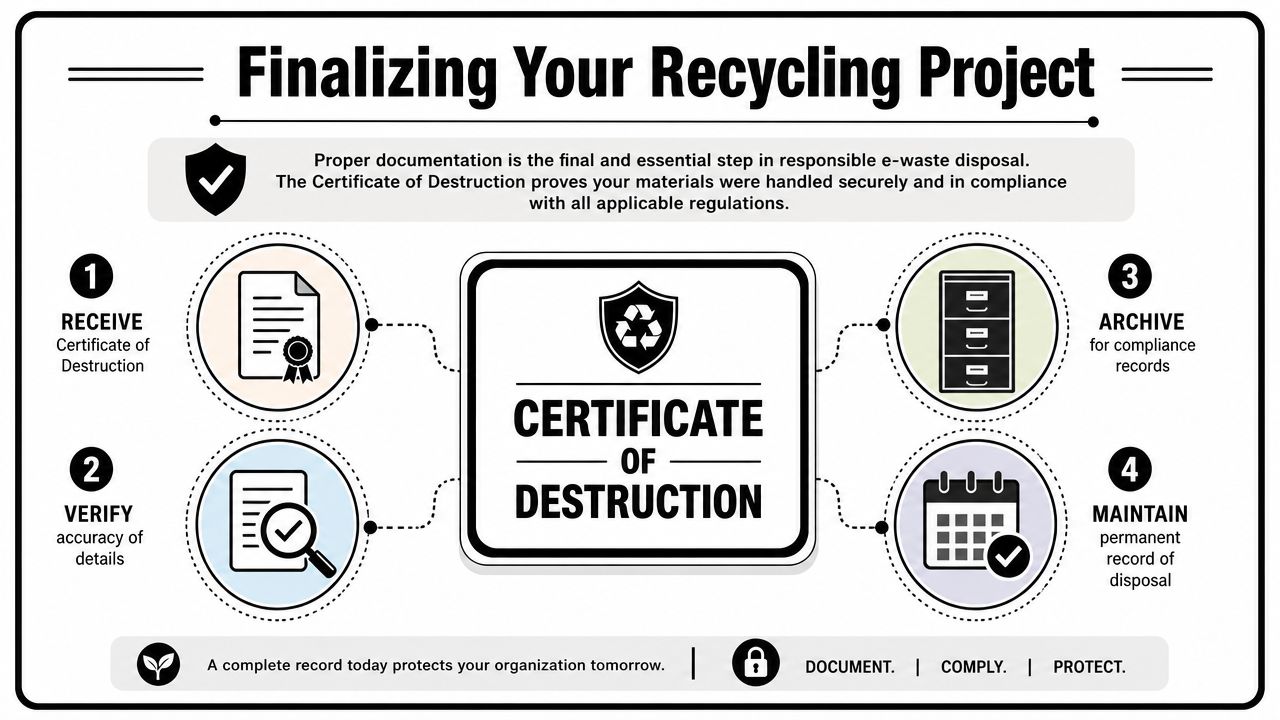
The records that matter most
The strongest closeout package usually includes a combination of operational and destruction documents.
- Asset-referenced inventory: Your starting list, finalized and cleaned up after pickup.
- Certificate of Destruction: For media or devices routed through physical destruction.
- Recycling or disposition record: Evidence that the non-destroyed material entered the proper downstream stream.
- Internal archive copy: A version stored with facilities, compliance, IT, or office administration records.
The reason inventory matters so much is straightforward. Atlanta-area recycling guidance aimed at compliance-minded facilities emphasizes that the most impactful step in reducing risk is inventory discipline, and without records of manufacturers, device types, and serial numbers before pickup, it becomes much harder to prove compliant disposition. That same guidance treats the formal destruction record tied back to the inventory as the operational standard, as described in this Atlanta e-waste documentation guide.
What to verify before you archive anything
Don't just file the documents. Read them.
Check that serial numbers match where serials were recorded. Check that media destruction records align with the data-bearing items from your inventory. Check that anything held for reuse or resale was intentionally sorted that way and not omitted by accident.
The office's protection comes from the match between the inventory and the final paperwork. If those two records don't reconcile, the project still has loose ends.
Documentation also has value beyond compliance. Practices that report on sustainability, landlord requirements, or internal environmental goals can use recycling and diversion records to show that retired equipment didn't go into general disposal. That won't replace the security side of the process, but it does make the project more useful to the organization after the boxes are gone.
A well-run electronics recycling project gives a medical office something rare. Less clutter, lower data exposure, cleaner records, and a disposal trail the practice can defend.
If your medical office needs a cleanout that includes old electronics, office junk, or a full back-room reset, Fulton Junk Removal can help you organize the physical pickup and route electronics through the documented Beyond Surplus recycling process so the project stays practical, secure, and easier to manage.
