
IT Equipment Disposal for Atlanta Law Firms: Secure &
A managing partner usually notices the problem when an office move, a renovation, or a storage-room cleanup puts old hardware back in view. Retired laptops from former associates. Backup drives no one wants to touch. Phones from a prior system. A server that was replaced years ago but never left the premises.
For a law firm, that pile isn't junk. It's dormant liability. IT equipment disposal for Atlanta law firms has to be handled as a controlled risk-management process, with evidence strong enough to stand up later if a client, auditor, insurer, or regulator asks what happened to a device that once held sensitive records.
Why Old IT Equipment Is a Ticking Time Bomb for Your Firm
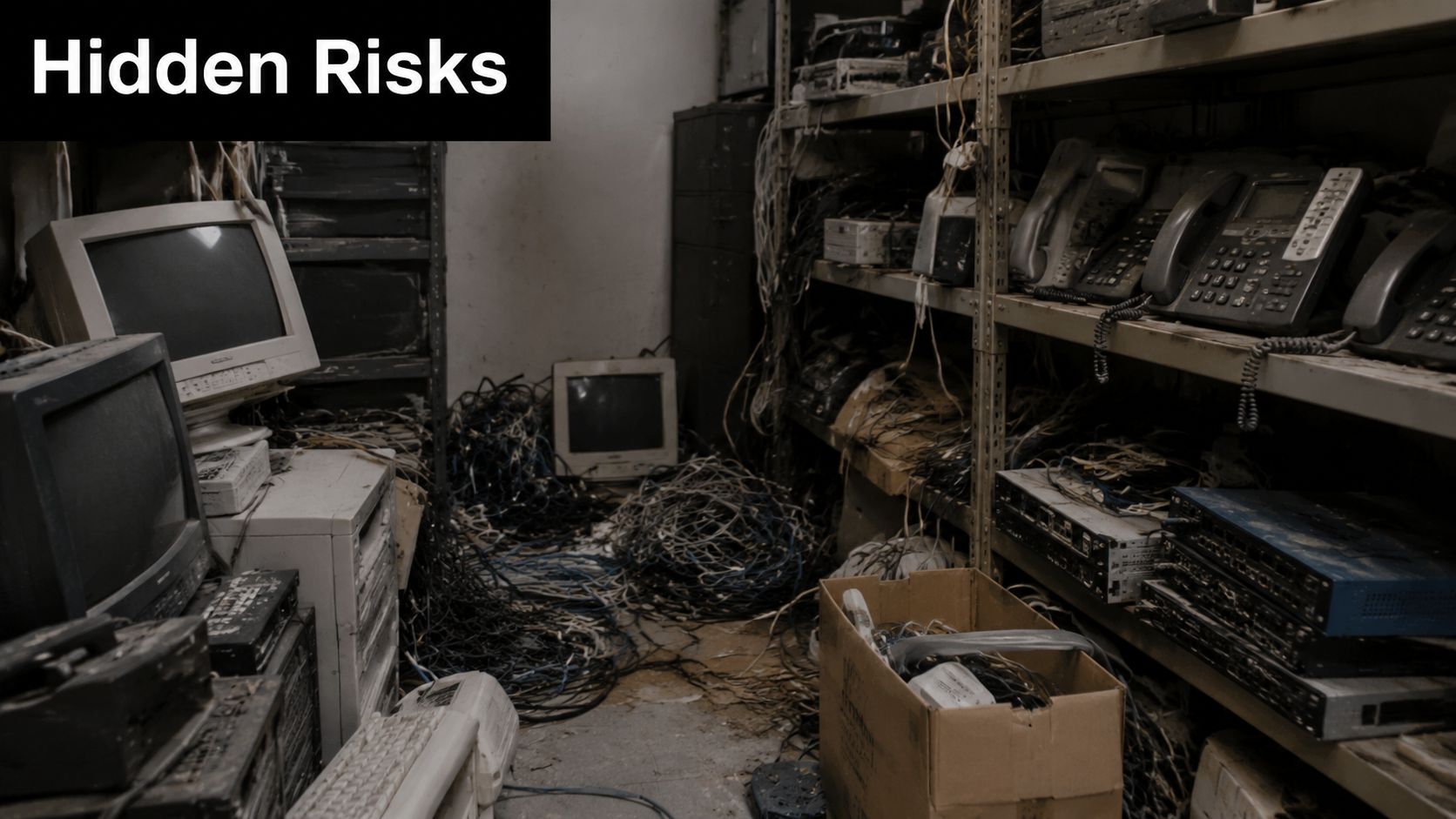
A familiar scene plays out in firms of every size. Someone opens a locked closet near the server room and finds stacks of old desktops, monitors, docking stations, and banker boxes full of cables and phones. The equipment stayed because no one wanted to be the person who disposed of it incorrectly.
That hesitation is justified. A retired laptop may still hold email archives, draft pleadings, client billing records, saved passwords, or synced cloud data. An old copier hard drive can be just as sensitive. A standard junk haul treats those assets like clutter. A law firm can't.
Why the risk lingers after the device is obsolete
Obsolete hardware still creates current exposure. The machine may be out of service, but the data history often isn't. Firms get into trouble when they assume age equals safety.
A simple factory reset, an unplugged server, or a donation decision made in a hurry doesn't create proof. If the drive once stored privileged material, HR records, financials, or litigation documents, your real obligation starts with documenting how the asset was controlled and how the data was rendered unrecoverable.
Old hardware becomes dangerous the moment everyone in the office assumes someone else already handled it.
This is also where many firms underestimate scope. The project often isn't just electronics. It's electronics plus obsolete furniture, shelving, paper overflow, file-room debris, and general office cleanout material. That operational reality matters because splitting the job across multiple vendors can create handoff gaps.
What works and what fails in practice
What fails is using a general hauler for everything and asking about data destruction as an afterthought. What works is pairing physical removal with documented downstream processing for data-bearing assets.
A practical approach usually includes:
- Separating data-bearing from non-data-bearing items so laptops, servers, drives, phones, and multifunction devices don't get mixed into general haul-away loads.
- Assigning ownership internally so one person from IT, facilities, or administration signs off on what is leaving.
- Using a documented pickup process instead of informal loading at the curb or in an open dumpster.
- Keeping disposal records in the same discipline as legal records because if questions arise later, your file needs to answer them.
For firms that want a broader operational view on reducing exposure around old devices and information handling, this overview of Australian business data security is a useful outside perspective. For local cleanup scenarios that blend office junk removal with responsible downstream handling, the Fulton Junk Removal blog shows the kinds of projects where that overlap becomes real.
Navigating Compliance and Defensible Disposal in Georgia
Law firms make a mistake when they classify end-of-life hardware as a facilities issue. It belongs in the same category as confidentiality, records governance, and incident prevention. Once a device has held client information, disposal becomes part of your firm's proof that it made reasonable efforts to protect sensitive material.
The weak answer is, "We had everything wiped." The stronger answer is a file that shows what assets existed, when they were collected, who transferred them, what method was used, and what evidence the vendor provided at the end.
What defensible disposal actually means
A major underserved angle is how Atlanta law firms should document defensible disposal for audits, discovery, and malpractice risk. Law-firm-oriented guidance stresses that "reasonable efforts" include using a certified ITAD provider, NIST 800-88-compliant destruction, certificates with serial numbers, chain-of-custody documentation, and proof of insurance or bonding, while also warning that reliance on donation of devices or forgetting departing-attorney equipment creates security exposure, as noted in this guidance on electronics recycling for law firms.
That matters because disposal records can become evidence. If a device disappears after a move, if a former employee's laptop was never properly retired, or if an inquiry follows a breach, the question won't be whether your office meant well. The question will be whether your process was specific, documented, and repeatable.
What your internal policy should require
A law firm doesn't need an elaborate policy binder to start. It does need clear internal rules that people adhere to.
At minimum, your disposal policy should answer these points:
- Who authorizes release of retired IT equipment.
- Which assets require serial-number tracking before pickup.
- Whether media will be sanitized or physically destroyed based on sensitivity.
- Who reviews vendor documentation after completion.
- Where certificates and logs are stored for later retrieval.
Practical rule: If your file only contains an invoice and a pickup date, you do not have a defensible disposal record.
Where firms get exposed
The most common operational breakdowns are mundane. A lawyer leaves and their equipment isn't collected. A practice group donates old machines without IT review. Facilities clears a room and mixes storage media with scrap. None of those failures look dramatic in the moment. All of them create exposure.
This is why firms should think in terms of evidence trail, not pickup event. You want an inventory. You want names. You want method selection. You want a signoff. If you're evaluating vendors that handle broad office cleanouts as well as controlled removal work, the Fulton Junk Removal company overview is relevant because it reflects the operational side of multi-material removals, which is often where law firms lose control if the process isn't structured.
Understanding Secure Data Destruction Methods
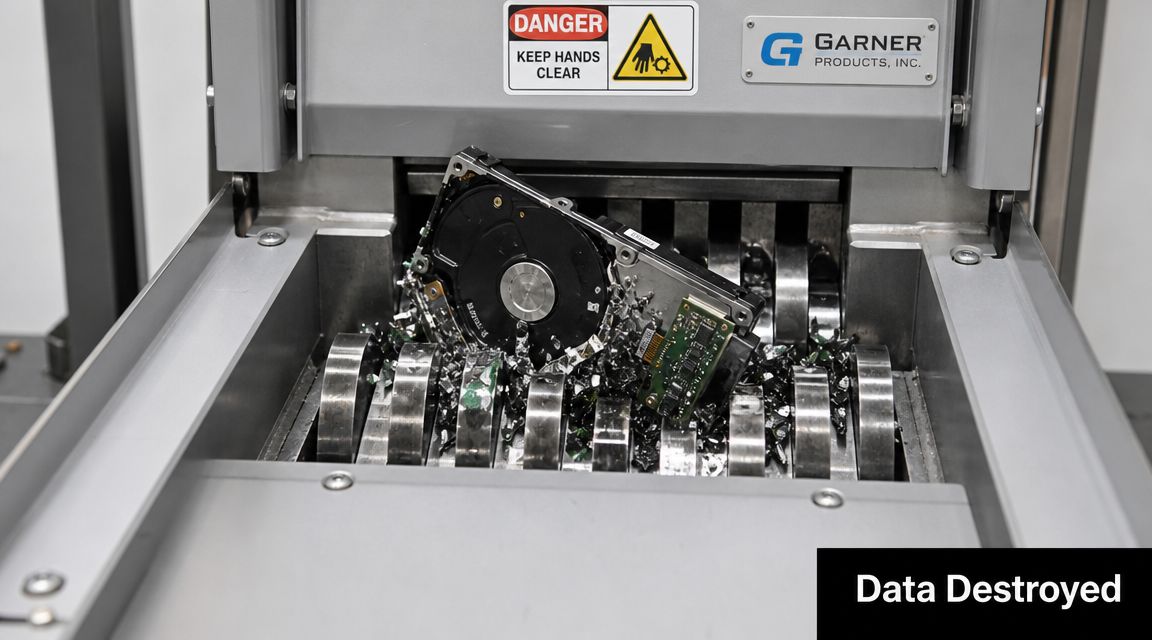
Not every disposal method does the same job. For legal data, the distinction matters. The National Institute of Standards and Technology framework in NIST SP 800-88 classifies media sanitization into Clear, Purge, and Destroy, and many regulated organizations rely on Purge or Destroy for drives that held sensitive records. Physical destruction such as shredding is described as the most defensible option for regulated data, making disposal a formal ITAD workflow built around risk reduction and auditability, according to this summary of NIST 800-88 media sanitization methods.
Clear, Purge, and Destroy in plain English
Here's the practical way to think about the three methods.
| Method | What it means in practice | Where it fits |
|---|---|---|
| Clear | Logical removal of data through approved overwrite or reset processes | Lower-risk reuse scenarios where the firm accepts that the asset can remain intact |
| Purge | Higher-assurance sanitization intended to make recovery far more difficult | Stronger option for sensitive business data when the media won't be physically destroyed |
| Destroy | Physical destruction such as shredding or disintegration | Best fit for privileged, regulated, or high-risk legal data |
A factory reset isn't the same thing as a defensible sanitization process. Neither is deleting files or reformatting a drive. Those actions may make the device look empty to the next user, but they don't satisfy a law firm's need for certainty and proof.
Why law firms often choose physical destruction
If the device held attorney-client communications, litigation files, employee records, settlement materials, or anything that would create severe consequences if recovered, physical destruction is usually the cleaner decision. It removes ambiguity.
That doesn't mean every asset must be shredded. Some firms want remarketing or reuse where appropriate. But the burden is on the process to justify that choice and document it. If the data sensitivity is high, the most conservative and defensible path is often to remove the storage media from circulation entirely.
For sensitive legal data, the decision isn't just about whether destruction is possible. It's about whether your firm wants to defend any lesser method later.
Teams that are also revisiting how they secure live and archived information can compare disposal planning with broader data protection with modern storage. And if your project includes both secure electronics handling and physical office cleanout logistics, the service categories at Fulton Junk Removal show how those scopes often overlap in practice.
Building an Unbreakable Chain of Custody
The moment retired equipment leaves your office, your exposure doesn't leave with it. It changes form. Now the question becomes whether you can prove who had each asset, when they had it, and what happened before final disposition.
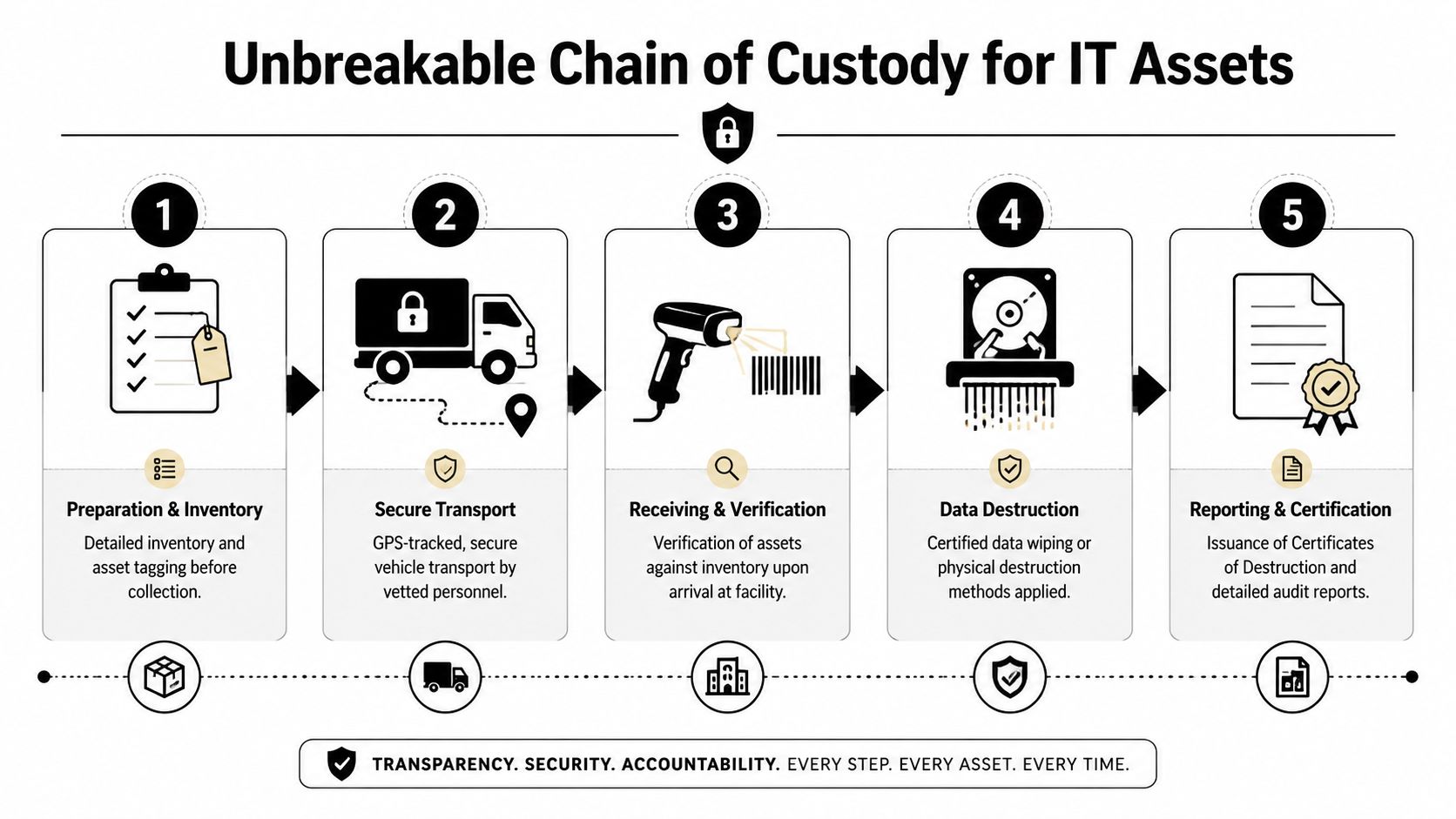
A robust workflow for law firms should include device-by-device inventory, secure collection, serial-number-level asset tracking, verified data destruction, and downstream processing. Industry guidance also flags weak chain-of-custody control as the highest-risk failure point, which is why firms should require vendors that document each transfer and verification step in a NIST 800-88-aligned process, as described in this overview of IT asset disposition workflow and chain of custody.
The handoffs that matter
Chain of custody sounds technical, but the practical version is simple. Every handoff needs a record. Every asset needs an identity. Every outcome needs verification.
A secure chain usually includes these stages:
Internal inventory before pickup
Your firm records what is leaving. That should include device type and serial number where applicable.Controlled collection at the office
Assets are transferred intentionally, not gathered casually from desks, hallways, or open loading areas.Documented intake at the processing site
The receiving team verifies that the arriving items match the pickup records.Recorded destruction or sanitization action
The method used is tied back to the asset list.Final certification and reporting
The paperwork confirms what happened to the specific devices, not just the shipment as a whole.
What the certificate needs to prove
A certificate of destruction only has value if it connects to identifiable assets. A generic statement that a bulk load was processed may help with accounting. It won't help much if someone later asks about one missing laptop or one specific hard drive.
Look for documentation that reflects:
- Asset-level specificity instead of lot-level generalities
- Method detail so you know whether a drive was sanitized or physically destroyed
- Timing records that show pickup, receipt, and completion
- Named accountability on both the firm's side and the vendor's side
The strongest disposal file reads like custody evidence, not like a moving receipt.
For firms that need one coordinator for both space-clearing logistics and downstream recycling support, Fulton Junk Removal in Atlanta is one example of a local operation tied to Beyond Surplus for recycling workflows. That integrated model is useful when an office cleanout includes both ordinary debris and data-bearing equipment, because it reduces the number of parties touching the project.
Your Vendor Selection Checklist for Atlanta Partners
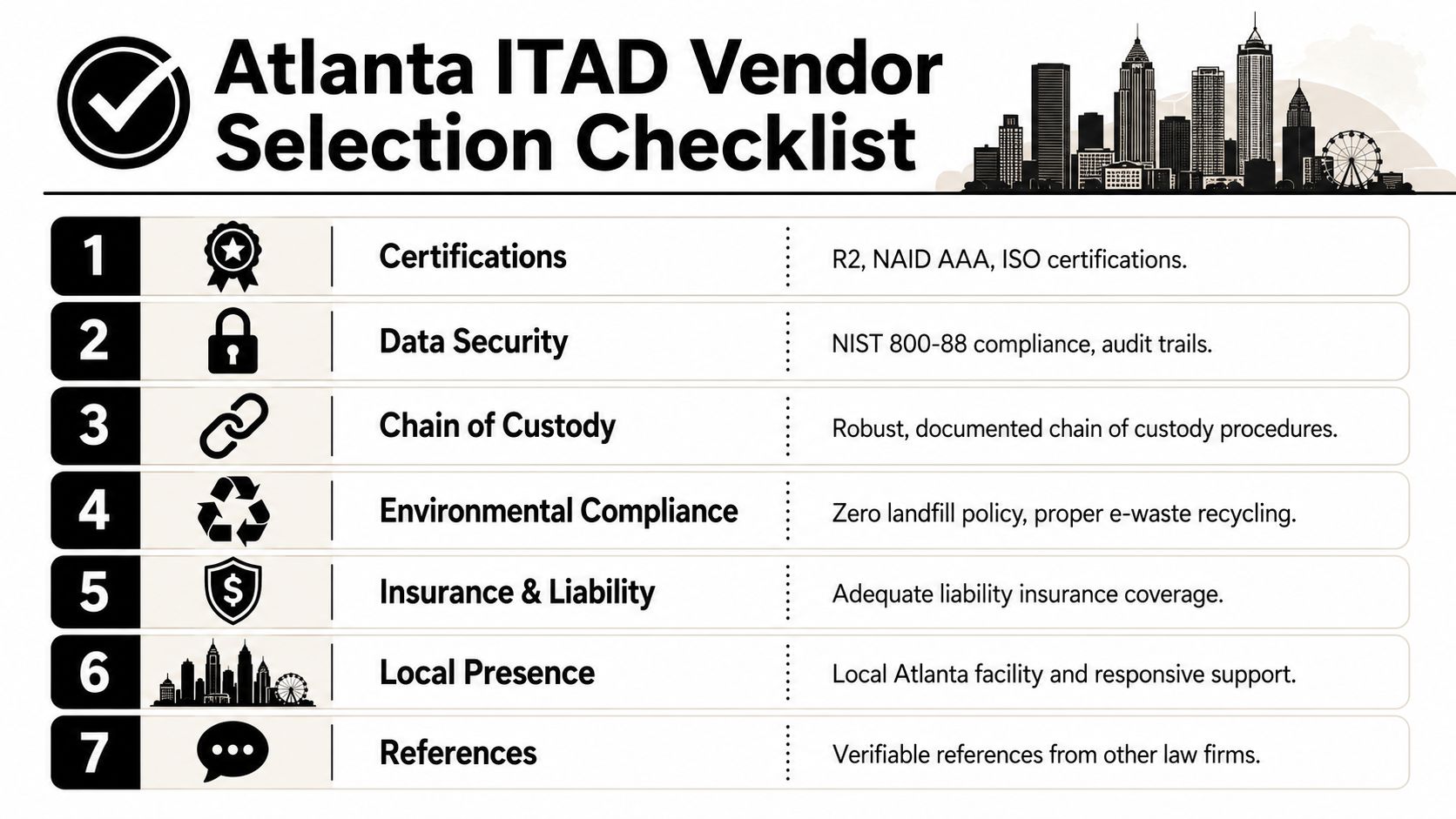
Vendor selection is where many disposal projects are won or lost. A polished sales pitch doesn't protect a law firm. Documentation does. If the provider can't explain how your assets are inventoried, handled, destroyed, and reported, keep looking.
For sensitive legal data, physical destruction is often the most defensible option. Best practice is to require asset-level inventory, chain-of-custody records, destruction method details, and insurance or bonding up front. Relying on a vendor's verbal assurance instead of documented proof is a common pitfall, according to this law-firm-focused discussion of how attorneys should discard digital technology.
Questions worth asking before you sign anything
Don't ask whether the vendor takes electronics. Ask whether the vendor can produce records that would help your firm defend its disposal decisions later.
Use this checklist.
Ask for sample reporting
Review a redacted certificate of destruction and any asset tracking report before pickup day. You want to see the form of the evidence, not just hear that it exists.Clarify how data-bearing assets are separated
If the provider handles furniture, scrap, and e-waste in one project, ask how drives, laptops, phones, and copiers are isolated from general junk streams.Require chain-of-custody detail
Ask who takes possession on site, how assets are logged, and what verification happens at receipt.Review insurance and bonding early
Don't leave this for procurement to chase after operations has already scheduled service.Confirm method selection by asset type
A provider should be able to explain when an item is reused, when it is recycled, and when storage media is physically destroyed.
The trade-off between convenience and control
Law firms often face a real operational decision. Do you hire one company for general cleanout and another for certified electronics handling, or do you use a model that combines both under one coordinated workflow?
Either approach can work if the data controls are solid. The integrated model becomes attractive during relocations, suite decommissions, file-room clearouts, and warehouse-style storage cleanups because it reduces scheduling friction and limits the number of site handoffs. The risk is only reduced if the electronics side remains fully documented. Convenience by itself doesn't solve anything.
A useful screening question is whether the vendor can handle old office furniture and miscellaneous debris without treating servers and laptops as just more haul-away volume. If you're vetting local providers for that broader scope, the Atlanta service area details for Fulton Junk Removal help frame the geographic and operational fit.
Common Questions on Law Firm IT and Office Cleanouts
Can we donate old computers if they still power on
A law firm should be careful here. Donation sounds responsible, but if the asset once held client data, the disposal record has to be strong enough to support that decision. If you can't prove the media was handled to your standard before the device left control, donation creates unnecessary exposure.
Is recycling the same as secure data destruction
No. Recycling answers where the material goes. Data destruction answers what happened to the information. Those are related, but they are not interchangeable.
What about phones, copiers, and networking gear
Treat them as potential data-bearing assets unless you have a clear reason not to. Firms often focus on laptops and servers while overlooking multifunction copiers, external drives, old smartphones, and retired network devices from prior upgrades.
Can one vendor handle a full office decommissioning
Yes, but only if the workflow distinguishes between ordinary junk and controlled IT assets. Many law firm projects involve desks, chairs, shelving, cabling, paper overflow, and obsolete electronics in the same space. The practical benefit of a combined junk-hauling and certified recycling model is operational simplicity. One site schedule. One removal team coordination plan. Fewer pickup-day surprises.
What should we prepare before pickup day
Keep it simple and disciplined.
- Choose an internal owner who can approve the asset list and answer questions on site.
- Separate obvious data-bearing items from furniture and general debris.
- Identify anything from former attorneys or staff that may have been missed in earlier offboarding.
- Request final paperwork in advance so procurement, IT, and firm leadership know what they'll receive after completion.
If pickup day starts with employees pointing at piles and guessing what belongs in which category, the project was not prepared well enough.
How do we know the process was completed properly
You should be able to retrieve a file that shows inventory, transfer, method, and final certification. If you can't produce that without calling three people and digging through email, tighten the process before the next cleanout.
If your firm needs to clear office space and retire old technology without losing control of the chain of custody, Fulton Junk Removal can be evaluated as part of that process. Its commercial cleanout model is paired with Beyond Surplus for electronics recycling, which can be useful for Atlanta law firms handling both general office removal and documented downstream processing for e-waste in the same project.
