
Electronics Recycling for Businesses in Atlanta
The usual starting point is a locked IT closet, a back corner of the warehouse, or a vacant suite after a tenant move-out. Old laptops are stacked on a shelf. Monitors lean against a wall. A few printers are waiting for someone to decide whether they count as electronics, scrap, or just junk. Nobody wants them there, but nobody wants to make the wrong call either.
That hesitation is reasonable. For Atlanta businesses, electronics disposal isn't just a cleanup problem. It touches data security, chain of custody, sustainability reporting, and day-to-day operations. A generic hauler can clear the room. That doesn't mean the devices were handled in a way your legal, IT, or facilities teams can defend later.
Why Smart Electronics Recycling Is a Business Necessity in Atlanta
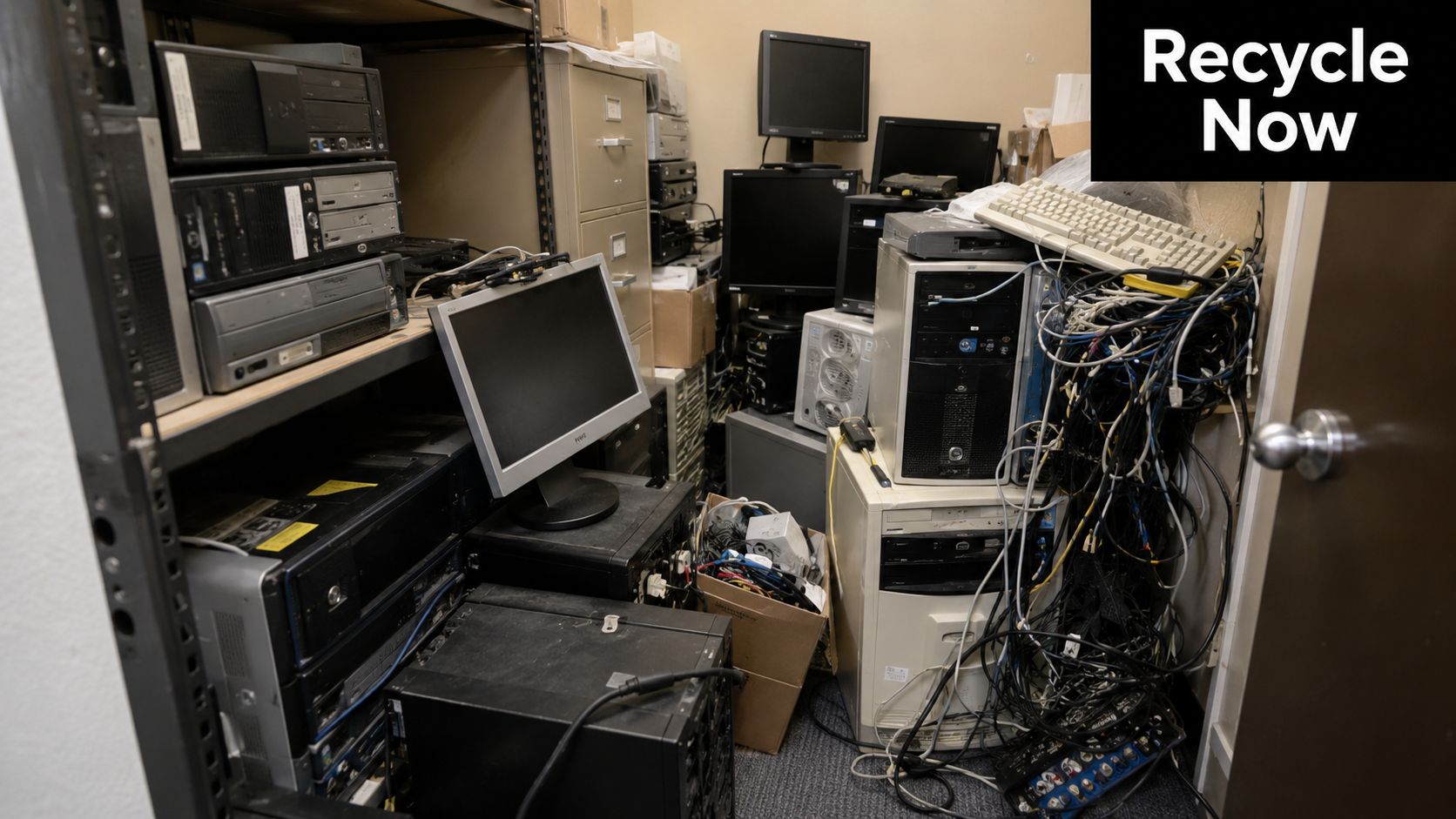
If you're managing an office refresh, warehouse technology swap, or multi-site cleanout in Atlanta commercial service areas, the biggest mistake is treating retired electronics like ordinary debris. They aren't. They carry different risks, require different handling, and usually need different documentation.
The scale of the issue is already beyond what informal disposal can handle. The world generated an estimated 62 million metric tonnes of e-waste in 2022, but only about 22.3% was formally collected and recycled, according to the Global E-waste Monitor 2024 as cited by First America's e-waste statistics summary. That same summary notes a projection of 82 million tonnes by 2030, which tells you the disposal pipeline is under growing pressure, not getting simpler.
Why this lands on facilities and operations teams
Most business cleanouts mix several categories in one load:
- Data-bearing equipment like laptops, desktops, servers, copiers, and storage media
- Infrastructure gear such as switches, phones, docking stations, and access control hardware
- Display equipment including monitors and AV components
- General removal items like old furniture, shelving, cable bundles, and packaging
A generic junk company sees volume. A compliance-minded business has to see asset classes.
Practical rule: If a device plugs in, stores data, contains a battery, or has a serial number your company once tracked, don't send it out under a basic haul-away mindset.
Local business buyers also face a second reality. Atlanta-area recycling guidance often stresses secure IT asset disposition and data destruction because electronics cleanouts now sit at the intersection of environmental handling and information security. That changes how smart companies approach vendor selection.
What works and what fails
What works is an integrated process. One team handles physical removal logistics. The recycling side handles data sanitization, downstream routing, and documentation. That model is especially useful during office decommissions and warehouse cleanouts where electronics are mixed with non-electronic material.
What fails is the all-in-one truck approach where everything gets loaded together and sorted later, if it's sorted at all. That's where asset tracking breaks down. It's also where businesses lose sight of which hard drives, printers, and network devices left the site.
For Atlanta businesses, electronics recycling has become a risk-management function disguised as a cleanup project. The companies that handle it well don't ask, "How fast can we get this out?" They ask, "How do we get it out, document it properly, and keep it out of the wrong downstream channel?"
How to Conduct a Business E-Waste Audit
Before pickup gets scheduled, build a working inventory. Not a perfect one. A usable one. The purpose is to separate what needs secure handling from what can move as standard e-scrap or resale candidates.
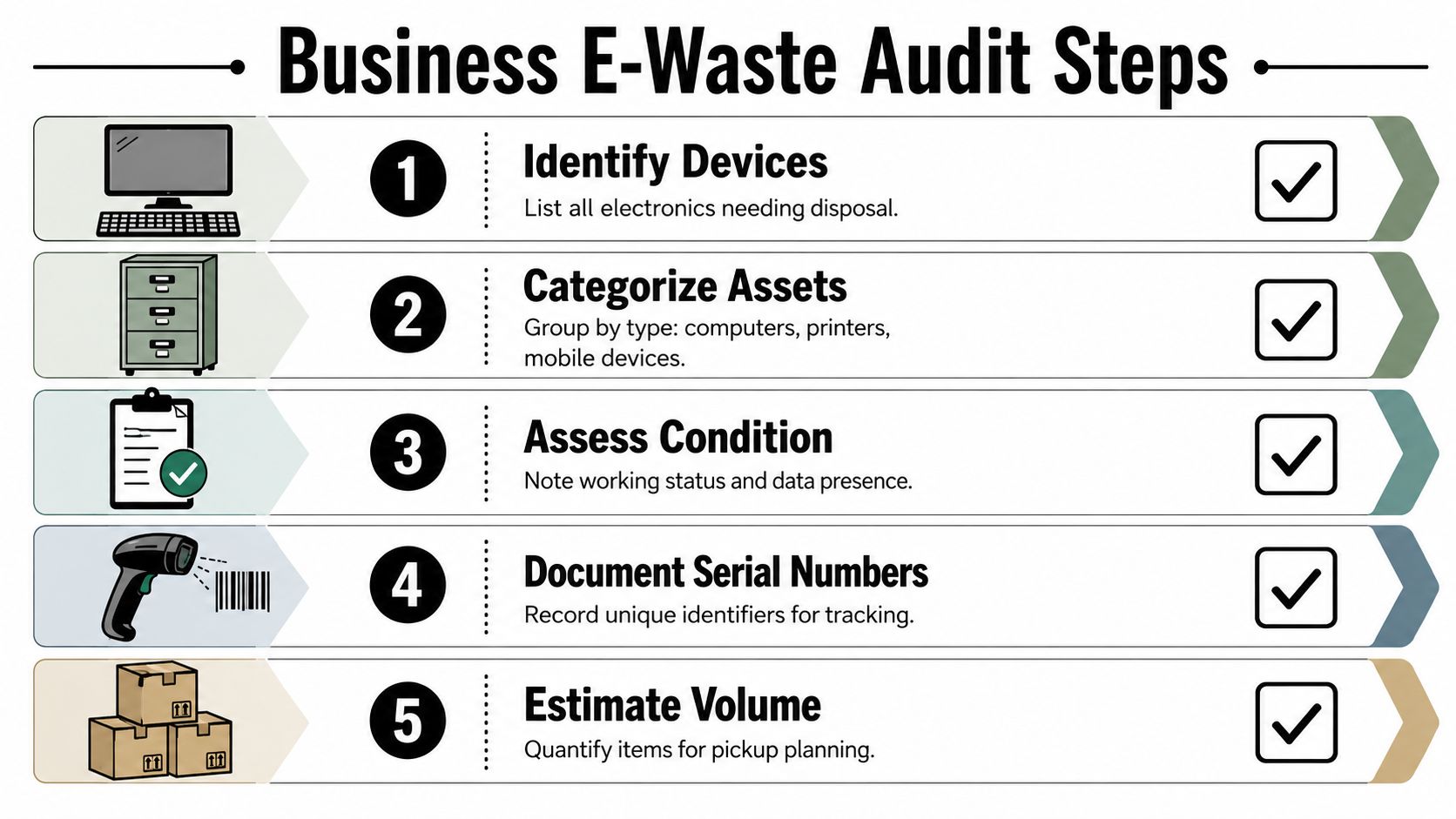
If you skip this step, the recycler or hauler shows up to uncertainty. That usually means slower loading, more exceptions, and more confusion about what happened to which devices. Businesses planning a larger cleanout usually benefit from reviewing bundled removal categories in commercial junk removal services before they start listing assets.
Start with the data question
The first pass is simple. Ask one question of every item: can this device store information?
That includes obvious items like laptops and servers, but it also includes machines people regularly overlook:
- Office printers and copiers with internal drives or memory
- Network gear with saved configurations
- VoIP phones with user or call data
- Security equipment such as DVRs and access control panels
- External drives and backup media
- Tablets and mobile devices
Create a separate line item group for anything that may need wiping or destruction. Don't bury those units inside a general "miscellaneous electronics" count.
Sort by recovery path
Once you've isolated data-bearing devices, split the rest into handling categories that matter operationally.
| Category | What goes here | Why it matters |
|---|---|---|
| Data-bearing assets | Laptops, desktops, servers, storage media, copiers | These need a documented destruction or sanitization decision |
| Potential reuse items | Newer monitors, docking stations, uniform laptop fleets, networking gear | These may have remarketing or reuse value |
| Standard e-scrap | Broken keyboards, damaged peripherals, obsolete cables, non-repairable devices | These move into recycling streams |
| Special handling items | Batteries, TVs, AV gear, lab or medical electronics | These often need separate acceptance review |
Many businesses recover control of the project at this stage. Not because the list is complicated, but because everyone involved starts using the same language.
Record the identifiers that matter
You don't need a forensic database for a basic cleanout. You do need enough detail to match inventory to pickup and final documentation.
Use a simple spreadsheet with these fields:
Item type
Laptop, monitor, printer, switch, server, drive, phoneLocation
Floor, suite, closet, warehouse aisle, server roomAsset tag or serial number
Especially important for tracked corporate devicesCondition
Working, damaged, locked, missing drive, unknownData status
Known storage, no storage, or needs reviewPreferred path
Wipe, shred, reuse, recycle
The inventory doesn't need to be elegant. It needs to prevent two bad outcomes: a device leaving without being logged, or a harmless item getting treated like sensitive media and slowing the whole job down.
Estimate volume before requesting pickup
Pickup planning depends on volume, loading access, and mix. A recycler needs to know whether this is a cart of retired laptops, a room full of mixed office electronics, or a full cleanout with furniture and scrap metal layered in.
A useful internal estimate covers:
- Boxed small devices
- Palletized equipment
- Loose monitors or printers
- Any items requiring stairs, dock access, or special handling
That estimate helps you request the right scope from the start. It also makes chain-of-custody preparation much smoother on pickup day because the service team arrives expecting the right load profile.
Navigating Secure Data Destruction Options
The disposal question isn't really "Do we recycle this?" It's "How do we neutralize the data risk before this asset leaves our control?" That's where most business electronics projects rise or fall.
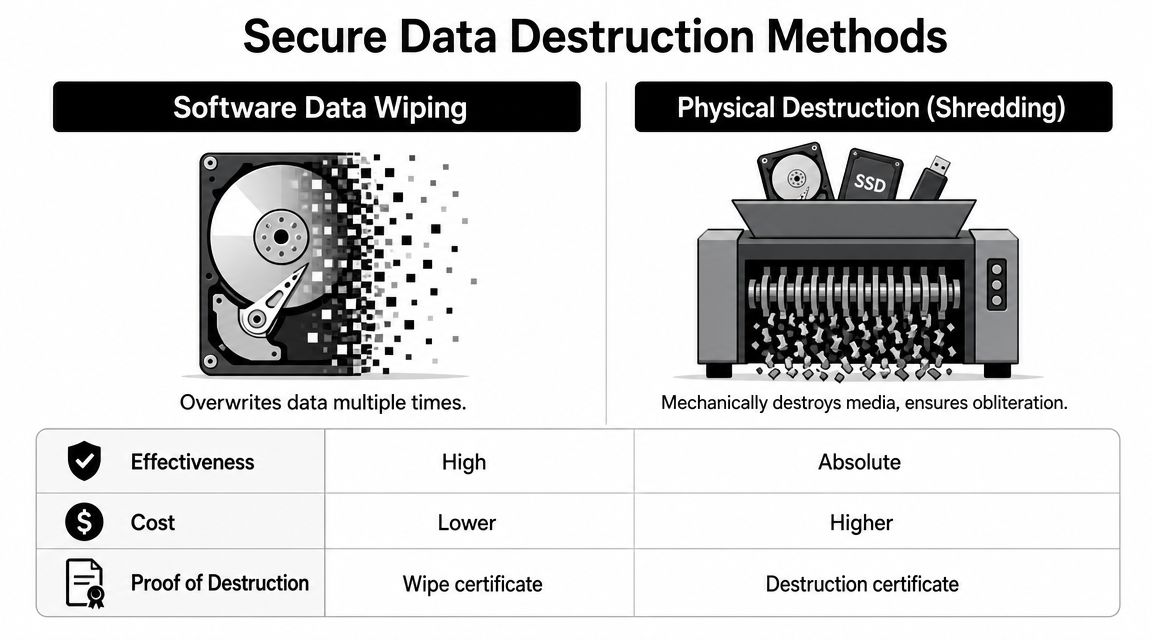
One of the most overlooked parts of electronics recycling for businesses in Atlanta is that data security applies to more than laptops. As noted by eWaste ePlanet's discussion of electronics recycling and data security, businesses are also disposing of printers, network gear, and storage devices, and the operational decision is whether to use shredding or wiping, plus whether a Certificate of Destruction is included. Their point is the right one: free recycling isn't the same as low-risk disposition.
Wiping versus shredding
These two methods solve different problems.
| Method | Best fit | Trade-off |
|---|---|---|
| Software wiping | Devices that may be reused or remarketed | Preserves asset value, but only works if the media is intact and accessible |
| Physical shredding | Failed drives, highly sensitive media, locked or damaged storage | Ends any reuse value, but removes doubt about the media itself |
If a company wants to preserve equipment value, wiping usually makes sense for functioning laptops, desktops, and some storage devices. If the drive is damaged, encrypted with no recovery path, or tied to stricter internal controls, shredding is often the cleaner decision.
Devices that get missed
Facilities teams often focus on computers and forget the machines that hold data in the background.
Common blind spots include:
- Multifunction printers
- Firewall and routing hardware
- NAS units
- Conference room systems
- Time clocks and access systems
- Legacy backup devices
Those are exactly the items that end up in mixed cleanout loads with no special label unless someone flags them in advance.
A clean-looking office decommission can still be a bad disposal project if one copier hard drive or one storage appliance leaves without a destruction record.
Why the certificate matters
The certificate is the paper trail that ties your internal asset list to the disposition method used by the vendor. Without it, you're relying on verbal assurances after the equipment is already gone.
Liability point: A Certificate of Data Destruction isn't a nice extra. It's the document your business keeps when someone later asks what happened to retired media.
That matters for internal audits, legal reviews, customer questionnaires, and vendor oversight. It also helps operations teams answer the practical questions that always show up after a move or refresh: Was this drive wiped or shredded? Which batch was included? Do we have proof?
For organizations tightening disposal procedures, it's worth reviewing broader operational guidance on how to prevent data breaches because the disposal stage is just one part of the exposure chain.
If your team is trying to sort through pickup requirements, destruction methods, and documentation expectations at the same time, it's usually better to ask those questions before scheduling through Fulton Junk Removal's contact page. Once mixed electronics leave the site, fixing an incomplete chain of custody gets much harder.
Choosing the Right Atlanta Recycling Partner
Price matters. It just shouldn't be the first filter.
The right vendor for business electronics recycling in Atlanta needs to do more than show up with labor and truck space. They need to separate removal logistics from data-risk handling, document the transfer, and route material through a credible downstream process. If they can't explain that clearly, they're a hauler, not a serious electronics disposition partner.
Questions that expose the difference
Ask these before approving a pickup:
How is chain of custody handled?
You want to know when the handoff starts, how items are tracked, and what paperwork you receive.What happens to reusable equipment?
A vendor that treats every device as scrap may be simpler operationally, but it can reduce recovery value and waste reusable hardware.Are certificates included?
Businesses in regulated or audit-heavy environments need documented proof, not just confirmation by email.What downstream standards are used?
Some Atlanta-area services explicitly highlight R2-certified downstreams and zero-landfill positioning. That's a useful sign that they take final processing seriously.Can they handle mixed loads?
Many cleanouts include electronics plus furniture, shelving, and general junk. Splitting those across multiple vendors creates more scheduling friction and more room for mistakes.
The free pickup issue
A lot of Atlanta providers market free business pickup, but the fine print matters. As explained by Montclair's overview of Atlanta electronics recycling options, complimentary pickup often depends on being within a certain service radius or having enough asset volume to justify the trip. That's not a red flag. It's just how service economics work when labor, transport, and secure handling are involved.
What businesses should take from that is simple: "free" usually depends on the load profile. Small batches of sensitive devices may still need paid secure processing. Larger consolidated loads may qualify for no-cost pickup because the material stream supports the trip.
Why an integrated partner model is practical
For offices, warehouses, and property managers, the most efficient setup is often one vendor relationship that can manage general removal while routing electronics into a compliant recycling stream. That's where an integrated model like Fulton Junk Removal's company approach is useful. Fulton handles physical junk removal, and through Beyond Surplus, electronics and recyclable materials can move into a more structured recovery path instead of being treated like ordinary debris.
That doesn't replace due diligence. You still need to ask about chain of custody, certificates, and item acceptance. But it does simplify vendor management when you're dealing with a combined cleanout rather than a neat stack of identical IT assets.
If your project includes both junk removal and electronics recycling, the cheapest-looking option often becomes the messiest once asset tracking, separate pickups, and documentation gaps start showing up.
Executing the Pickup and Finalizing Your Documentation
Pickup day should feel boring. That's a good sign. The list is ready, the staging area is clear, your internal contact knows what is and isn't leaving, and the driver isn't trying to identify sensitive devices at the curb.
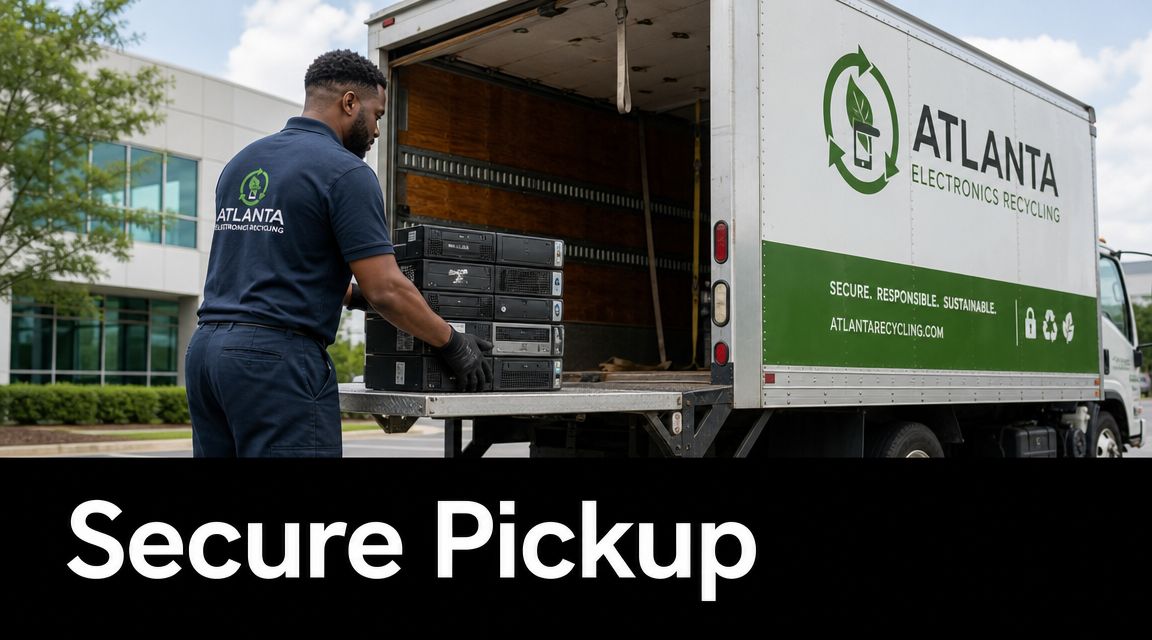
A standard ITAD workflow includes identifying assets, separating items with residual value, performing a chain-of-custody pickup, sanitizing data, and routing equipment into reuse or recycling. The operational piece many businesses need most is the documented pickup plus certificates of recycling and data destruction, as described in eCycle Atlanta's overview of electronics recycling methods.
What to do before the truck arrives
Have one internal owner for the handoff. That can be facilities, IT, operations, or a project lead, but it should be one person with the authority to approve what leaves.
Before loading starts, confirm:
- Staged assets match the inventory
- Sensitive devices are clearly separated
- Items not included in the pickup are marked
- Dock, elevator, or access instructions are ready
- Any locked rooms or cages can be opened without delay
This avoids the most common pickup-day problem, which is adding loose, unlisted devices at the last minute and then trying to reconstruct the record afterward.
What chain of custody means in practice
In plain terms, chain of custody is the handoff record. It shows what was transferred, when, and from whose control to whose control.
A useful chain-of-custody record usually includes:
| Document element | Why it matters |
|---|---|
| Pickup date and location | Ties the event to a specific site |
| Item list or load description | Shows what was removed |
| Sign-off by both parties | Confirms transfer of control |
| Service type noted | Clarifies whether assets were for destruction, recycling, or reuse review |
That record is the bridge between your internal inventory and the final certificates you receive later.
Keep the pickup paperwork with the same job file as your asset list, internal approval, and final certificates. Scattering those records across departments creates problems during audits and site closeouts.
What to retain after processing
Once the load is processed, ask for the documents your company uses. For most business cleanouts, that means:
- Certificate of Recycling
- Certificate of Data Destruction, when applicable
- Diversion or recycling summary
- Any itemized reference tied to the original pickup
These records help facilities and sustainability teams close the loop internally. They also give procurement, legal, and leadership teams something concrete when they need proof that retired electronics were handled through a documented process rather than removed from the building.
Frequently Asked Questions About Business E-Waste Recycling
Do monitors, batteries, TVs, and lab electronics go in the same pickup?
Sometimes, but don't assume they do. Atlanta-area electronics recycling access is fragmented, and accepted-item rules can vary by provider and channel. For business cleanouts, the right move is to submit the actual item list in advance and ask which items are standard pickup, which need special handling, and which may require a different route.
Is free electronics recycling actually free for businesses?
It can be, but only under the right conditions. Volume, asset mix, and handling requirements all affect whether a pickup qualifies for no-cost service. A larger batch of uniform equipment is very different from a small load of mixed, data-bearing devices that needs secure documentation. The important distinction is that no-cost service and low-risk service are not automatically the same thing.
Why not just use a regular junk hauler and be done with it?
Because electronics aren't ordinary trash, and the recovery gap is still large. One Atlanta recycling source says the EPA estimates only 15% to 20% of e-waste is typically recycled, which is one reason businesses need to treat electronics cleanouts as a compliance and sustainability issue, not just disposal, according to All Green Recycling's Atlanta e-waste guidance. A standard hauler may remove the pile. A qualified electronics processor documents what left, addresses data-bearing devices correctly, and gives your business records you can keep on file. For more practical disposal guidance, the Fulton Junk Removal blog is a useful starting point.
If your Atlanta business is planning an office cleanout, warehouse refresh, move-out, or IT equipment retirement, Fulton Junk Removal can coordinate the physical removal while supporting responsible recycling through Beyond Surplus. That gives you one process for junk removal, electronics handling, and the documentation that makes the job easier to close out internally.
