
Free Computer Recycling Atlanta Guide 2026
Old computers usually don’t leave all at once. They collect in the corner of a garage, on a shelf in a leasing office, under a warehouse desk, or in that back room where nobody wants to deal with cables, dead monitors, and retired laptops. Then one day the pile becomes a problem. It takes up space, nobody’s sure what can go in the trash, and somebody finally asks the right question: where can I find free computer recycling atlanta options that are secure and practical?
The answer depends on volume, location, and one issue people often underestimate: data. Recycling a broken laptop is easy to understand. Recycling it without exposing client files, tax records, login credentials, or internal company documents takes more thought. That’s where the difference shows up between a simple drop-off and a documented pickup process.
Why Your Old Computers Deserve a Better Fate
An old desktop in a closet looks harmless. A stack of decommissioned office laptops looks organized enough. But once those devices are no longer in active use, they become a mix of e-waste, storage burden, and data liability.
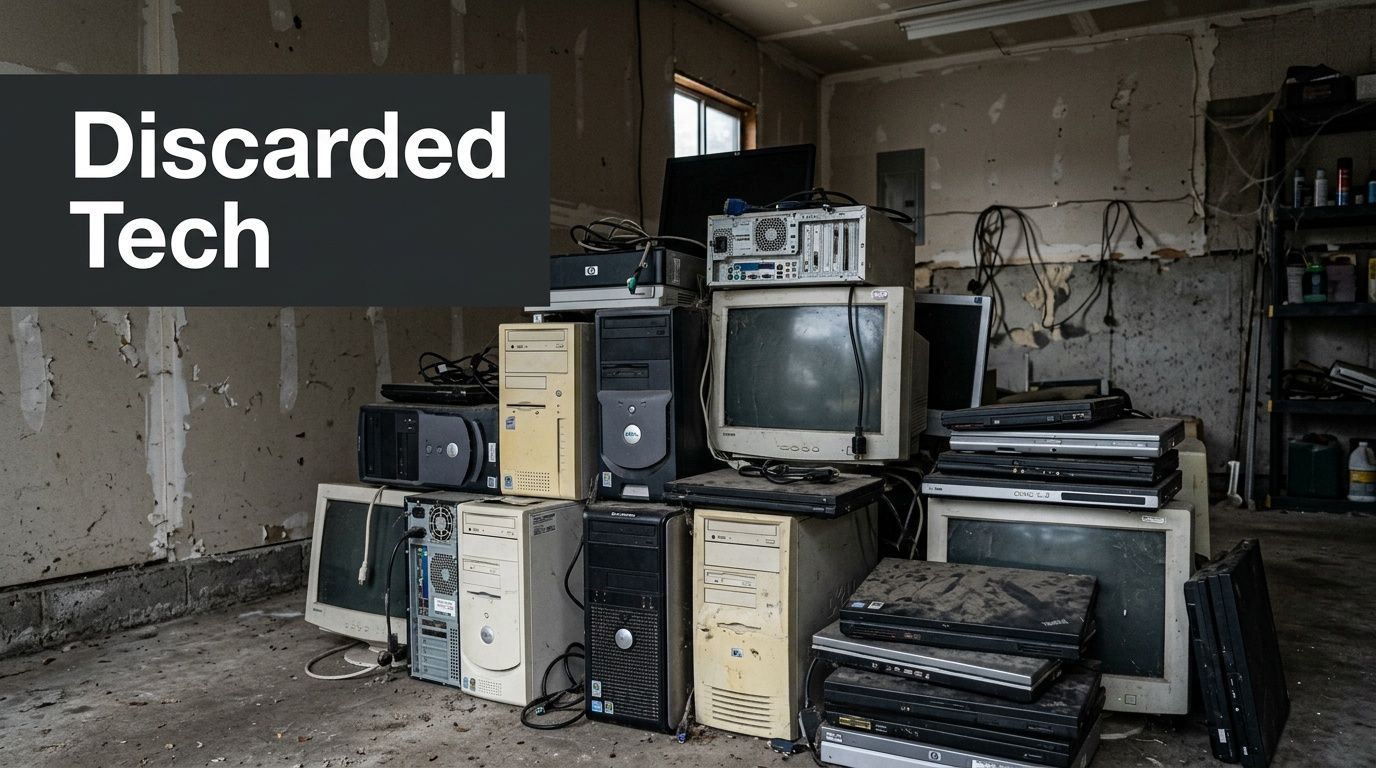
For homeowners, the risk is usually personal. Old family photos, saved passwords, tax PDFs, and account history often stay on a machine long after it stops working. For businesses, the stakes are higher because retired equipment can still hold customer records, employee files, purchasing data, and internal communications. A computer doesn’t have to power on cleanly to create a security issue.
The environmental side matters too. Electronics contain recoverable materials, but they also require proper handling. If you’re clearing out equipment in Atlanta, responsible disposal isn’t just about getting rid of clutter. It’s about keeping reusable materials in circulation and keeping problem items out of the wrong waste stream.
What responsible recycling looks like
A good recycling outcome isn’t just “gone from the property.” It means the device was sorted, handled, wiped or destroyed as needed, and directed into reuse, refurbishment, or material recovery.
One of the best local examples comes from Emory University’s LITS program. In a 90-day pilot, Emory reported 99.6% landfill diversion from 64 tons of e-waste in FY19 and generated $31,840 in revenue through resale and recycling with a certified recycler, as described in Emory’s recycling and sustainability case study.
Old equipment still has value, but only if someone handles it through a process that protects both materials and information.
That’s why “free” only matters when the chain of handling makes sense. If you’re deciding whether to repurpose a machine before recycling it, this practical guide on Top 10 Ways To Repurpose Your Old Laptop is worth reviewing first. And if you want to understand the local service approach behind this guide, you can see how that works on the Fulton Junk Removal team page.
How to Prepare Your Computers for Recycling
Preparation is where most recycling jobs go right or wrong. People focus on where the computer is going, but the smarter question is what needs to happen before it leaves your possession.

Start with backup, then erase
Before you recycle anything, back up what matters. That includes photos, spreadsheets, saved documents, browser exports, and application files you may have forgotten about. If you need a refresher on the basics, this walkthrough on how to back up your computer files is a useful starting point.
After backup, remove the data. For a homeowner recycling one laptop, that may mean signing out of accounts, deauthorizing software when needed, and using the operating system’s reset or erase function. That’s better than doing nothing, but it isn’t the same as certified destruction.
For businesses, certified data destruction is not optional. Commercial devices often move through multiple hands during collection, transport, and processing. A documented method matters because informal wiping leaves too much room for error.
Build a simple inventory
A basic inventory saves time and reduces confusion. You don’t need a complicated asset system for a small batch.
Use a simple list with:
- Device type: Desktop, laptop, server, monitor, printer, or accessory.
- Brand or model: Helpful for sort decisions and pickup planning.
- Asset tag or serial number: Important for internal tracking.
- Condition note: Working, damaged, missing drive, or unknown.
- Location: Office suite, storage room, garage, basement, or loading dock.
For larger office cleanouts, this list becomes part of your chain of custody. If a business can’t account for what left the site, the recycling process already has a weakness.
Practical rule: If you can’t list the devices you’re releasing, you can’t verify that all of them were handled correctly.
Remove what slows the job down
The less clutter attached to the devices, the easier the handoff. That doesn’t mean stripping every machine to bare metal. It means removing what complicates identification or transport.
A few things help immediately:
- Take off personal labels and sticky notes. Those often contain usernames, room numbers, or employee names.
- Bundle loose cords separately. Don’t tape them to screens or wrap them tightly around laptops.
- Separate batteries or damaged items if you know they’re a problem. Tell the recycler or pickup team in advance.
- Group similar items together. Laptops with laptops, towers with towers, drives in one container if possible.
Know when DIY stops being enough
For households, reasonable prep usually means backup, account sign-out, a reset, and organized drop-off. For companies, schools, medical offices, and property managers, the bar is higher. If the equipment contains business data, you want a documented process from pickup through final destruction.
If you’re looking for more practical disposal guidance beyond electronics, the broader Fulton Junk Removal blog covers cleanout planning and item handling in more depth.
Atlanta's Free Drop-Off Recycling Options
If you’ve only got one computer or a small batch, a drop-off is usually the simplest route. That’s especially true if you can transport the equipment yourself and you’ve already handled your data.
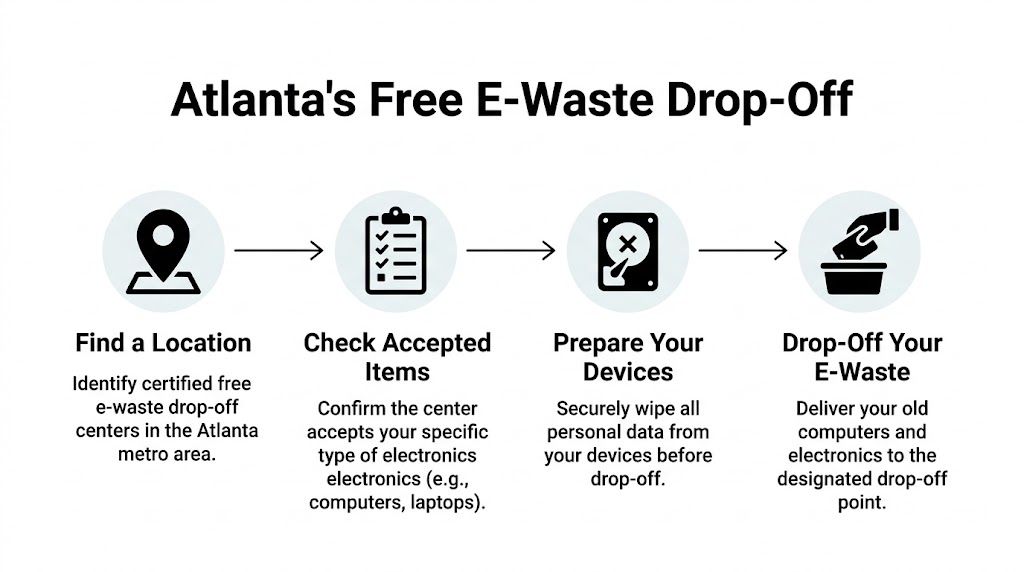
Atlanta residents typically look at a few categories of drop-off options: certified electronics recyclers with public intake, donation-oriented sites that accept certain devices, and periodic community collection events. You’ll also see people use Goodwill for eligible electronics, while some local programs and facilities accept e-waste during set hours.
What works well for small loads
Drop-off works best when the disposal job is straightforward:
- One or two laptops: Easy to carry, easy to check in.
- A desktop plus accessories: Fine if you’ve got a vehicle and confirmed accepted items.
- A few household electronics during a declutter: Reasonable if the site’s hours align with your schedule.
This route gives you direct control over timing. You can load the items, bring them over, and be done. For many residents, that’s enough.
Where the drop-off model breaks down
The problem isn’t the recycling center. It’s the logistics around getting items there. That’s why free computer recycling atlanta searches often end in frustration for people who don’t have a truck, don’t want to lift towers and monitors, or are dealing with a move-out deadline.
According to Reworx’s overview of free electronics recycling in Atlanta, most free computer recycling services in Atlanta focus on business bulk volumes or require drop-offs, which leaves a service gap for residents and tenants without easy transportation. The same source notes that residential e-waste diversion in Atlanta lags at around 20% compared to 60% for commercial, tied in part to that accessibility issue.
If a recycling option only works for people with time, transport, and lifting help, a lot of electronics still stay in closets.
That gap shows up constantly in apartments, basements, and estate cleanouts. People want to recycle correctly. They just can’t always execute the last mile.
A local starting point for planning any haul-away or cleanout job is the Atlanta service area page, especially if the electronics are part of a larger property cleanup rather than a single errand.
Using Retailer and Manufacturer Take-Back Programs
Retailer and manufacturer programs are useful when you’re dealing with single-item disposal or replacing one device at a time. They’re less useful when the job looks like a storage-room purge, office refresh, or move-out with mixed junk and electronics together.
Best Buy and Staples are common examples people check first because they’re familiar and convenient. Apple’s Trade In program may fit when you’re replacing a qualifying Apple device, and Dell’s mail-back or donation-linked options can work for certain computer equipment. The appeal is obvious. You’re already near the store or already buying a new machine.
These programs are usually a better fit for:
- One laptop after an upgrade
- A small peripheral batch
- A planned exchange tied to a new purchase
They’re usually a worse fit for:
- Mixed loads of electronics and general junk
- Office closures or workstation turnover
- Situations where documented data destruction is required
The biggest trade-off is responsibility. Retail take-back options can be convenient, but you still need to confirm accepted items, limits, and whether they provide any documentation you need. If your only goal is to recycle a personal device responsibly, that may be enough. If you need chain-of-custody records or you’re clearing multiple offices at once, retailer programs usually aren’t built for that workflow.
Another practical point is labor. Carrying one old laptop into a store is easy. Moving multiple towers, screens, and boxed accessories from a third-floor office to a personal vehicle isn’t.
The Commercial Solution Integrated Pickup and Compliance Reporting
Commercial recycling jobs fail when companies split the work into too many disconnected pieces. One vendor hauls desks. Another takes electronics. Someone in-house wipes drives. Someone else tries to track serial numbers after the fact. That patchwork approach creates mistakes.
For businesses, property managers, warehouses, schools, and office operators, the cleaner model is an integrated pickup process that combines removal logistics with certified electronics handling. That matters because commercial e-waste isn’t just about recycling. It’s about risk control, documented handling, and operational speed.
What a documented commercial process includes
The practical sequence is straightforward when it’s handled correctly. Leadership approves the disposal plan. The team builds an asset inventory that captures serial numbers, tags, and locations. Then the recycler or ITAD partner coordinates pickup, secures devices during transport, processes media through approved destruction methods, and issues documentation at the end.
For business pickups in Atlanta, Reworx’s commercial e-waste guidance notes that a documented process is critical. The same source states that certified providers such as Beyond Surplus offer DoD 5220.22-M 3-pass data overwriting or physical destruction, issue Certificates of Destruction for compliance, and often require a minimum of 10 to 20 major IT items from a commercial address for free pickup.
That threshold matters. A true free commercial pickup usually depends on enough qualifying equipment to justify routing, labor, and processing. If a company has that volume, pickup can be far more efficient than piecemeal drop-offs.
Why integrated pickup beats fragmented disposal
When removal and recycling are coordinated together, several problems disappear:
- Fewer handoffs: The devices don’t bounce between staff, storage rooms, and separate vendors.
- Less downtime: Teams can clear workspaces, back rooms, or server-adjacent areas on a scheduled timeline.
- Better records: Inventory, destruction documentation, and diversion reporting are easier to retain.
- Simpler sustainability reporting: Facilities and EHS teams can document what happened to the material stream.
A single-vendor cleanout model offers a practical solution. Fulton Junk Removal’s service lineup includes property cleanouts and removal work, and through Beyond Surplus the electronics portion can move into certified recycling rather than default disposal. For offices, warehouses, and property managers, that means general junk and computer equipment can be handled in one coordinated job instead of two unrelated ones.
The expensive part of e-waste isn’t always recycling. It’s the internal time spent managing a messy process.
Comparing Computer Recycling Options in Atlanta
| Method | Best For | Data Security | Convenience | Compliance Reporting |
|---|---|---|---|---|
| Public drop-off center | Residents with a small number of devices | Depends on what you do before drop-off | Good if you have transportation | Usually limited |
| Retailer take-back | Single-item consumer recycling | Usually customer-managed | Convenient for small loads | Usually limited |
| Manufacturer program | Replacing a qualifying device | Varies by program | Good for one-off exchanges | Usually limited |
| Certified commercial pickup | Offices, schools, property managers, IT cleanouts | Documented wiping or destruction available | High for bulk loads | Stronger documentation options |
| Integrated junk removal plus certified recycling | Mixed commercial cleanouts with electronics and non-electronics together | Built around controlled handling when paired with certified recycling | High for multi-category jobs | Useful for internal records and diversion reporting |
What works and what doesn’t
What works is planning the recycling job before the move, renovation, or equipment refresh starts. What doesn’t work is waiting until old hardware is piled in a hallway and asking staff to “find somewhere to take it.”
A reliable commercial process usually includes:
- Approval from decision-makers early
- An itemized asset list
- Pickup scheduling that matches site access
- A data destruction method that fits the risk level
- Final documentation kept with compliance records
Companies don’t need a complicated sustainability program to do this well. They need a process someone can follow and verify.
Understanding Recycling Costs What Is Truly Free?
“Free” is real in computer recycling, but it’s conditional. The economics only work when the incoming equipment has enough recoverable value or enough volume to support collection and processing.

For standard IT equipment such as desktops, laptops, and servers, free recycling is often possible because material recovery and reusable components offset the cost. In Atlanta’s commercial programs, providers can make free pickup work when the load includes enough qualifying equipment and comes from a commercial address.
What is often free
These are the categories most likely to qualify for no-cost recycling, especially in business settings:
- Desktop computers
- Laptops
- Servers
- Typical office IT equipment in sufficient volume
That’s one reason companies should sort electronics before requesting service. A cleaner load makes it easier to determine whether the pickup qualifies.
What often creates charges
Some items are harder and more expensive to process. Others trigger charges because the service itself adds labor or security handling.
Common examples include:
- CRT monitors: These usually require specialized handling.
- Low-volume pickups: A very small load may not qualify for free routing.
- On-site hard drive shredding: Added security service often changes the cost structure.
- Non-commercial pickup requests: Residential logistics can fall outside free bulk programs.
The biggest misunderstanding is assuming “free recycling” means “free for every item, at every address, with every service level.” It doesn’t. It means some streams can be processed at no charge because the recycler can recover enough value from the load to cover the work.
Ask two questions before you book anything: which items qualify, and what part of the service is actually free?
If you’re dealing with a mixed load and want a direct answer on what’s billable, the easiest move is to request details through the Fulton Junk Removal contact page.
Frequently Asked Questions About Computer Recycling in Atlanta
What happens to a computer after it’s recycled
That depends on condition and the recycler’s process. A usable device may be refurbished or harvested for reusable parts after data handling. Non-reusable equipment is typically dismantled so metals and other materials can move into downstream recovery instead of disposal.
Is deleting files enough before donation or recycling
Usually not. Deleting files removes easy access, but it doesn’t necessarily remove the underlying data in a secure way. For personal devices, use a proper reset or erase process tied to the operating system. For business devices, use documented wiping or physical destruction through a certified provider.
Can a business just throw old computers out during an office cleanout
That’s a bad idea from both a data and environmental standpoint. Even when people are focused on speed, retired hardware should move through a documented recycling stream. The core issue isn’t just getting rid of it. It’s being able to show how it was handled if questions come up later.
I only have one computer and no car. What should I do
That’s one of the biggest practical gaps in Atlanta recycling. Most free options either expect drop-off or target commercial bulk volumes. If you can’t transport the item yourself, combine it with a larger decluttering or move-out job so pickup logistics make sense.
Is donation safer than recycling
Donation can be a good outcome for working equipment, but it’s only safe if the data is properly removed first. If you aren’t confident the wipe was complete, treat the machine like a data-bearing device and use a service that can handle destruction or secure erasure.
What should offices do before scheduling a pickup
Get the inventory together, identify who approves disposal, and separate electronics from general junk if possible. If the business has drives, servers, or employee computers with sensitive information, confirm the destruction method and ask what documentation you’ll receive at completion.
If you’re clearing out old computers as part of a home cleanout, office turnover, warehouse purge, or property management project, Fulton Junk Removal can help coordinate the removal side and route electronics into responsible recycling through Beyond Surplus. That’s a practical fit when you need more than a drop-off and want one cleanup process for both clutter and e-waste.
