
HIPAA IT Equipment Disposal Requirements Georgia: A Guide for Businesses
If you're staring down a pile of old IT equipment in a Georgia healthcare facility, office, or warehouse, you're not just dealing with clutter—you're facing a serious compliance challenge. The rules for HIPAA IT Equipment Disposal Requirements Georgia organizations must follow are dictated by federal law, not state e-waste policies. This means every old hard drive, server, and copier has to be handled with the same care as an active patient chart to avoid catastrophic data breaches and fines.
The Real Risks of IT Disposal for Georgia Healthcare

When it comes to getting rid of old technology, the stakes for Georgia’s healthcare providers couldn't be higher. While the state doesn't have specific e-waste laws for businesses, the federal HIPAA Security Rule is in full force, placing the entire compliance burden squarely on hospitals, clinics, and private practices.
A single mistake can be devastating. It helps to think of a computer's hard drive not as a piece of hardware but as a digital filing cabinet packed with sensitive electronic Protected Health Information (ePHI). You wouldn’t leave a physical patient file in an unlocked dumpster, and you can’t just toss a computer, either.
The core principle is simple but absolute: ePHI requires total security from the moment it's created until it's verifiably destroyed. That responsibility doesn't vanish just because a device is unplugged or replaced.
This dual duty—managing physical equipment while securing the invisible data inside—is a major headache for the office managers, IT directors, and property managers running healthcare facilities.
Federal Rules and State Laws: A Quick Look
While HIPAA sets the federal standard for protecting health information, Georgia has its own laws about notifying people of a data breach. It's crucial to understand both.
Here’s a quick comparison to clarify where your responsibilities lie:
| Requirement Area | Federal HIPAA Security Rule | Georgia State Law (e.g., Personal Identity Protection Act) |
|---|---|---|
| Scope of Data | Protected Health Information (PHI/ePHI) | Personally Identifiable Information (PII), such as SSN, driver's license number, or financial account numbers. |
| Disposal Mandate | Requires "reasonable safeguards" to render ePHI unusable, unreadable, or indecipherable. | Requires businesses to dispose of records containing PII by shredding, erasing, or otherwise modifying them to be unreadable. |
| Vendor Management | Requires a formal Business Associate Agreement (BAA) with any vendor handling ePHI. | No BAA requirement, but you are still liable if your vendor causes a breach through negligence. |
| Breach Notification | Strict notification rules to individuals, HHS, and sometimes the media, often within 60 days of discovery. | Requires notification to affected Georgia residents "in the most expedient time possible" and without unreasonable delay. |
Understanding these overlapping rules is key. HIPAA is generally more stringent for healthcare data, but Georgia's laws reinforce the need for secure data destruction for all types of personal information.
Navigating the Financial Fallout
The financial consequences of getting this wrong are severe enough to put a practice out of business. HIPAA violations carry staggering penalties that can reach up to $1.5 million per violation category. This has turned secure electronics recycling from a simple "green" initiative into a critical risk management strategy. You can find out more about HIPAA-compliant recycling in Georgia to see how a certified vendor can help protect your organization.
Most violations aren't caused by malicious intent but by simple oversights, such as:
- Improper Disposal: Leaving old hard drives or even paper records in an unsecured dumpster.
- No Business Associate Agreement (BAA): Handing ePHI-containing equipment to a recycler or hauler without a signed BAA.
- Failure to Perform a Risk Analysis: Not properly identifying every single device that stores patient data before disposal.
A Streamlined Solution for Compliance and Junk Removal
Managing regulatory compliance on top of an office cleanout or equipment upgrade is a huge burden for any commercial operation. This is where a strategic partnership turns a potential nightmare into a straightforward, audit-proof process.
Fulton Junk Removal operates under Beyond Surplus, a circular, eco-friendly solution that goes beyond traditional junk hauling. We offer a unique, bundled junk removal and electronics recycling pickup where all electronic waste and other recyclable materials are directly processed by Beyond Surplus. For offices, warehouses, and property managers, this means Fulton Junk Removal handles all the general junk removal, while Beyond Surplus ensures responsible recycling and certified data destruction, making compliance and sustainability reporting easier than ever.
While most junk removal companies take everything to the landfill, we recycle through Beyond Surplus to minimize waste and maximize reuse. This integrated approach gives you a single point of contact for the entire project, simplifying logistics and ensuring every piece of equipment is handled correctly and responsibly.
Uncovering Hidden ePHI on Your Office Equipment
When you think about patient data, the first things that come to mind are usually computers and servers. It’s obvious. But what about that multifunction printer humming in the corner? Or the old diagnostic machine collecting dust in a storage closet?
These devices are often forgotten, but they’re digital time bombs, silently holding onto a footprint of sensitive electronic Protected Health Information (ePHI). For any practice trying to meet HIPAA IT Equipment Disposal Requirements Georgia regulations, focusing only on PCs is a huge mistake—and a costly one. A secure disposal plan has to cover every single piece of hardware that has ever touched patient data.
Beyond the Obvious ePHI Containers
Believing ePHI only lives on a computer's hard drive is like thinking a hospital only keeps records in the main filing room. The truth is, that information is scattered everywhere, often embedded in devices you’d never suspect. This isn't just billing info; it's diagnostic images, copies of insurance cards, and personal identifiers.
Many modern office and medical devices have internal memory or hard drives that help them run faster. Every time an insurance card is scanned, a medical report is faxed, or a patient record is printed, a digital copy can be temporarily—or permanently—saved on the device itself.
An office copier, for example, often saves an image of every document it scans, copies, or faxes to its internal hard drive. If not properly sanitized, that drive becomes an open book of patient data for anyone who picks it up from the curb.
This is exactly why a comprehensive inventory isn't just a "best practice." It’s a core requirement for preventing accidental data breaches from equipment that seems totally harmless.
The Full Spectrum of HIPAA-Regulated Hardware
The range of HIPAA-regulated devices goes far beyond traditional computers, covering about 12 major categories of equipment. This includes everything from massive MRI and X-ray machines to small handheld tools. It also covers office workhorses like copiers and multifunction printers, which have embedded storage that can hold onto sensitive patient information, billing data, and even diagnostic images. You can learn more about maintaining HIPAA IT compliance for hardware to get a better handle on the wide array of devices that need secure disposal.
To create a bulletproof disposal plan, your team needs to start with a thorough inventory. Here are some of the most common categories you'll need to account for.
It's crucial to identify every device that could potentially store ePHI. The table below breaks down common equipment categories, provides specific examples, and points out where sensitive data is typically hidden. Use this as a starting point for your own internal audit.
Common Devices Requiring HIPAA-Compliant Disposal
| Device Category | Examples | Common Location of ePHI |
|---|---|---|
| Workstations & Laptops | Desktop PCs, laptops, all-in-one computers, tablets | Internal hard drives (HDDs), solid-state drives (SSDs), flash memory |
| Servers & Data Storage | Network servers, external hard drives, Network Attached Storage (NAS) | RAID arrays, multiple hard drives, backup tapes, storage area networks (SANs) |
| Office Equipment | Multifunction printers, copiers, scanners, fax machines | Internal hard drives used for caching jobs, storing scanned images, and address books |
| Mobile Devices | Smartphones, tablets, personal digital assistants (PDAs) | Internal flash memory, SD cards, SIM cards |
| Medical & Diagnostic Equipment | MRI machines, CT scanners, X-ray machines, ultrasound systems, EKG machines | Embedded hard drives or flash storage that saves patient scans and data |
| Networking Gear | Routers, firewalls, network switches | Configuration files, logs, and cached data stored in internal memory |
This list isn't exhaustive, but it highlights just how many places patient data can hide. Creating a complete inventory is the first step toward ensuring none of it walks out your door.
Shifting Your Disposal Mindset
The goal here is to shift your thinking from just "getting rid of old computers" to building a complete IT asset disposition (ITAD) strategy. Every device on that list has the potential to cause a reportable data breach if you don't handle its disposal correctly. For more tips on managing your office assets, you can check out other articles on our blog.
The whole process starts with one simple question: "Could this device have ever stored, processed, or transmitted patient data?" If the answer is yes, or even a maybe, it needs to be part of your secure disposal plan. This proactive mindset ensures no device slips through the cracks, protecting your practice from fines, lawsuits, and a damaged reputation.
How to Properly Destroy Patient Data
When it comes to HIPAA, dragging a patient file to your computer’s trash bin is like crumpling up a paper chart and tossing it in an open wastebasket. It’s not gone. Someone with a little know-how can easily recover it. The HIPAA IT Equipment Disposal Requirements Georgia providers must follow demand something much more permanent: making that data completely and irreversibly unrecoverable.
This is a process called data sanitization, and it’s not about guesswork. It’s a formal procedure designed to ensure that no matter what technology is used, the ePHI on that old hard drive, server, or medical device is gone for good.
NIST-Approved Destruction Methods
The playbook for proper data sanitization comes directly from the National Institute of Standards and Technology (NIST). Their guide, NIST SP 800-88, is the gold standard, outlining the only federally approved methods for getting rid of electronic data.
For healthcare facilities in Georgia, this isn't just a recommendation—it's the rulebook. Here are the three main approaches NIST outlines:
- Clear: This involves using software to overwrite data with random 1s and 0s. Think of it as writing over a sentence with a black marker. It’s okay for devices you plan to reuse internally, but it’s not strong enough for HIPAA disposal.
- Purge: This is a much stronger method designed to stop even sophisticated, lab-level recovery attempts. It includes techniques like degaussing, which uses powerful magnets to scramble data on magnetic hard drives, and cryptographic erasure.
- Destroy: This is the ultimate failsafe. It means physically obliterating the storage media through methods like shredding, pulverizing, or incineration. There’s no coming back from this.
This decision protocol helps visualize which sanitization method is required for different types of devices commonly found in healthcare settings.
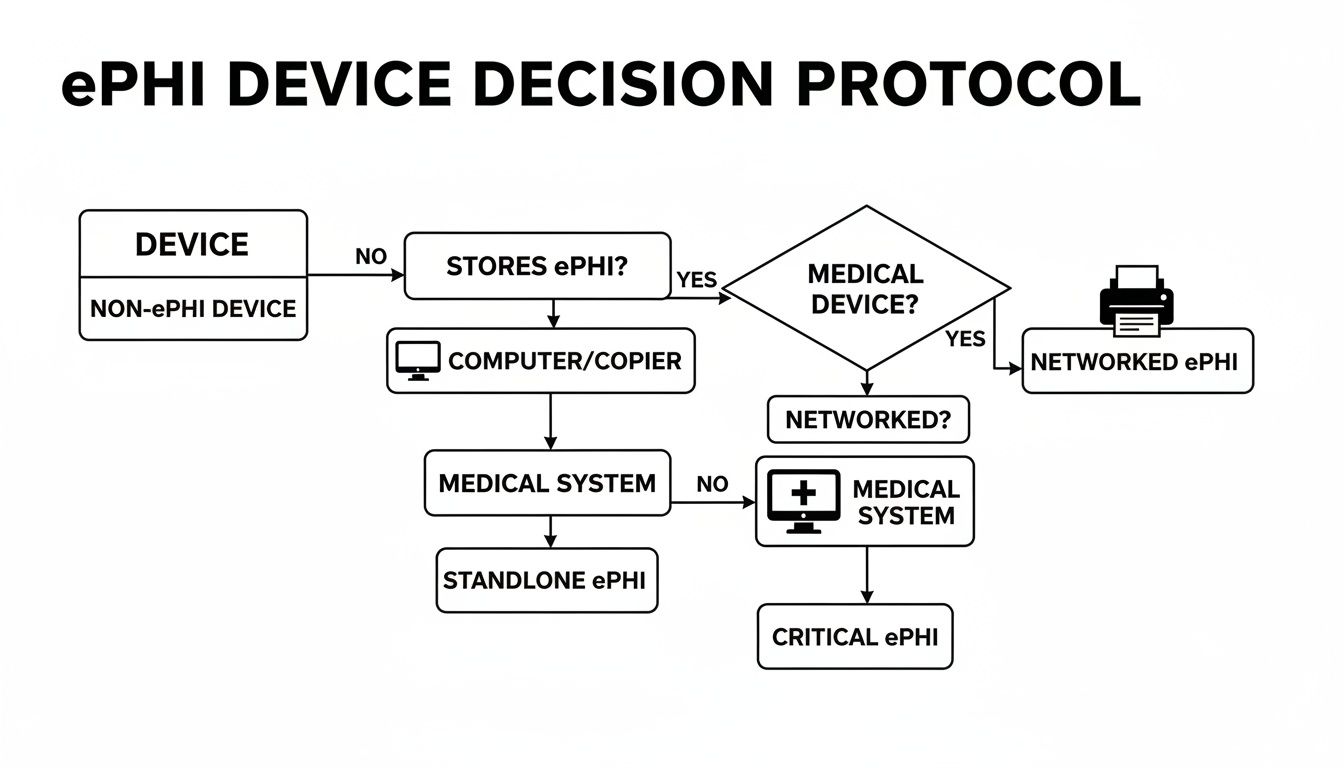
As you can see, the right path depends entirely on the device. An old magnetic hard disk drive (HDD) might be securely wiped, but that same process is completely useless on modern Solid State Drives (SSDs). For SSDs, degaussing doesn’t work at all—their memory chips are immune to magnets. This is why physical destruction is becoming the default for most Atlanta-area providers.
Physical Destruction: The Ultimate Failsafe
When you can’t afford any risk, physical destruction is the only method that guarantees 100% compliance. Why? Because you can't breach data that has been turned into a pile of metal and plastic confetti.
Shredding a hard drive is the digital equivalent of incinerating a paper file. It offers absolute finality and is the most defensible method during a HIPAA audit, leaving no room for doubt that the data is gone forever.
This is especially critical for the SSDs found in today's laptops, servers, and medical equipment. Their complex architecture can leave data fragments behind even after multiple software wipes. Physical shredding is the only way to be certain every single memory chip has been obliterated.
The Certificate of Destruction: Your Audit-Proof Evidence
Destroying the device is just step one. Step two is proving you did it correctly. This is where a Certificate of Destruction comes in—it’s the official legal document that serves as your proof of compliant disposal.
This is far more than a simple receipt. A legitimate certificate from a certified vendor must include:
- A unique serial number to track the service order.
- The date and location where the destruction took place.
- An itemized list of all destroyed assets, including their individual serial numbers.
- The specific method of destruction used (e.g., shredding to a certain particle size).
- The signature of an authorized witness from the disposal company.
In a HIPAA audit, this document is your shield. It proves you followed protocol and formally transfers liability for the destruction to your vendor. For facilities managers, offices, and property owners, working with a professional service is the easiest way to handle this. Fulton Junk Removal works hand-in-hand with Beyond Surplus to recycle electronics, metals, and other materials responsibly, ensuring every device is handled correctly and providing the certified documentation needed for compliance.
You can learn more about how our bundled junk removal and recycling services can simplify this process for your facility.
Choosing the Right Disposal Partner in Atlanta

When it's time to get rid of old IT equipment, the vendor you choose is one of the most critical decisions your practice will make. This isn't just about hauling away junk. It's about entrusting a partner with your data, your legal compliance, and your reputation. One wrong move can easily turn into a reportable data breach with massive fines.
Failing to vet a vendor is a surprisingly common—and costly—HIPAA mistake. Just look at Raleigh Orthopedic Clinic, which faced a $750,000 settlement. Their error? They handed over X-ray films to a recycling company without first signing a Business Associate Agreement (BAA). This single oversight proves a non-negotiable rule of secure IT disposal.
The Business Associate Agreement Is Non-Negotiable
Before a single hard drive or computer leaves your building, you must have a signed BAA with your disposal partner. This is a legally binding contract required by HIPAA that makes your vendor—the "Business Associate"—just as responsible for protecting your ePHI as you are.
Think of the BAA as the official legal handshake that transfers liability. Without it, your organization is still on the hook for any breach that happens, even after the equipment is long gone. A professional disposal partner won't just agree to sign a BAA; they'll insist on it before they start any work.
A vendor that drags their feet on signing a BAA or seems unsure what it is should be an immediate red flag. It’s a clear sign they aren’t equipped to handle the legal weight of managing ePHI, putting you at serious risk.
The right partner understands this responsibility and sees the BAA as a standard, essential part of doing business securely.
What to Look for in a Certified Partner
Beyond the BAA, true compliance means working with a partner who has proven expertise and industry-recognized certifications. These aren't just fancy letters on a website—they are your guarantee that the vendor meets strict, third-party audited standards for both data security and responsible recycling.
Keep an eye out for these two key certifications:
- NAID AAA Certification: This is the gold standard for secure data destruction. It verifies that a vendor’s hiring, facility security, chain of custody, and destruction processes are all locked down. It’s the best proof you can get that your data will be destroyed completely and verifiably.
- R2v3 Certification (Responsible Recycling): This certification is all about environmental protection and worker safety. It ensures your old equipment is recycled in an eco-friendly way, keeping toxic e-waste out of landfills and confirming your partner operates ethically.
Choosing a vendor with these certifications makes your life easier. They’ve already gone through intense audits to prove they know what they’re doing.
The Advantage of an Integrated Service Model
For busy office, warehouse, and property managers in Georgia, logistics can be a real headache. Juggling a general junk hauler for old furniture and a separate, certified ITAD vendor for electronics is inefficient and opens up compliance gaps. This is where having a single, integrated service makes all the difference.
Fulton Junk Removal works hand-in-hand with our parent company, Beyond Surplus, to give you one seamless solution. We handle the entire cleanout, from old desks to warehouse shelving. At the same time, all your IT assets are securely managed and processed by Beyond Surplus, a fully NAID AAA and R2v3 certified partner that diverts items from landfills and ensures they’re repurposed or recycled.
This bundled approach means:
- One Pickup: One team and one truck handle everything, making scheduling a breeze.
- Consolidated Reporting: You get a single, comprehensive report detailing the junk that was hauled away and a Certificate of Destruction for all your destroyed media.
- Total Peace of Mind: You have one point of contact and full confidence that both your junk removal and your HIPAA compliance are covered.
This model simplifies everything, from audit prep to sustainability reporting. You can learn more about how we streamline cleanouts for businesses across the city in our guide to commercial junk removal in Atlanta.
Building Your Audit-Proof Documentation Trail
When it comes to HIPAA, the old saying holds true: if you didn’t document it, it didn’t happen. Securely destroying old IT equipment is only half the job. The other half—the part that protects you in an audit—is having a perfect paper trail to prove you met the HIPAA IT Equipment Disposal Requirements Georgia regulators demand. A surprise audit shouldn't send you scrambling; it should be as simple as pulling out a file.
Think of this documentation as your compliance shield. It’s the hard evidence that shows you did your due diligence to protect patient data. Without it, even the most thorough destruction process is just an empty claim.
The Anatomy of a 'Disposal File'
For every single piece of equipment you retire—from a single laptop to an entire server rack—you need a dedicated "disposal file." It’s the final chapter in that asset's story. This file is your proof, ready to hand over to an auditor the moment they ask.
A solid disposal file isn’t just one document; it's a collection that tells the complete story of an asset’s final days. Every step, from the moment it’s taken out of service to its final destruction, needs to be logged.
A strong documentation trail does more than just satisfy auditors. It creates a culture of accountability, making sure every person on your team understands the weight of their responsibility when handling end-of-life IT assets.
Building this trail sounds like a lot of work, but it becomes second nature when you work with a certified vendor who provides all these documents as part of their standard service.
Essential Records for Your Audit Trail
To make your system truly audit-proof, your records must be detailed and consistent. You need to be able to follow a device from its line item on an inventory sheet all the way to its certified destruction, with no gaps in between.
Here’s what you absolutely must have on file:
- A Detailed Asset Inventory: This is your list of every device slated for disposal. Each entry needs the asset type (e.g., laptop, server), manufacturer, model, and most importantly, its unique serial number.
- Chain of Custody Logs: This document tracks the asset from the second it leaves your control. It records who picked it up, when, and every person who handles it until it arrives at the secure destruction facility.
- A Certificate of Destruction: This is your golden ticket. It's the official, legally binding document from your disposal partner confirming that the assets were destroyed according to NIST standards.
Remember, HIPAA requires you to keep all compliance documentation, including these disposal records, for a minimum of six years.
The Certificate of Destruction Explained
The Certificate of Destruction is the cornerstone of your documentation. This isn’t just a simple receipt—it’s a formal legal document. To be valid, it has to include specific information: the serial numbers of the devices destroyed, the exact date and method of destruction, and the signature of an authorized official from the vendor.
This certificate is what formally transfers the liability for that data from your organization to your disposal partner. It’s your undeniable proof that you held up your end of the compliance bargain.
Let Your Partner Build the Trail for You
For busy healthcare offices, property managers, and warehouses, creating and managing this level of detailed paperwork can feel like a full-time job. This is where a trusted partner becomes a true asset. To solidify your audit-proof documentation trail, utilize a robust HIPAA risk assessment template to systematically identify and mitigate risks to patient data.
The integrated service model from Fulton Junk Removal and Beyond Surplus is designed to take this burden off your shoulders. As a NAID AAA certified company, Beyond Surplus automatically provides all the necessary documentation. When we handle your office cleanout and IT disposal, you get a complete records package—asset lists, chain of custody logs, and Certificates of Destruction—that builds your audit-proof trail without you lifting a finger. To see how our unique, eco-friendly approach works, you can read more about the Fulton Junk Removal and Beyond Surplus partnership.
Your Georgia HIPAA IT Disposal Checklist
Alright, let's pull all this information together into a practical game plan. A compliant IT disposal strategy isn't a one-time task; it's a clear, repeatable process. This checklist gives you a step-by-step roadmap for navigating the HIPAA IT Equipment Disposal Requirements Georgia healthcare facilities must follow, from taking inventory to filing away the final paperwork.
Think of this as your guide to making sure nothing gets missed. It’s how you protect your organization from costly breaches and make compliance a whole lot simpler. You can use it to tighten up your existing policies or build a new one from the ground up.
1. Create a Complete IT Asset Inventory
Before you can dispose of anything, you have to know exactly what you have. Your first job is to create a detailed list of every single device in your facility that stores or has ever touched electronic Protected Health Information (ePHI).
- Document Everything: List all computers, laptops, servers, tablets, and company cell phones.
- Don't Forget Peripherals: This is a big one. Include office equipment like multifunction printers, scanners, and copiers—they almost always have internal hard drives storing copies of sensitive documents.
- Include Medical Hardware: Remember to add specialized equipment like diagnostic machines, EKG monitors, and any other medical device with embedded storage.
For every single item, log its type, model, and, most importantly, its unique serial number. This creates the clean starting point for your audit trail. To really build an audit-proof system, you should integrate this process into a broader strategy for IT asset lifecycle management.
2. Vet and Engage a Certified Disposal Partner
Choosing the right partner is probably the most critical decision you'll make in this process. Before a single piece of equipment leaves your building, you need to lock in a partnership with a vendor who lives and breathes HIPAA.
- Require a Signed BAA: Do not move forward without a signed Business Associate Agreement (BAA). This is a non-negotiable legal contract that makes your vendor liable for protecting your data.
- Verify Certifications: Look for vendors with NAID AAA Certification for secure data destruction and R2v3 Certification for responsible environmental recycling. These certifications are your proof that they follow industry-best practices.
3. Archive Your Certificate of Destruction
Once the equipment is gone and the data is destroyed, your final step is to get the proof. Your vendor absolutely must provide you with a Certificate of Destruction.
This document is your legal evidence that you followed the rules. It needs to list the serial numbers of all destroyed devices, the date of destruction, and the exact method used. HIPAA requires you to keep this certificate on file for a minimum of six years.
The Fulton Junk Removal and Beyond Surplus partnership simplifies this entire process. We offer a seamless experience for offices, warehouses, and property managers by handling both general junk removal and the secure, certified disposal of your IT assets.
From signing the BAA to delivering the final Certificate of Destruction, our integrated service ensures you get all the documentation you need for total peace of mind. For a hassle-free solution that covers all your compliance needs, contact Fulton Junk Removal today to get a free estimate.
Your HIPAA Disposal Questions, Answered
When it comes to HIPAA IT Equipment Disposal Requirements Georgia businesses need to follow, a lot of questions come up. We get it. Here are straightforward answers to the most common concerns we hear from Atlanta-area offices and healthcare providers.
What if Our Old IT Equipment Is Broken and Won’t Turn On?
You have to treat it like a live, data-filled device. Even if a computer won't boot up or a hard drive is damaged, specialized forensic tools can often pull sensitive patient data right off it. Unless that storage media is physically shredded or professionally degaussed, you’re sitting on a potential data breach.
Never assume a broken device is a safe one. Tossing non-working IT equipment into a regular dumpster is a direct HIPAA violation because the ePHI on it hasn't been properly destroyed.
Can My In-House IT Team Just Wipe the Drives Themselves?
While your IT team wiping drives is a great first step, it’s not enough to stand up to a HIPAA audit on its own. The problem is proof. Without independent, third-party validation, it’s just your word against a federal auditor's.
A certified vendor, on the other hand, provides a formal Certificate of Destruction. This document is your legally defensible evidence that you fulfilled your compliance duty. It shifts the burden of proof from your internal team to a certified expert whose entire process is built on national security standards.
What Is a Business Associate Agreement and Why Is It Essential?
Think of a Business Associate Agreement (BAA) as a legal handshake required by HIPAA. It's a contract between your organization (the Covered Entity) and any vendor that handles your ePHI—including your IT disposal partner. This contract legally binds the vendor to protect your patient data with the same level of security you do.
If you hand over a single piece of equipment containing ePHI without a signed BAA in place, you are already in violation of HIPAA. It's the absolute first step for any compliant vendor relationship.
How Does Bundling Junk Removal and IT Disposal Help My Business?
Our partnership between Fulton Junk Removal and Beyond Surplus was designed to be a single, seamless solution for busy Atlanta businesses, property managers, and offices undergoing a cleanout. When you book a project with Fulton Junk Removal, we manage everything.
We’ll handle all the general junk—old desks, chairs, and office clutter—while our partners at Beyond Surplus securely collect all sensitive IT assets for certified data destruction and responsible e-cycling. You get one point of contact, one simple invoice, and all the compliance paperwork you need for the entire job. It turns a complicated, high-risk task into one simple phone call.
Ready to simplify your office cleanout and ensure total HIPAA compliance? Let Fulton Junk Removal and Beyond Surplus handle everything with our integrated, eco-friendly solution. Visit https://fultonjunkremoval.com to schedule your pickup today.
