
Fiber Optic Installation Near Me: Your Cleanup Guide
Your fiber provider confirms the install date, your team is ready for faster service, and everyone focuses on bandwidth, cutover timing, and where the ONT will land. Then the crew leaves. What's left behind is usually your problem.
For property managers, facilities leads, and IT managers, a fiber optic installation near me search often starts as a connectivity project and ends as a cleanup, access, and disposal project. Old copper stays in ceiling space. Empty reels and cardboard stack up in the loading area. Packaging, conduit scraps, wall cutouts, and retired network gear sit in staging rooms longer than anyone planned. That mess slows tenant turnover, creates safety issues, and can turn a simple upgrade into a compliance headache.
The Hidden Side of Your High-Speed Upgrade
Thinking about fiber typically focuses on speed upgrades. On the ground, it is also part construction job, part equipment swap, and part waste stream.
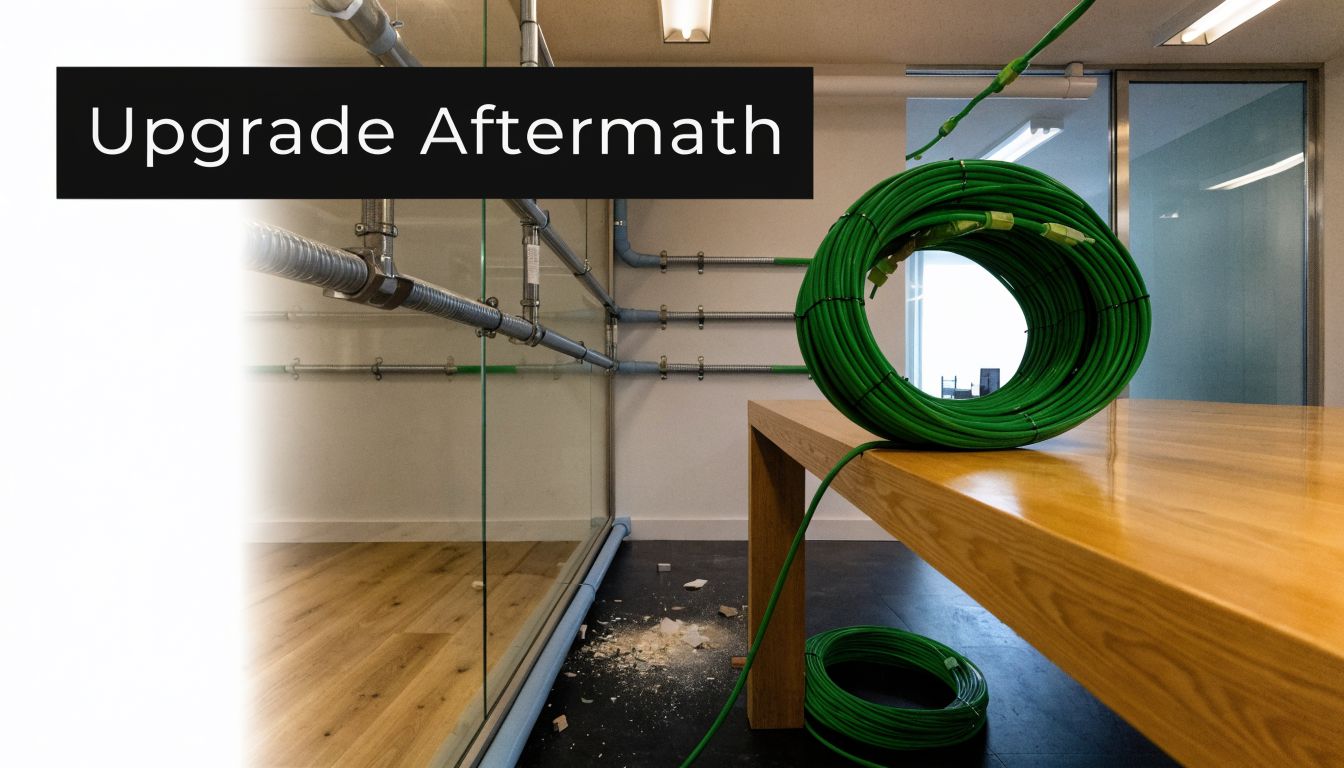
The scale of the network behind your new connection is enormous. TeleGeography's 2023 Submarine Cable Map notes that over 1.4 million kilometers of submarine fiber optic cables had been laid worldwide as of 2023, carrying 99% of international data traffic. As fiber pushed deeper into homes and commercial properties, that buildout also created bulky debris and e-waste at the property level. In major markets like Atlanta, expansions by providers like AT&T create waste streams that need active management, and cleanup specialists can divert 70 to 80% of materials from landfills through certified recycling when the job is handled correctly, as summarized in the FCC broadband deployment report context.
That's the part many teams miss. The install itself may be fast. The leftover material is what lingers.
What business operators usually see first
You usually notice the same things right away:
- Access disruption: hallways, telecom closets, risers, and exterior work zones don't return to normal on their own.
- Mixed waste: cabling, packaging, obsolete devices, and construction debris end up piled together.
- No clear owner: the ISP handles service activation. Your internal team inherits the physical aftermath.
- Reporting pressure: facilities, EHS, and sustainability teams may need a record of what was removed and where it went.
On-site reality: A clean activation doesn't always mean a clean property.
That's why the smartest teams treat cleanup as part of the project scope, not an afterthought. If you're already scheduling installers, access windows, and tenant notices, you should also be planning the haul-away and recycling side. A practical starting point is reviewing local cleanup planning ideas on the Fulton Junk Removal blog, especially if your upgrade touches offices, warehouses, shared commercial space, or multi-tenant properties.
What to Expect When the Installers Arrive
From your side of the building, fiber work isn't a mystery. It follows a predictable pattern. What matters is knowing which parts create disruption, which parts create waste, and which parts need space set aside before the crew shows up.
If the route is underground
Underground installs usually begin with route verification, utility marking, and access checks. Crews may trench, micro-trench, or use directional boring depending on the property layout and what they need to avoid.
According to Coastal Fiber's installation best-practice summary, underground conduit placement commonly targets 24 to 36 inches in depth, with trench widths around 12 to 18 inches, while micro-trenching uses much narrower cuts. Cable may then be blown through conduit or pulled, followed by splicing and OTDR testing in the final phase, as described in this underground fiber installation guide.
For a property manager, the technical details matter less than the physical effects:
- Surface disturbance: sidewalks, landscaping edges, asphalt, or interior entry points may be opened up.
- Spoil and scrap: dirt, broken surface material, conduit trimmings, and cable offcuts collect quickly.
- Temporary staging: installers need somewhere to place reels, tool cases, and removed material.
If the route is aerial or enters an occupied space
Aerial work is often less disruptive to the ground surface, but it still affects operations. Pole attachment surveys, lashing, entry-point work, enclosure mounting, and indoor routing all create touchpoints inside your space.
The Fiber Optic Association's installation reference notes that aerial jobs prioritize pole loading, cable handling, premises entry, indoor raceways, and final testing, all of which can move quickly but still require organized access and uncluttered work areas. Their practical benchmarks and failure points are outlined in the FOA fiber installation reference.
What actually creates the mess
The visible mess usually comes from a few repeatable activities:
- Pulling out legacy lines from racks, wall cavities, ceilings, or utility paths.
- Drilling and penetration work for entry points and raceways.
- Unboxing new hardware such as routers, ONTs, brackets, and mounting accessories.
- Cutting and trimming materials including conduit, ties, sleeves, and cable jackets.
- Abandoning old equipment in place when the installer's scope doesn't include removal.
If a telecom room is already crowded before installation day, the job gets slower and the leftover clutter gets worse.
A fiber optic installation near me search should really lead you to two plans. One for connectivity. One for site recovery. If you only prepare for the first one, your team ends up improvising the second.
The Junk Left Behind After Fiber Installation
The mess after a fiber upgrade isn't random. It falls into a few categories, and each one creates a different problem for your team.
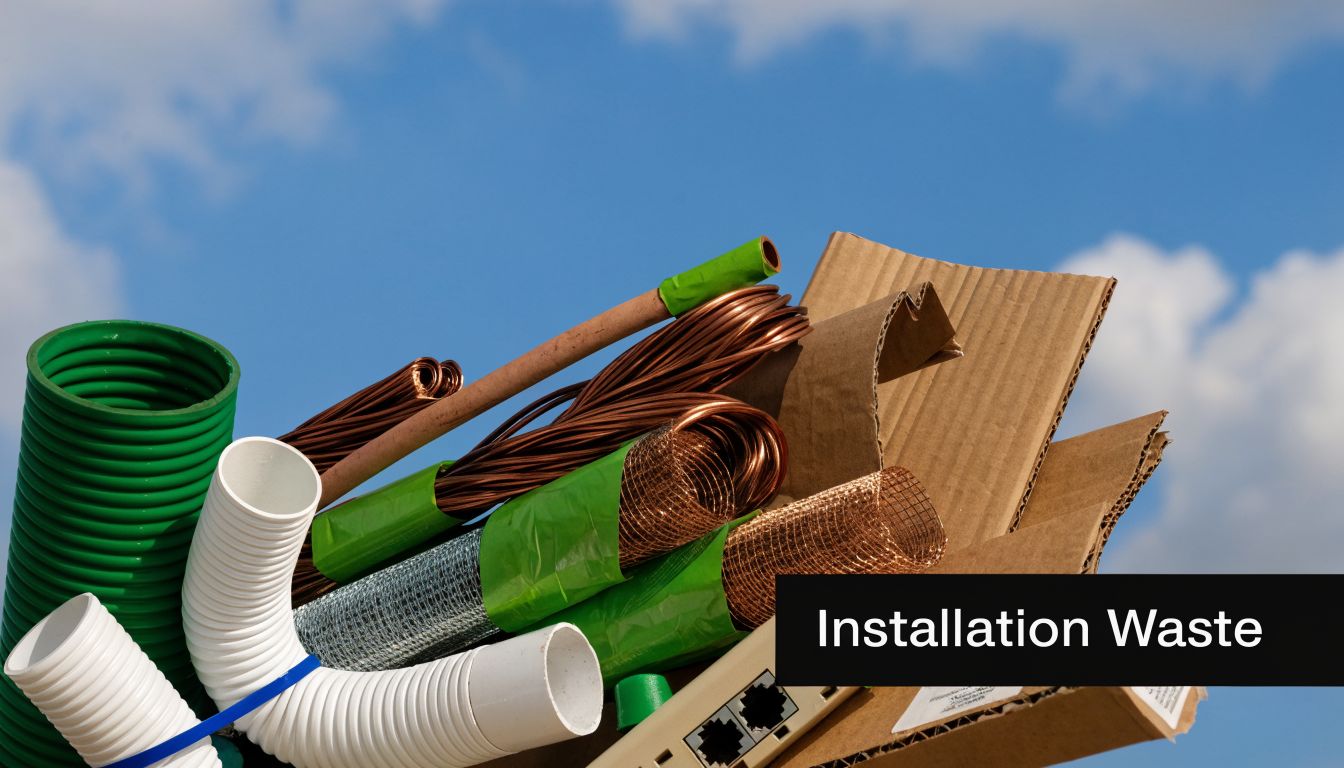
A typical fiber upgrade can produce 200 to 500 lbs of junk per residential site, and commercial sites generate significantly more. That waste can include obsolete copper cabling, e-waste, and installation debris. Old copper is especially deceptive because it adds up fast at about 50 lbs per 1,000 feet, based on the figures summarized by BroadbandNow's fiber coverage research.
The four waste streams that show up most often
| Waste type | What it looks like on site | Why it matters |
|---|---|---|
| Legacy cabling | Copper, coax, abandoned patch runs, cut bundles | Heavy, bulky, often tangled, hard to store safely |
| Retired electronics | Routers, switches, modems, access points, UPS units | May require compliant recycling and data-sensitive handling |
| Construction debris | Drywall pieces, conduit scraps, trench spoil, anchors, sleeves | Creates trip hazards and blocks access |
| Packaging waste | Cardboard, foam, plastic wrap, pallets, reels | Fills staging areas faster than most teams expect |
Why commercial sites feel worse than homes
In offices, retail suites, medical space, warehouses, and mixed-use properties, fiber work rarely replaces just one line. It often touches multiple closets, common pathways, overhead spaces, and customer-facing areas.
That changes the cleanup burden in three ways:
- The junk spreads out. Debris doesn't stay in one room. It ends up at dock doors, in maintenance areas, behind reception desks, and near IDF or MDF rooms.
- The material mix gets harder. You're not dealing with one trash pile. You're dealing with metals, electronics, packaging, and construction remnants that shouldn't all go to the same place.
- Operations keep moving. Staff, tenants, customers, and vendors still need clear access while the mess is waiting to be removed.
What usually gets underestimated
Old cabling is the big one. Managers see cable and assume it's light. Once it's bundled, boxed, or stacked after removal, it eats floor space and turns into a handling job.
E-waste is the second issue. A retired router or switch may look minor, but once you combine several closets' worth of hardware, the pile becomes a disposal decision, not a housekeeping task. That's why many teams use dedicated commercial removal support rather than trying to push everything through regular maintenance channels. If your upgrade also involves office clearouts, rack cleanups, or warehouse staging, reviewing broader commercial junk removal services can help you map the whole scope before install day.
Practical rule: If the install affects more than one telecom room, plan for a removal event, not a trash pickup.
Your Pre-Installation and Cleanup Project Plan
A fiber project runs better when cleanup is built into the schedule from day one. If you wait until the service is live to think about debris, your team loses time, tenants get frustrated, and old equipment tends to sit around far too long.
Before the crew arrives
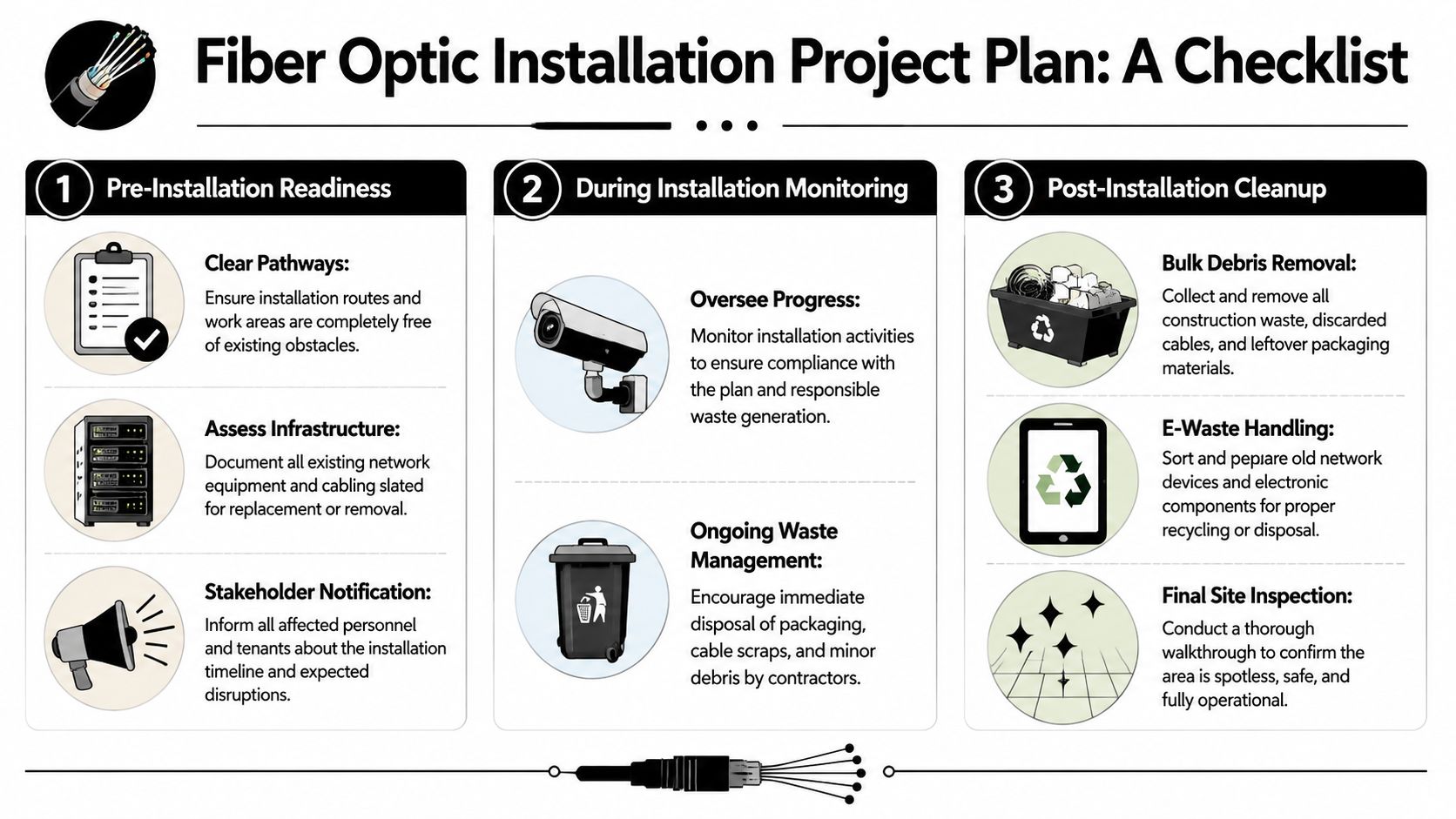
Start with access, not technology. Walk the route with your facilities lead or site contact and identify every area the installers may touch. That usually includes telecom closets, exterior utility paths, risers, ceiling access points, receiving areas, and any office or warehouse zones where temporary staging may happen.
Use this short prep list:
- Clear pathways: Move stored items, carts, archive boxes, and loose inventory out of cable routes and work zones.
- Document what's being replaced: Note old patch panels, routers, cabling, and abandoned hardware so nobody argues later about what should stay or go.
- Assign a debris zone: Pick one controlled area for packaging, pulled cable, and removed hardware.
- Notify occupants: Tenants, department heads, and warehouse teams need to know which spaces will be noisy or partially blocked.
If you're coordinating a larger relocation, the same planning discipline used for decluttering your home for a move applies surprisingly well here. Remove what you don't need before the deadline, not after it becomes one more obstacle.
While installation is in progress
Don't leave the crew unmonitored. You don't need to manage the technical work, but you do need someone watching access, staging, and what's being left behind.
A simple oversight routine helps:
- Check the staging area midday. If packaging and scrap are spreading, redirect them before they migrate.
- Protect operational paths. Keep exits, dock routes, and shared corridors clear.
- Separate electronics from general debris. Don't let retired devices disappear into mixed construction waste.
- Flag abandoned legacy lines. If old cable is being left in place, decide immediately whether it stays or gets removed.
The best cleanup jobs start during installation, not after the installers leave.
After activation
Once the line is live, run a final walkthrough with both operations and IT in mind. Look above racks, behind workstations, around wall penetrations, and at every exterior entry point.
Your post-install closeout should include:
- Bulk haul-away of removed cable, conduit scraps, reels, and packaging
- E-waste segregation for routers, switches, modems, and similar equipment
- Site safety check for trip hazards, exposed material, and blocked access
- Documentation for teams that need disposal visibility for internal records
For commercial sites, this closeout step is what restores normal operations. It's also the point where many teams realize regular janitorial service or maintenance staff aren't set up for bulky telecom debris and retired electronics. If you want the cleanup scheduled alongside the install instead of after a delay, it makes sense to contact a commercial cleanout team before the project starts.
Why Your ISP Is Not a Cleanup Crew
A lot of managers assume the provider will finish the whole job. In practice, the provider's scope is usually narrow. They're there to route the line, install or activate the service hardware, test the connection, and move on.
That leaves a service gap, especially when old infrastructure is involved.
A 2025 ITU report noted that over 2.5 million tons of decommissioned cabling are generated annually from FTTH upgrades in major markets, with up to 70% ending in landfills. The same industry context highlights the core issue. Installers focus on new service deployment, not legacy asset disposal, which is why a dedicated removal partner matters for environmental compliance and site recovery, as reflected in the ITU media center reporting context.
What installers are usually responsible for
They generally handle tasks like:
- bringing in the new line
- mounting or connecting service equipment
- confirming performance
- closing their work ticket
What often falls outside their scope
The items below are where expectations break down:
| Usually expected by customer | Often not included by installer |
|---|---|
| Removing old copper bundles | Legacy cable removal throughout the property |
| Clearing telecom room clutter | Haul-away of mixed junk and scrap |
| Taking retired network gear | Compliant electronics recycling |
| Restoring staging areas | Post-project cleanup logistics |
That isn't negligence. It's specialization. Installers are measured on deployment, activation, and schedule. They are not organized like a cleanout and recycling operation.
If old cable, scrap packaging, and retired devices are still on site after activation, that doesn't mean the install went wrong. It usually means cleanup was never in the contract.
Customers often get stuck here. The fiber service is live, but your property still looks like an unfinished job. If your team needs a partner that handles the haul-away side professionally, it helps to review how a dedicated removal company approaches access, recycling, and site logistics on the Fulton Junk Removal company overview.
Streamline Your Upgrade with Responsible Junk Removal
The cleanest fiber projects separate the technical install from the recovery work and give each one the right team. That's especially important when the site includes offices, warehouse space, shared tenant areas, or older network rooms full of mixed materials.

A responsible removal plan should do more than “pick up junk.” It should sort materials, keep recyclable streams separate, move quickly enough to avoid downtime, and give your team a clean handoff when the project closes.
What good cleanup support looks like
For commercial fiber upgrades, the useful services are specific:
- Cable and debris removal: old copper, coax, packaging, reels, conduit offcuts, and general post-install clutter
- Electronics recycling: retired routers, switches, modems, access points, and related devices routed into proper downstream handling
- Operational coordination: pickup timing that matches install windows, tenant constraints, and dock access
- Reporting support: records that help facilities, procurement, or sustainability teams account for what left the site
That's where a circular approach matters. Instead of treating everything as landfill-bound waste, a better process separates recoverable metals and electronics for responsible recycling. For businesses working on ESG goals or internal disposal controls, that difference matters.
Why bundled recycling changes the result
When junk hauling and electronics recycling happen through separate vendors, materials often get mixed, handoffs get delayed, and nobody wants responsibility for the awkward stuff like old cabling or half-functional network gear.
A bundled removal and recycling model avoids that. Fulton Junk Removal operates under Beyond Surplus, which means commercial cleanouts can be paired with direct electronics and metal recycling instead of default landfill disposal. For offices, warehouses, and property managers, that creates a simpler workflow and cleaner chain of custody.
If you're weighing options, it can help to compare skip hire and collection services in a broader waste-management context. The basic lesson applies here too. The right solution depends on access, material type, labor needs, and whether the waste has to be sorted and removed from active work areas rather than dropped into a container.
Why this matters in Atlanta
Fiber work in metro Atlanta often happens in active properties where space is tight and disruption is expensive. A provider may finish the technical part quickly, but your team still has to reclaim the room, hallway, suite, dock, or telecom closet.
For local operators managing that transition, it helps to work with a team that already serves Atlanta-area commercial cleanout needs and understands the difference between ordinary trash, bulky install debris, and electronics that need responsible downstream handling.
Finish Your Fiber Project the Right Way
A fiber upgrade isn't finished when the light levels test out and the service goes live. It's finished when the old cable is gone, the retired electronics are handled correctly, the work areas are clear, and your staff can use the space normally again.
That's the part many teams underestimate when they search for fiber optic installation near me. The internet side gets all the attention. The physical aftermath is what creates delays, clutter, and disposal risk.
If you manage a commercial property, office, warehouse, or multi-tenant site, build cleanup into the installation plan from the start. Assign staging space. Separate old electronics from general debris. Decide who's removing legacy cabling before the installers arrive. That approach protects uptime, keeps the property safer, and avoids the last-minute scramble that happens when everyone assumes someone else will handle the mess.
If your fiber project left behind old cable, packaging, scrap, or retired network gear, Fulton Junk Removal can help you close the job properly. The team handles commercial cleanouts with an eco-conscious approach, and through Beyond Surplus, recyclable electronics, metals, and other materials can be processed responsibly. If you need a fast estimate for an office, warehouse, retail space, or managed property in Atlanta, reach out before the debris starts slowing down operations.
