
IT Asset Disposal for Offices in Atlanta: A Complete Guide
You're probably dealing with one of three situations right now. Your office lease is ending and the storage room still holds towers, monitors, docking stations, and a box of old hard drives nobody wants to claim. Your IT team just completed a laptop refresh and the retired devices are stacked in a conference room. Or a consolidation project turned up years of network gear, printers, phones, and mixed electronics that don't belong in a normal junk pickup.
That's where offices get tripped up. A pile of retired equipment looks like a hauling problem, but it's really a records, security, logistics, and sustainability problem. If any of those devices still contain data, simple removal isn't enough. If some of the equipment still has resale value, destroying everything is wasteful. If your company needs documentation for audits or internal controls, “we got rid of it” won't hold up.
Your Atlanta Office ITAD Guide
In Atlanta, office cleanouts often blur together. Furniture, general junk, scrap metal, and retired electronics all come out at once. Facilities managers usually need one coordinated project, not five separate vendors showing up on different days. The challenge is that IT asset disposition, or ITAD, is not the same thing as junk removal.
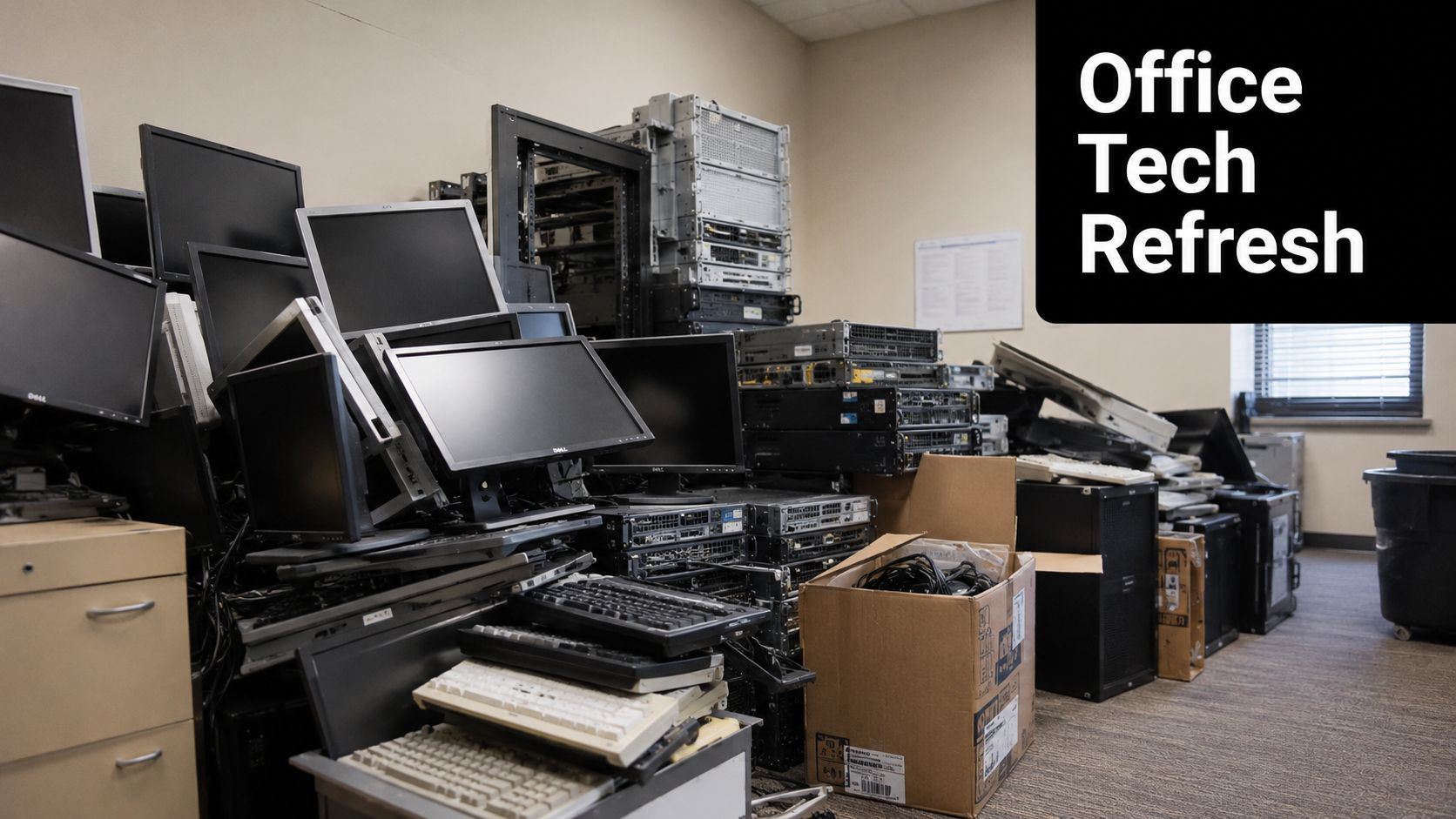
A proper ITAD workflow handles data-bearing devices through inventory, secure movement, data destruction, recycling, and reporting. That matters because office decommissions rarely happen in neat categories. You may have cubicles and shelving going out with laptops, switches, access points, and a shelf of backup drives from an old server room. In those cases, a combined cleanout model makes the job easier to manage.
The broader market shows this is now a standard business function, not a niche service. The U.S. IT asset disposition market was valued at $2.66 billion in 2022 and is projected to reach $4.90 billion by 2032, reflecting 6.2% CAGR, according to U.S. ITAD market projections from Custom Market Insights. For Atlanta offices, that growth tracks with what operations teams already see on the ground. More refresh cycles, more relocations, more compliance pressure, and more attention on downstream disposal.
What office managers usually need
Most facilities teams don't want a theory lesson on e-waste. They want a practical answer to a practical problem:
- One coordinated pickup: Desks, miscellaneous junk, and retired electronics often need to leave at the same time.
- A secure process for devices: Laptops, desktops, servers, phones, and drives need controlled handling.
- Paperwork that survives scrutiny: Asset records, destruction documentation, and clear chain-of-custody matter later, not just on pickup day.
- Responsible downstream processing: Offices increasingly need to know whether assets were reused, recycled, or destroyed.
Offices get into trouble when they treat data-bearing hardware like ordinary surplus. It isn't.
For Atlanta-area projects, the integrated model is what makes the difference. General cleanout and hauling can move through one workflow, while certified ITAD processing handles the sensitive electronics correctly. That's the practical fit behind Atlanta commercial removal coverage. Fulton handles the broader site cleanout, and Beyond Surplus manages the electronics stream through a circular process built around reuse, recycling, and documented data destruction.
What works and what doesn't
What works is early planning. Walk the office before move-out. Separate obvious data-bearing assets from scrap and furniture. Decide who signs off on manifests. Identify anything that might still be remarketed.
What doesn't work is the common shortcut. Loading mixed electronics into a truck with everything else, assuming someone downstream will sort it out, and asking for paperwork after the fact. By then, your control over the process is already gone.
Why Responsible ITAD Matters for Your Business
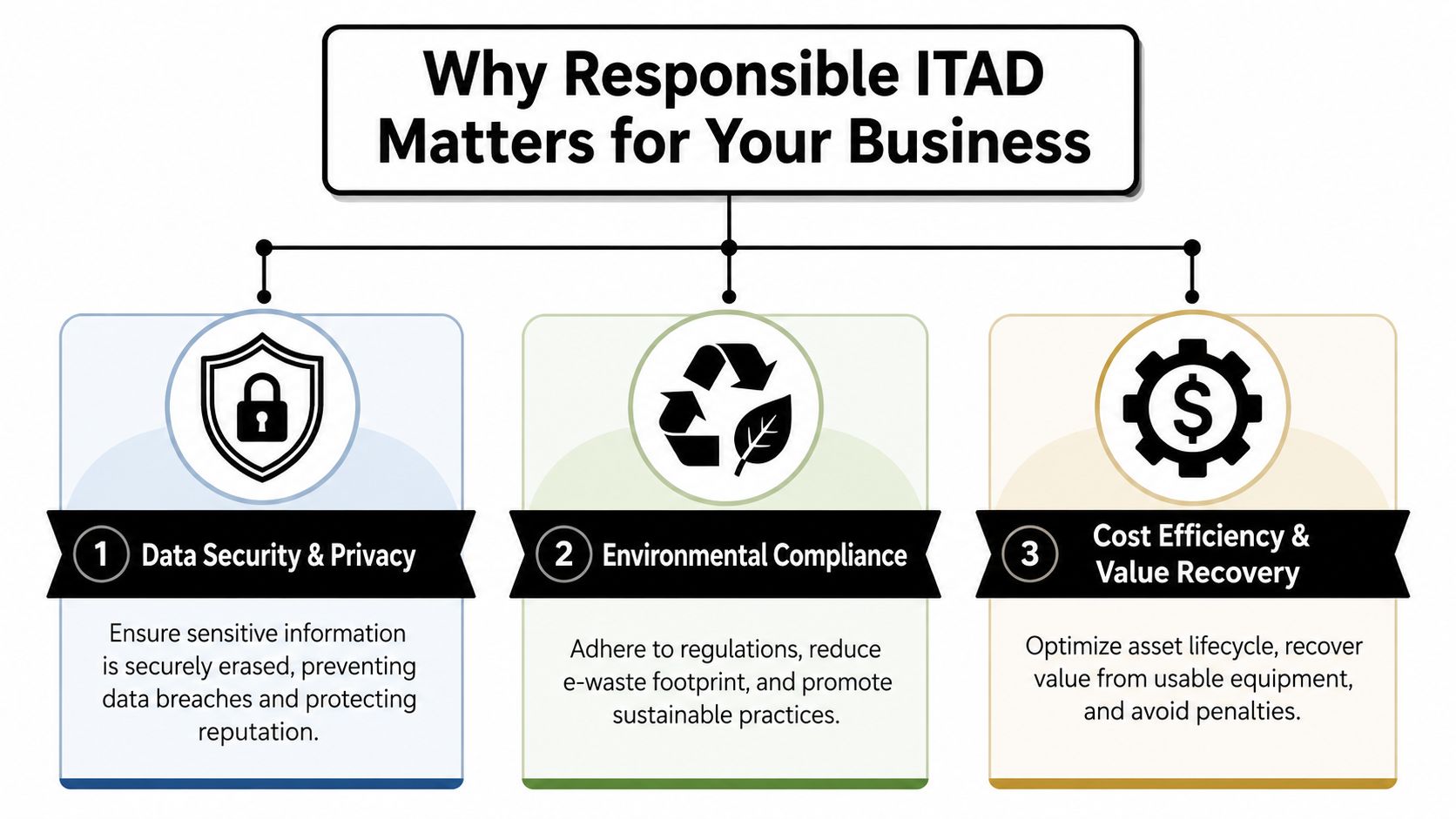
Many companies still think IT disposal is a back-end chore. It isn't. For an office, responsible ITAD protects three things that managers care about immediately: data security, environmental responsibility, and financial control.
Data risk doesn't end when a device stops being useful
An old laptop can still expose employee, customer, patient, or financial data. The same goes for desktops, servers, copiers with storage, and loose hard drives left in storage cabinets. If equipment leaves the office without a documented process, your company takes on unnecessary risk.
That's why responsible ITAD starts with control, not transportation. You need to know what left the building, who handled it, and what happened to the data. If that record doesn't exist, the disposal event becomes hard to defend later.
Sustainability is now part of disposal decisions
Many organizations also need better answers on what happened to retired equipment from an environmental standpoint. That's not only about avoiding landfill disposal. It's also about whether assets were reused, refurbished, dismantled properly, or recycled through a certified downstream process.
The sustainability case is bigger than most office teams realize. The UN's latest report shows only 22.3% of the 62 million tonnes of e-waste generated in 2022 was formally collected and recycled, as noted on Transpere's Atlanta ITAD page citing the UN global e-waste report. For Atlanta businesses, that makes vendor selection a practical sustainability decision. A certified process with usable reporting helps support internal ESG discussions and environmental tracking in a way a generic haul-away service can't.
A recycler that can't explain downstream handling clearly is asking you to trust a blind spot.
Financial common sense matters too
The last piece is economics. Offices often retire a mixed batch of equipment. Some assets are obsolete or damaged and belong on a destruction path. Others still hold residual value if they're handled correctly. A process that wipes and triages equipment before recycling preserves options. A process that destroys first and asks questions later eliminates them.
That's one reason businesses use a structured service model rather than ad hoc disposal. They're not just paying to make equipment disappear. They're reducing legal exposure, supporting sustainability reporting, and protecting the value of devices that still have a second life.
For teams looking at office cleanouts more broadly, Fulton Junk Removal's commercial removal services fit that reality because the project often includes much more than electronics alone. The important point is that sensitive IT equipment has to move through a different standard than ordinary office junk.
The IT Asset Disposal Process Step by Step
For a facilities manager, the cleanest ITAD projects are the ones with a defined workflow before anyone starts unplugging equipment. A professional process in Atlanta typically starts with inventory, moves through secure logistics, and ends with NIST 800-88 compliant wiping or physical shredding, plus a Certificate of Data Destruction, as described by Georgia IT asset management guidance from Beyond Surplus.
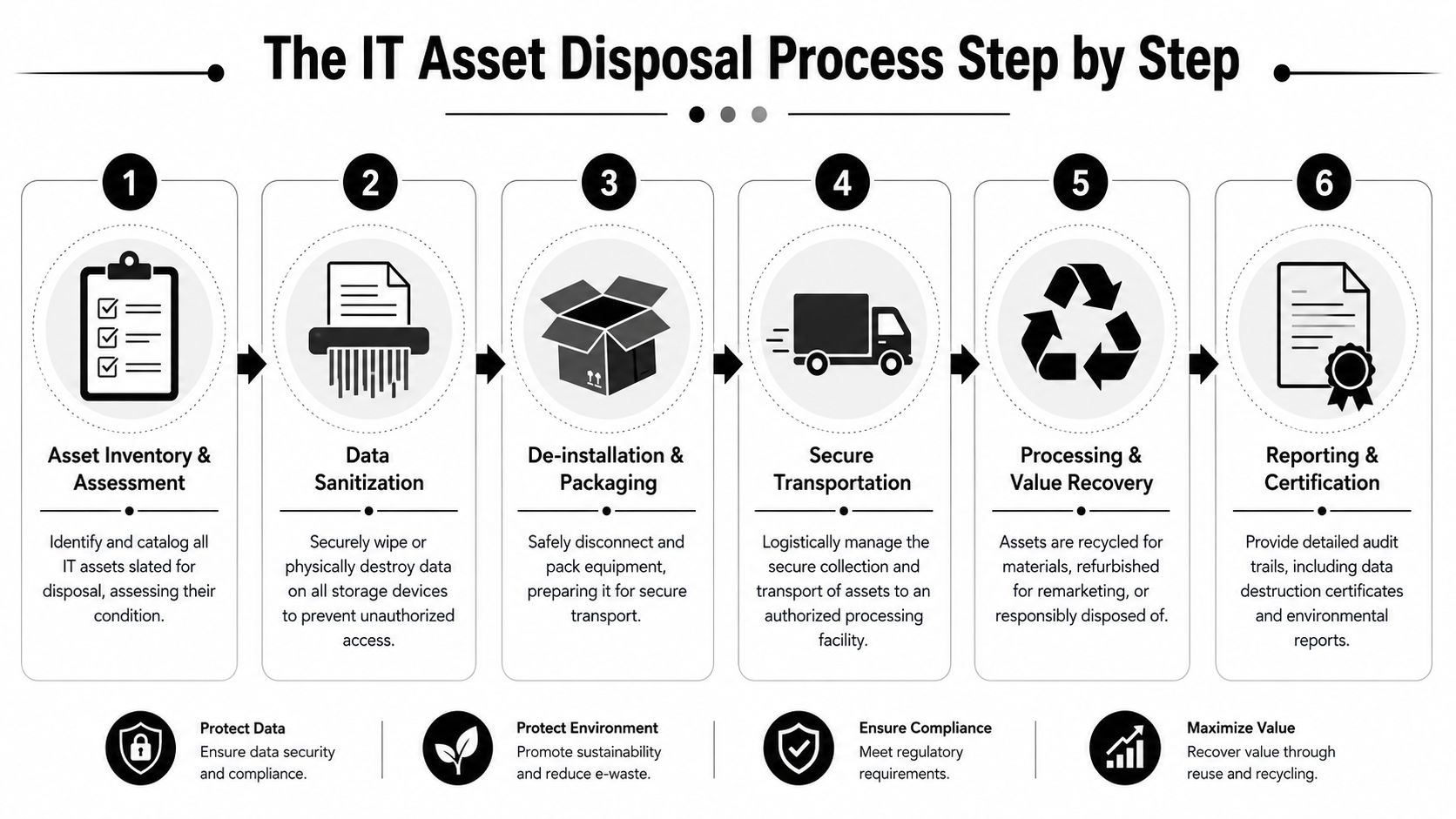
Step 1 and Step 2
Inventory and assessment
Start by identifying what you have. That includes make, model, specifications, serial numbers where required, and basic condition. In office settings, this step often reveals surprises such as spare drives, retired access points, legacy phones, and equipment stored outside the server room.Pickup planning and onsite control
Before pickup day, decide how the equipment will be staged and who authorizes release. Sensitive devices shouldn't sit mixed in with scrap or general office debris. Clear staging avoids mistakes and speeds up handoff.
Step 3 and Step 4
Secure collection and transport
Once assets are released, they need to move under documented control. That means transfer records, labeled containers or pallets where needed, and a traceable handoff from your site to the processing stream. A casual truckload approach typically fails without such documented control.Data destruction
Devices on a reuse or resale path are usually sanitized through standards-based wiping. Devices that are damaged, obsolete, or too sensitive for reuse go to physical destruction. The right choice depends on risk, condition, and whether value recovery is possible.
Practical rule: If you can't match a device to a manifest and a disposition path, it isn't ready to leave the site.
Step 5 and Step 6
Sorting for reuse, remarketing, or recycling
Not every retired asset is waste. Functional laptops, desktops, servers, and network gear may be suitable for remarketing after sanitization. Other items go to component recovery and recycling through certified downstream channels.Final reporting
This is the part many buyers wish they had asked about earlier. You should expect documentation that shows what was received, what was wiped, what was destroyed, and what moved into recycling or reuse. For many organizations, the final report matters as much as the pickup itself.
Where integrated operations help
An office shutdown rarely produces only IT assets. You may have racking, furniture, packaging waste, scrap metal, and general junk coming out during the same project window. That's why the combined model is useful. A cleanout crew can manage the broader removal work while the certified electronics stream moves through ITAD controls instead of being lumped into general disposal.
Done well, the process feels simple from the client side. Underneath, it's a chain of documented decisions.
Navigating Data Security and Compliance Requirements
If there's one place to be strict, it's here. The highest-risk failure in ITAD is incomplete data sanitization. Atlanta-focused guidance recommends inventorying every device, capturing serial numbers, and requiring transfer-of-custody paperwork before equipment leaves the site so there's a documented chain of custody tied to downstream destruction records, according to Atlanta IT asset management best practices.
What chain of custody actually means
People use the phrase loosely, but the concept is simple. Chain of custody is the documented record of who controlled an asset from the time it was identified for disposal until its final disposition. If a laptop disappears between your loading dock and the processor, chain of custody is what tells you where the process failed.
For an office environment, that usually means:
- Asset identification: Every device scheduled for release is listed before pickup.
- Transfer documentation: Someone from your side signs assets over to the vendor.
- Controlled transport: Equipment moves through a traceable logistics path.
- Receiving confirmation: The processor confirms intake against the manifest.
- Final disposition records: Wiping, destruction, recycling, or remarketing is documented.
Without that record, there's no defensible story if someone later asks what happened to a specific drive or workstation.
Wiping versus shredding
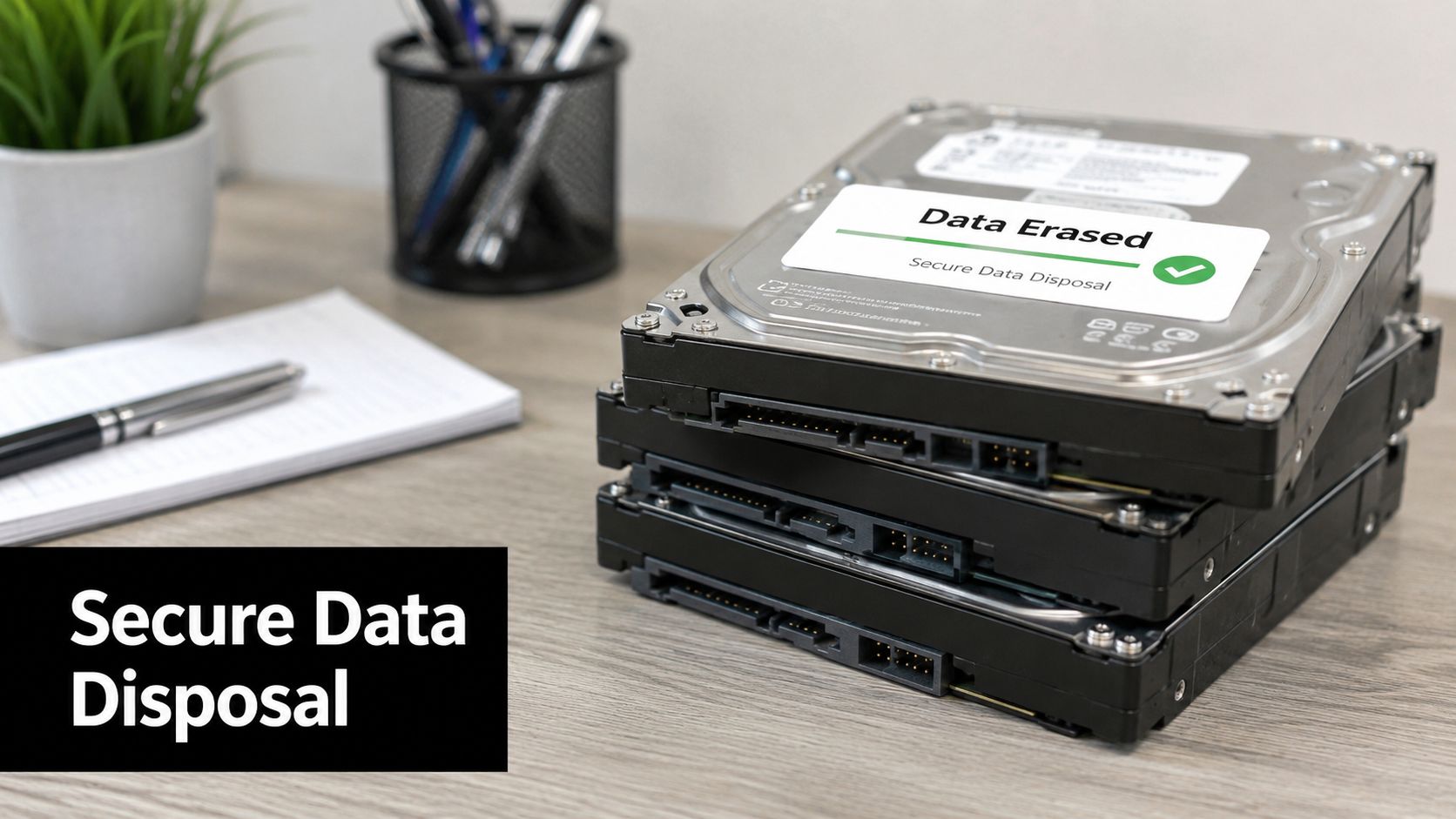
In IT asset disposal, practical execution outweighs mere slogans. If an asset is still useful, standards-based software wiping may be the right option because it sanitizes the data while preserving the hardware for redeployment or resale. If a drive is damaged, unsupported, or too sensitive for reuse, physical destruction is usually the cleaner answer.
Neither method is “better” in every situation. The right method matches the device condition and the risk profile. Experienced teams decide that before transport, not after the assets are mixed together.
If your disposal plan starts with “we'll sort it out later,” you've already weakened the security model.
Why compliance teams ask for documentation
A Certificate of Data Destruction matters because it converts a technical task into a business record. Auditors, legal teams, cyber insurers, and internal stakeholders often need evidence that retired devices were handled under a controlled process. The certificate doesn't replace your manifest or transfer paperwork, but it completes the file.
If your organization is also working on broader governance around retention, privacy, and audit readiness, resources on achieving robust data compliance can help frame how disposal records fit into a larger control environment. ITAD is only one part of compliance, but it's one of the easiest places for sloppy execution to create avoidable exposure.
For mixed cleanouts, this is also where service boundaries matter. Fulton's service lineup for commercial removals covers the broader site cleanup side, while the sensitive electronics stream needs the tighter documentation and processing discipline described above.
How to Choose the Right ITAD Partner in Atlanta
Vendor selection gets easier when you stop asking, “Can you pick this up?” and start asking, “Can you prove what happened after pickup?” That single shift filters out a lot of weak options.
One of the most important operational questions is whether the provider separates remarketable assets from destroy-only assets before transport. Atlanta guidance notes that software wiping preserves resale value, while physical destruction eliminates it. It also recommends early triage of newer, higher-value equipment so recoverable assets aren't destroyed by mistake, as described in Atlanta data destruction and value recovery guidance.
What to verify before signing anything
Some checks are essential. Others depend on your environment, especially if you're clearing multiple floors, a warehouse office, or several satellite locations.
| Verification Point | Why It Matters | What to Ask For |
|---|---|---|
| Certifications | Shows the processor follows recognized standards for recycling and environmental controls | Proof of R2, e-Stewards, ISO 14001, or equivalent documentation |
| Data destruction methods | Confirms whether the vendor can support wiping, shredding, or both | Written explanation of sanitization methods and when each is used |
| Asset-level reporting | Bulk weight tickets won't help if you need device-specific records | Sample reports showing serial-number-level tracking |
| Chain of custody | Protects you from gaps between office pickup and final processing | Transfer forms, intake workflow, and custody records |
| Insurance and liability | Clarifies responsibility if something goes wrong in transit or handling | Current certificates of insurance and scope of coverage |
| Value recovery process | Prevents useful equipment from being destroyed unnecessarily | How they identify remarketable assets before transport |
| Downstream transparency | You need to know where materials go after initial intake | Description of downstream recyclers and processing standards |
| Mixed-load capability | Office projects often include both junk and electronics | Whether they can coordinate cleanout logistics with secure IT handling |
A few questions expose weak vendors fast
Ask these out loud and listen carefully:
- What documentation do you provide by asset, not just by load?
- How do you separate reusable equipment from destruction-only material before it leaves the site?
- Can you support both office cleanout logistics and secure electronics disposition in one project?
- What does your handoff paperwork look like on pickup day?
If a vendor answers with generalities, keep looking.
Storage media details matter more than most people think
Facilities teams sometimes discover mixed storage types during decommissions, especially in older offices where desktops, backup devices, and replacement drives were accumulated over time. If your team needs a quick refresher on hardware differences before discussing wipe or destroy paths, this explainer on compare 1TB HDD vs SSD is useful because storage media affects handling decisions.
For buyers who want one point of contact across general cleanouts and electronics processing, Fulton Junk Removal's company background explains the relationship with Beyond Surplus. That integrated structure is practical when your project includes both ordinary removal work and certified ITAD requirements.
Frequently Asked Questions for Atlanta Offices
Can we dispose of office junk and retired electronics in the same project
Yes, and that's often the most efficient way to do it. The key is to keep the electronics stream separate from the general debris stream operationally, even if both are scheduled under one project. Furniture, fixtures, and non-sensitive junk can move through normal removal. Data-bearing devices need inventory, controlled pickup, and documented downstream handling.
Should we choose onsite destruction or offsite processing
It depends on your risk tolerance, the asset mix, and what records you need. Some offices prefer onsite destruction for high-sensitivity media. Others use offsite processing when the chain of custody, intake controls, and reporting are strong. The better question isn't “onsite or offsite?” It's “what documentation proves the method was carried out correctly?”
What should we do before pickup day
Have one internal owner for the project. Identify sensitive areas such as server rooms, executive offices, storage closets, and copier stations. Pull together any old loose drives, backup media, or retired laptops that may not be with the rest of the equipment. If your office spans multiple floors, label staging areas clearly so devices don't get mixed with scrap.
Do all retired devices need to be physically destroyed
No. Some devices should be destroyed. Others should be wiped and moved into a resale or recycling path. The right answer depends on device condition, storage type, data sensitivity, and whether reuse still makes sense. The mistake is applying one method to every asset without triage.
What paperwork should we ask for
At minimum, ask about inventory records, transfer-of-custody documentation, and final destruction or sanitization records. If your organization has audit, legal, or insurance requirements, confirm the reporting format in advance rather than assuming it will be available later.
Keep your disposal file the same way you'd keep a contract file. If questions come up later, you'll want the records immediately.
Can this support sustainability reporting
Yes, if the provider can document what was reused, recycled, or destroyed and explain downstream handling. Offices often miss this point and treat disposal as a one-line expense. In practice, a well-documented ITAD event can support internal reporting around diversion, reuse, and environmental stewardship.
Where can we keep learning as policies and office needs change
A practical place to monitor related guidance and local service updates is the Fulton Junk Removal blog. For most offices, the next step is to stop treating retired electronics as miscellaneous junk and start handling them as controlled business assets.
If your Atlanta office is planning a move, refresh, closure, or cleanout, Fulton Junk Removal can coordinate the general removal side while the Beyond Surplus process handles sensitive electronics through documented, responsible IT asset disposition. That gives facilities teams one organized workflow for junk removal, recycling, and secure IT disposal without treating everything like landfill-bound debris.
